CKB Lab — a small CKB dev lab I built while learning. Would love your feedback 
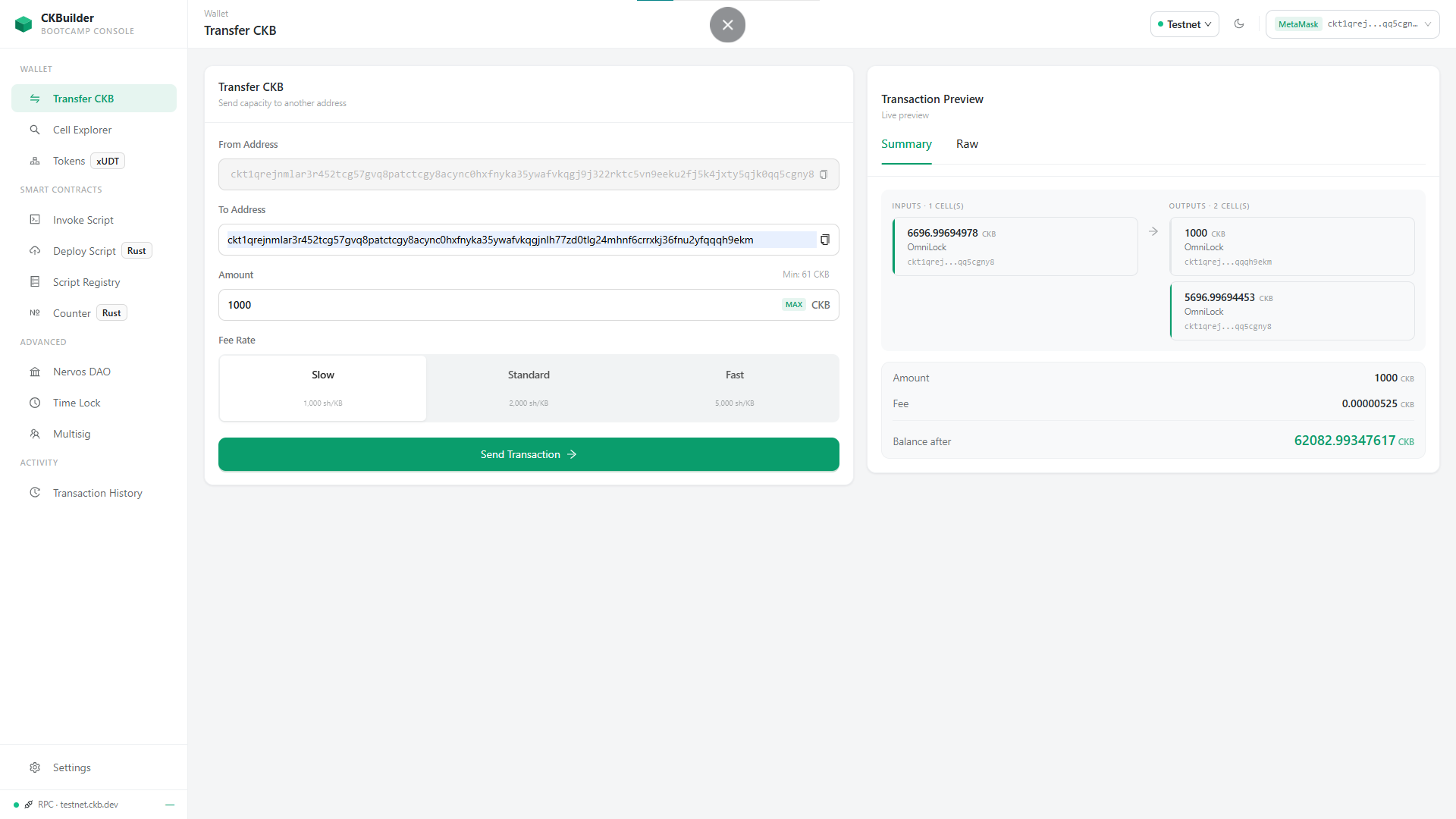
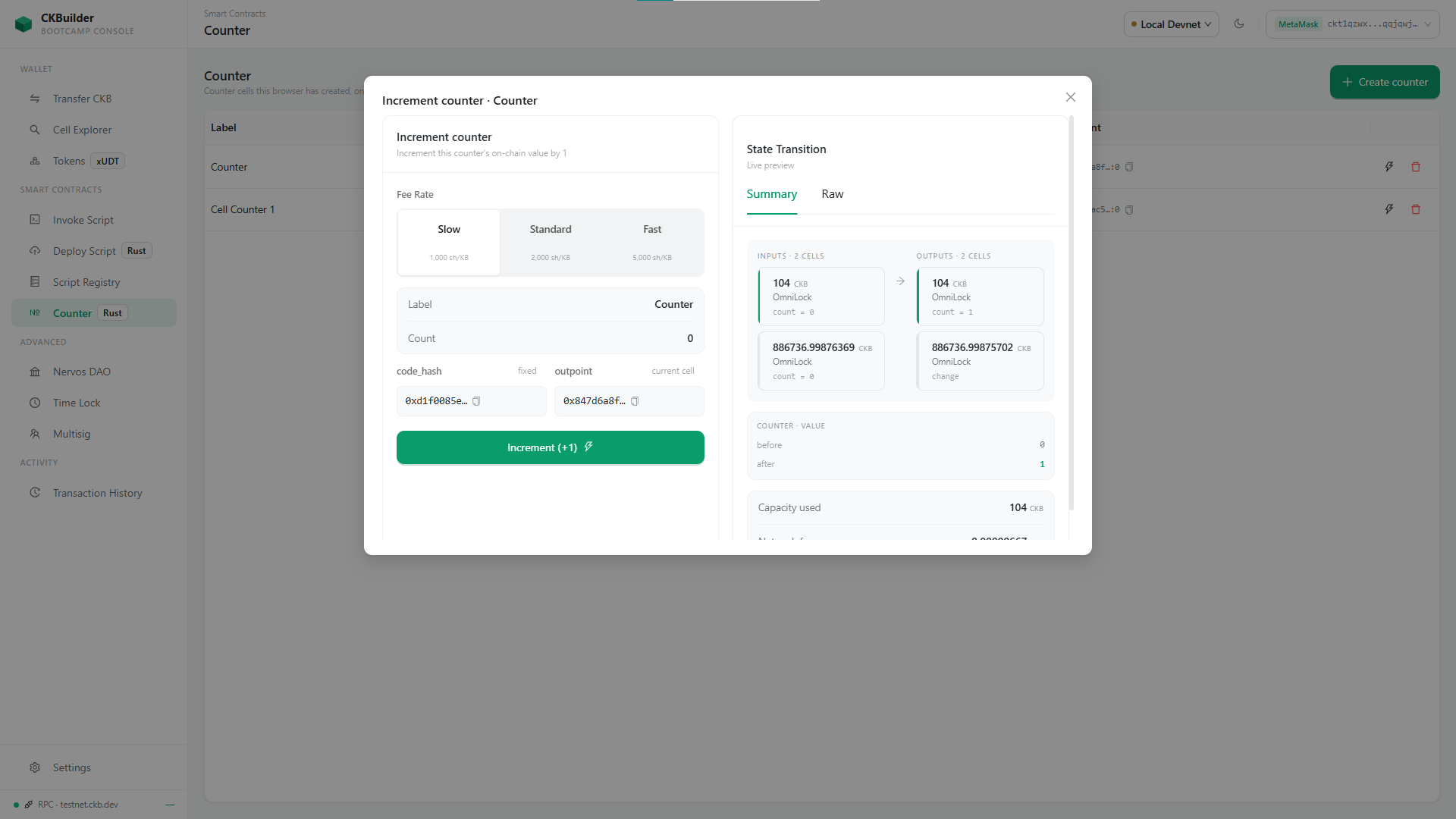
Hi everyone,  I’ve spent my CKBuilder time making “CKB Lab” a developer lab where each page takes one CKB concept and tries to make it concrete by building a real transaction:
- you fill in a form,
- watch the input and output cells and the fee resolve in a live preview
- sign with your wallet
- and follow the transaction from broadcast to committed.
The idea is simply that nothing is mocked — the preview on screen is the transaction that gets signed — because when I was starting out, the gap between “I read how cells work” and “I can see what my transaction actually looks like” was the hardest part.
 Go live, nothing to install: https://ck-builder-bay.vercel.app
 Repo: GitHub - tiennt0212/CKBuilder · GitHub
What it does today
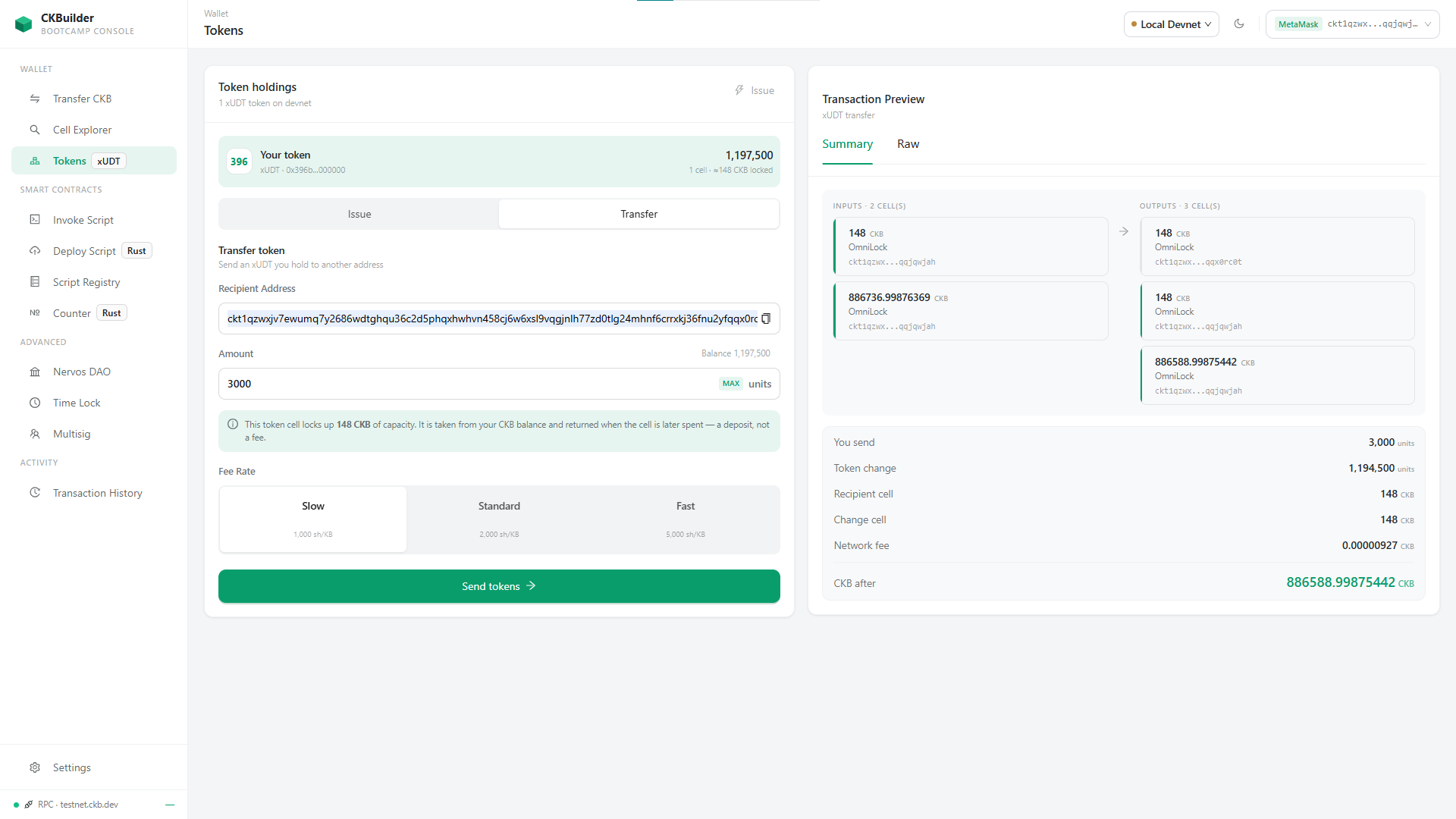
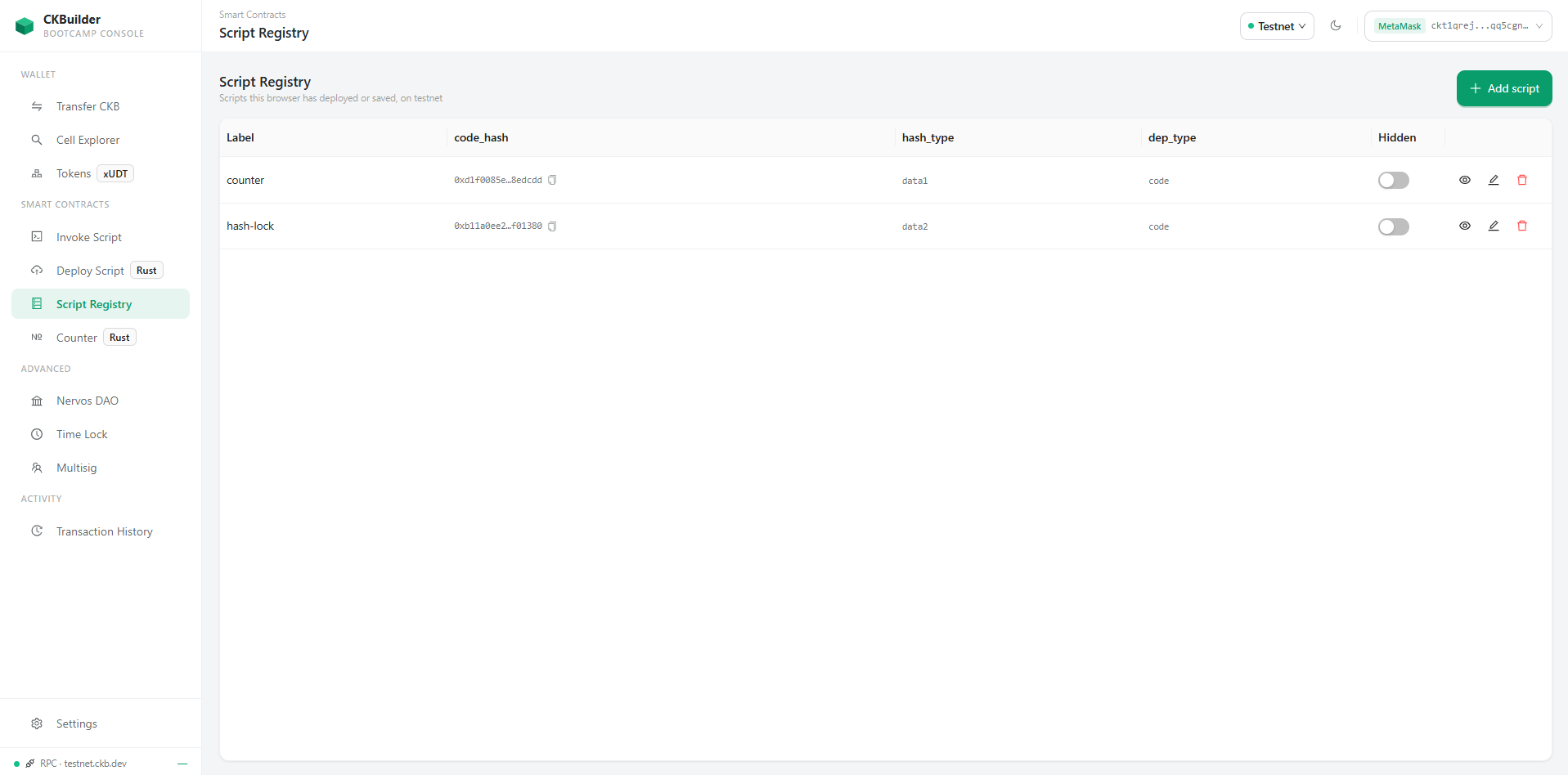
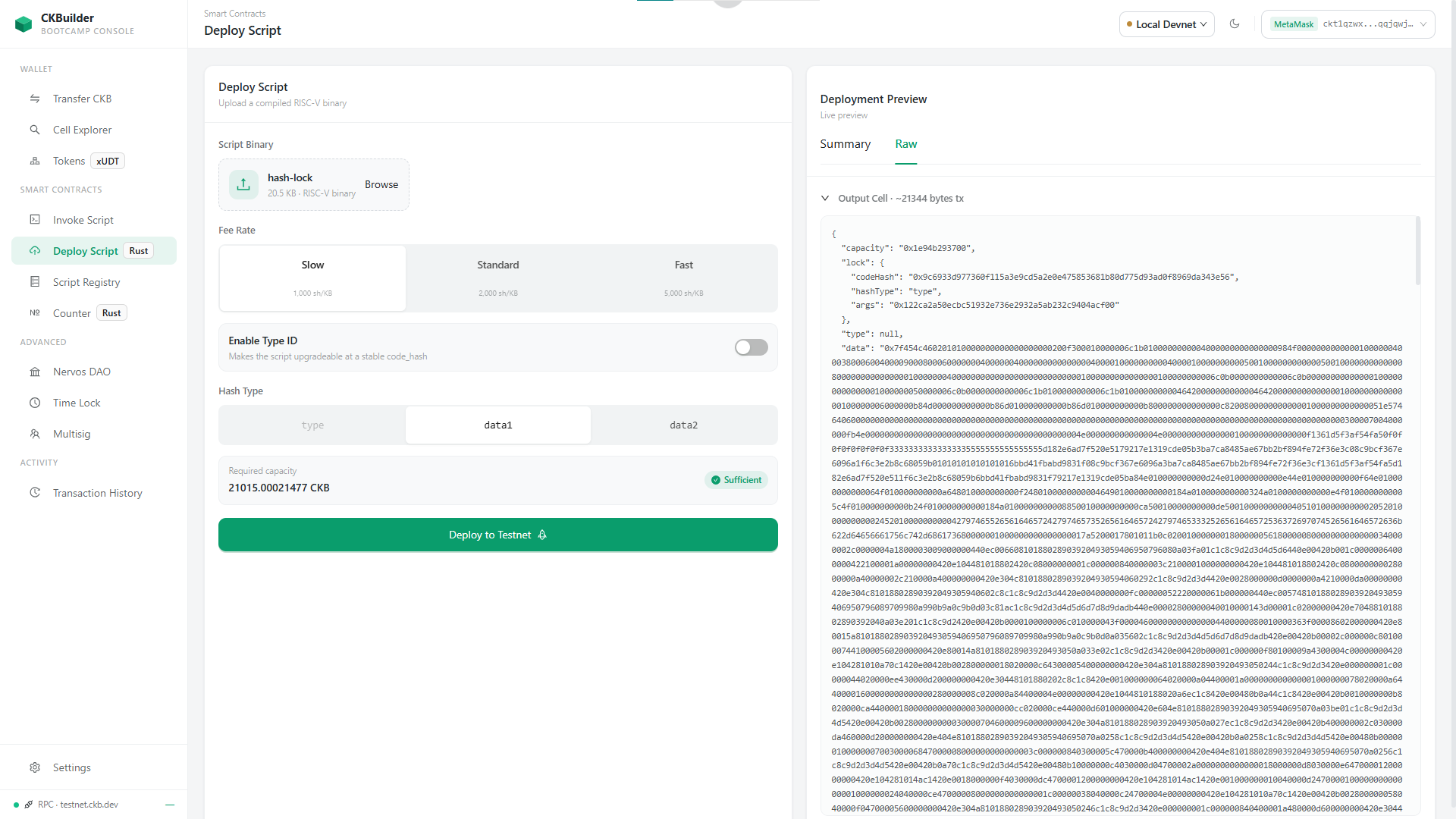
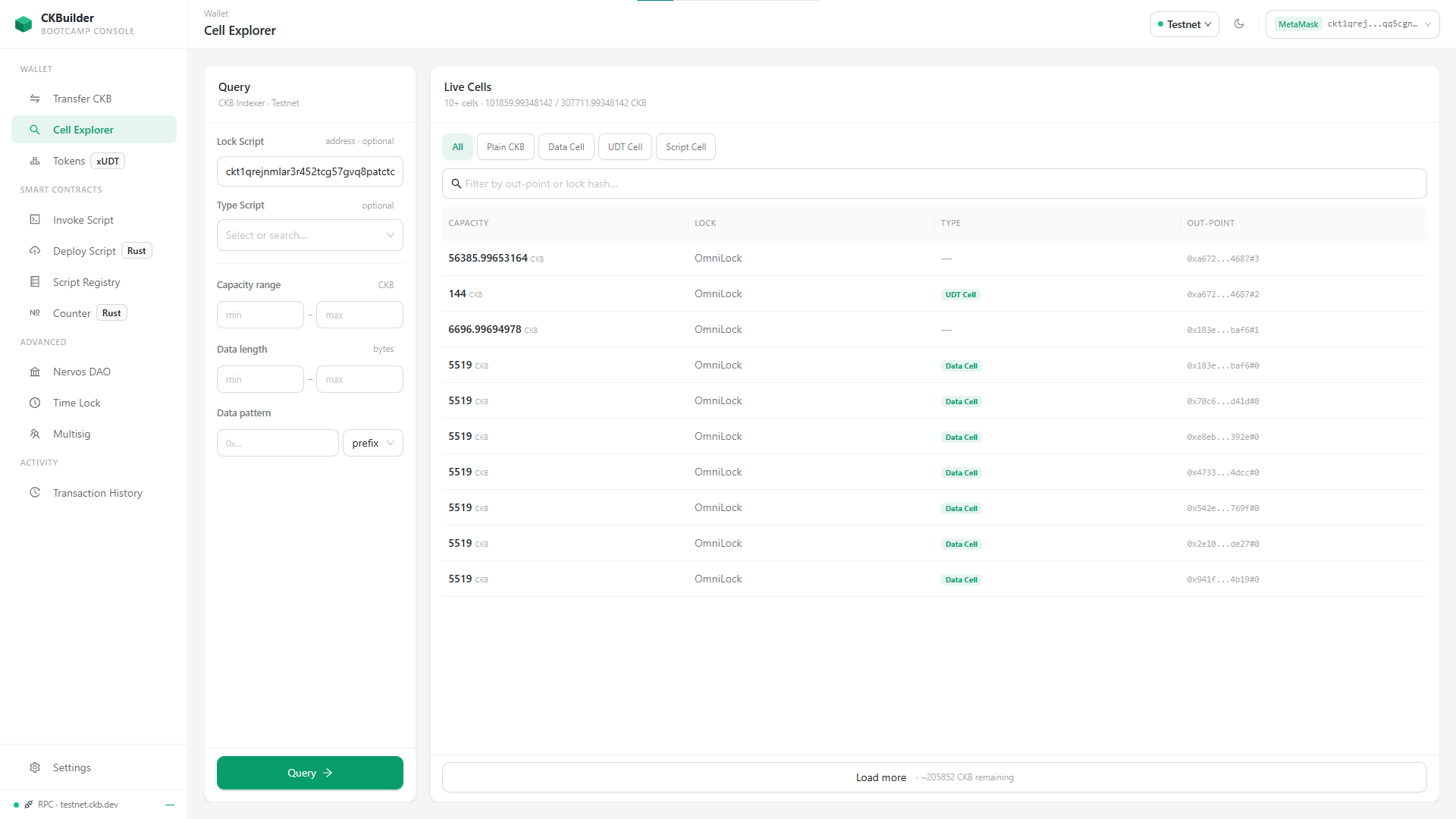
/transfer— a transfer shown as what it actually is: cells consumed and created, rather than a balance being updated/cell-explorer— live cells from the indexer, filterable by lock, type, capacity, data length and data prefix/deploy— upload a compiled RISC-V binary and deploy it, with or without Type ID/registry— this one turned out more useful than I expected. It’s a place to take notes on scripts in a structure I’ve fixed in advance (code hash, hash type, outpoint, dep type, a label), so a script you deploy once can be picked from a dropdown later instead of re-copied by hand. Everything is local to your browser for now; export and sharing are something I’d like to add next./counter— a small Rust type script enforcingoutput.count == input.count + 1, driven end to end from the UI/tokens— issue and transfer an xUDT- When a node rejects a transaction, the app tries to explain the rejection in plain language and keeps the node’s own wording underneath, rather than treating it as an error to hide
Networks: Mainnet and Testnet, plus your own local devnet — your browser will ask permission to reach localhost the first time, and the app checks whether a node is actually answering before switching. Custom RPC endpoints are on the list next.
Still unfinished, and the app says so on the page rather than pretending: /history, /dao, /multisig and /time-lock are placeholders, and /invoke is being reworked — I’ve found enough rough edges in its design that I’d rather rebuild it before asking anyone to look at it.
Where I’d really value feedback
1. Have I explained things correctly? Capacity, Type ID, xUDT owner mode — these are the places I’m least sure of, and if I’ve misunderstood something, anyone learning from the page inherits the mistake.
2. The rejection explanations. If you have real error strings from a node that the app would explain badly, or explain wrongly, I’d be grateful to see them.
3. The registry structure. Are those the right fields to record about a script? Is there something you always end up writing down that I’ve left out?
4. What confused you when you were new to CKB — and whether any of it would have been easier to see here.
I’m still learning this myself, so I really appreciate receiving your feedback and corrections.
Thanks for taking a look
 。
。