I use Binance P2P a lot. I have also watched people get locked out of those accounts, with their coins sitting frozen until the exchange decides to give them back.
That is a bad way to buy and sell CKB with local money. Right now, onboarding into CKB via fiat has four major problems:
- Custodial risk and account freezes. To sell on centralized P2P desks, you must deposit your coins into the exchange hot wallet first. If the platform freezes your account, your funds are trapped.
- The KYC barrier. Centralized fiat ramps require heavy identity checks and frequently reject users from emerging markets where P2P trading is needed most.
- DEX limitations. On-chain DEXs (like UTXOSwap) excel at crypto-to-crypto swaps, but they cannot process off-chain bank transfers, payment apps, or local cash.
- Underutilized Fiber capabilities. The Nervos Fiber Network has cryptographic primitive (HTLC hold invoices), but no KYC-free, non-custodial fiat desk exists on CKB to use it.
The solution: Twine
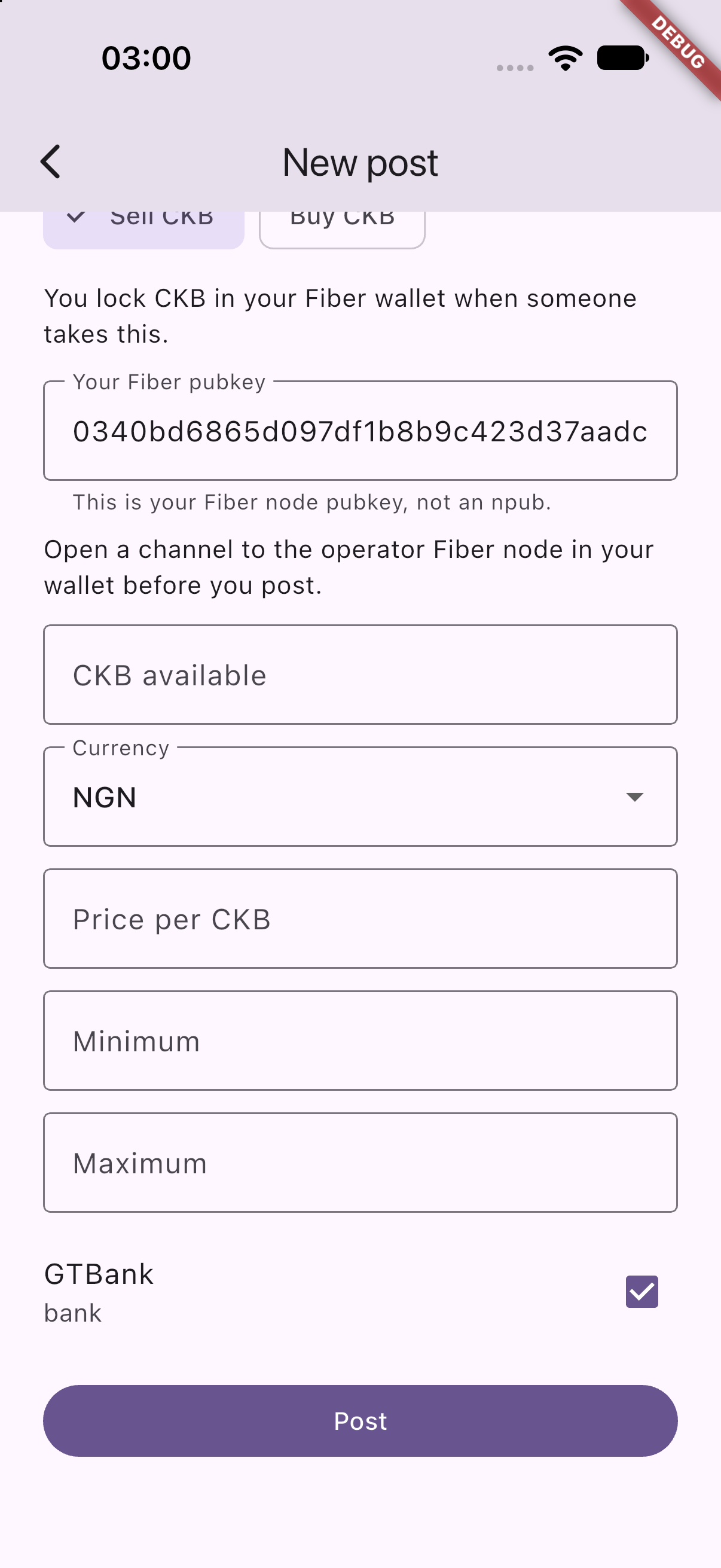
Twine is a non-custodial peer-to-peer desk built to solve this. You post an offer in your local currency. Someone accepts it. Your CKB locks on Fiber in a conditional hold invoice until they pay you. You check the receipt, verify the money in your bank app, and click release. If they never pay, the coins return to you automatically when the lock expires.
There is no Twine account. Twine coordinates the order and releases the lock only when the seller confirms the money arrived. Your CKB stays locked on Fiber the entire time. Twine never takes custody of your funds.
Who is involved
Each phone talks to Twine to manage the order and chat, and communicates directly with its own Fiber node to move funds. Twine never holds your private keys or Fiber channels.
flowchart TB
  SellerApp[Seller phone]
  BuyerApp[Buyer phone]
  Twine[Twine coordinator]
  SellerNode[Seller Fiber node]
  BuyerNode[Buyer Fiber node]
  TwineNode[Twine Fiber node]
  Fiber[Fiber Network]

  SellerApp -->|offer, chat, release| Twine
  BuyerApp -->|take, receipt, chat| Twine
  SellerApp --> SellerNode
  BuyerApp --> BuyerNode
  Twine --> TwineNode
  SellerNode --- Fiber
  BuyerNode --- Fiber
  TwineNode --- Fiber
Fiat stays completely off-chain. Dollars, Naira, or Pesos move directly from buyer to seller via bank transfer, payment apps, or cash.
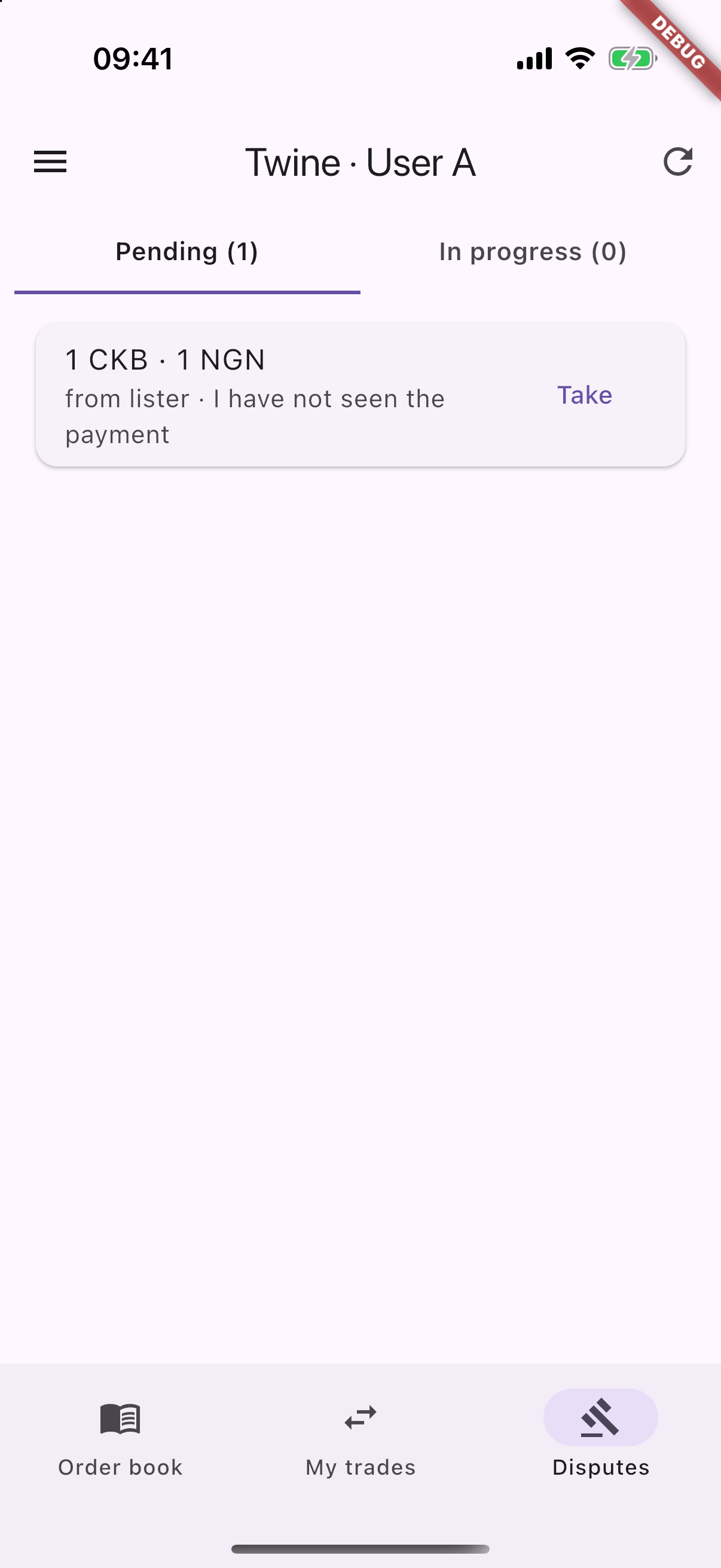
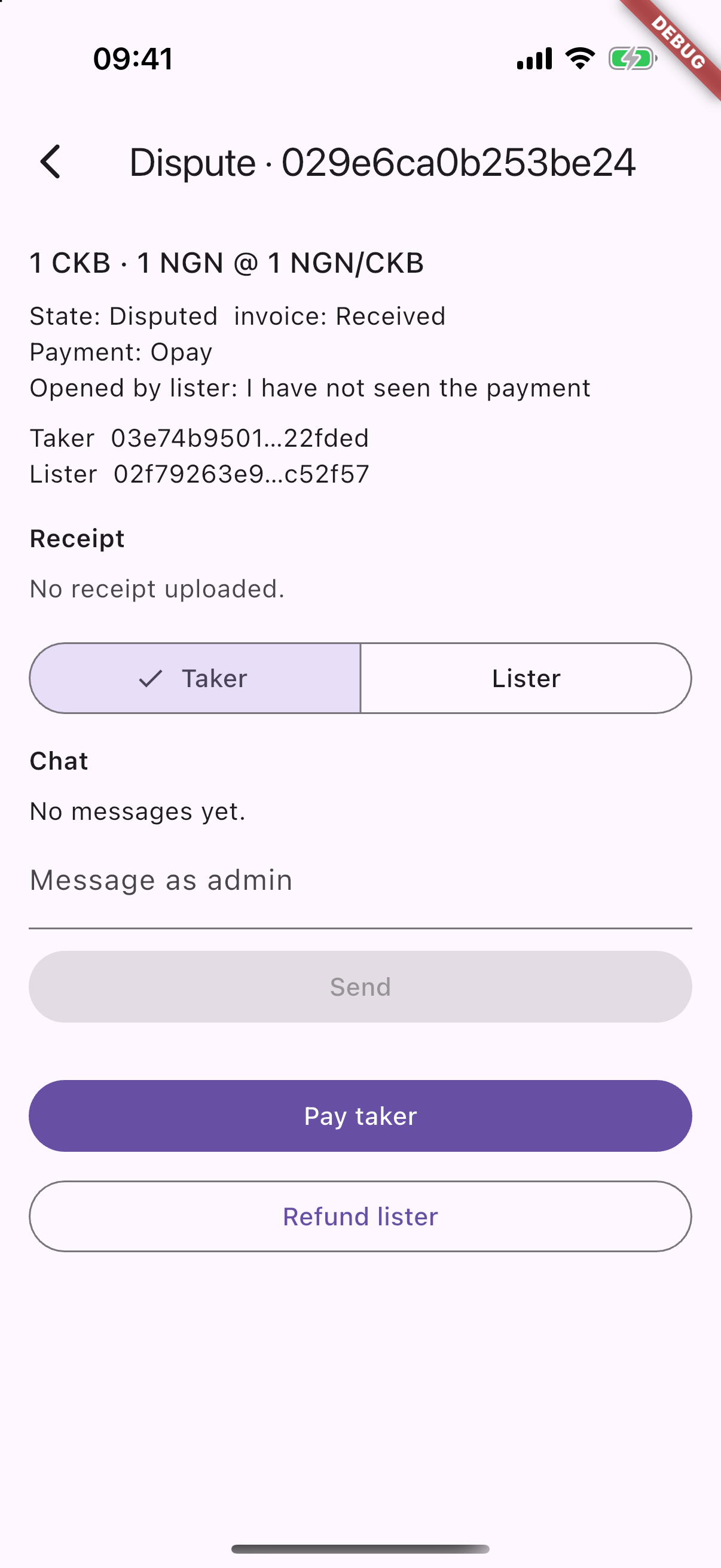
The coordinator is whoever runs the Twine daemon. They can view the active order, the trade chat, and the uploaded payment receipt. If a trade goes into dispute, the coordinator acts as the arbiter who reviews the evidence and decides the outcome.
The code is 100% open source. The mobile app lets you choose which coordinator daemon to connect to. If you do not trust the default coordinator, you can run the daemon yourself or use one hosted by your local community. Both traders use that same coordinator for the trade. The orders, encrypted messages, receipts, and release instructions live on the coordinator you chose.
flowchart LR
  people[Both traders]
  people --> choice{Coordinator you both trust}
  choice --> twine[Default Twine Node]
  choice --> own[A node you or your community run]
  twine --> job[Coordinates order, chat, receipt, and release]
  own --> job
How a trade works
Twine initiates a hold invoice. The seller locks CKB into it by accepting the trade. The buyer pays outside the app and uploads a payment receipt. Clicking Release instructs the coordinator to reveal the preimage, settling the payment to the buyer on Fiber first, and closing the hold. If that payout cannot be routed, the hold remains unsettled and the seller’s coins are not given away.
sequenceDiagram
  actor Seller
  actor Buyer
  participant Twine
  participant Fiber

  Seller->>Twine: Post an offer
  Buyer->>Twine: Take the offer
  Twine->>Fiber: Create hold invoice
  Seller->>Fiber: Accept and lock CKB into HTLC
  Buyer->>Buyer: Pay fiat outside the app
  Buyer->>Twine: Upload receipt and mark paid
  Seller->>Twine: Release
  Twine->>Fiber: Settle HTLC to buyer
  Twine->>Fiber: Close hold
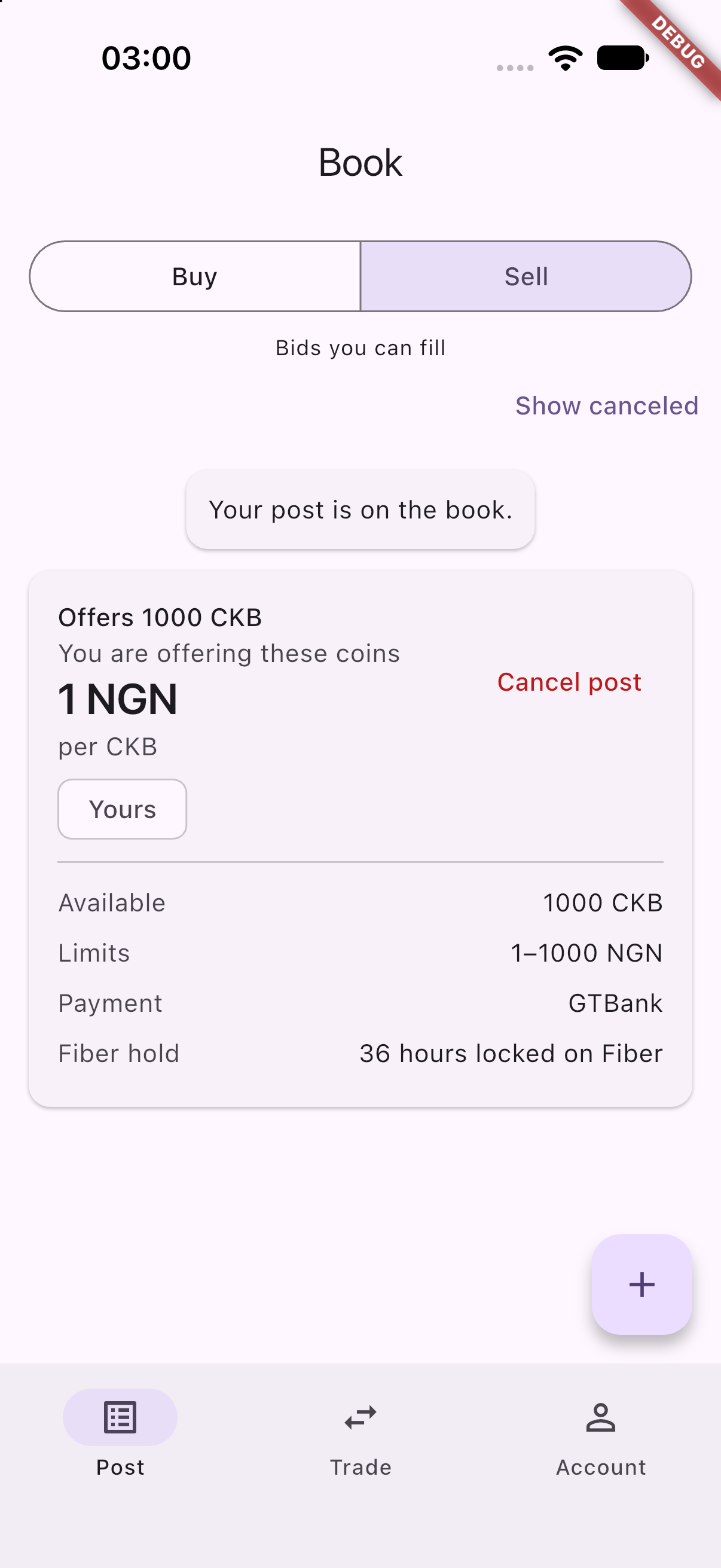
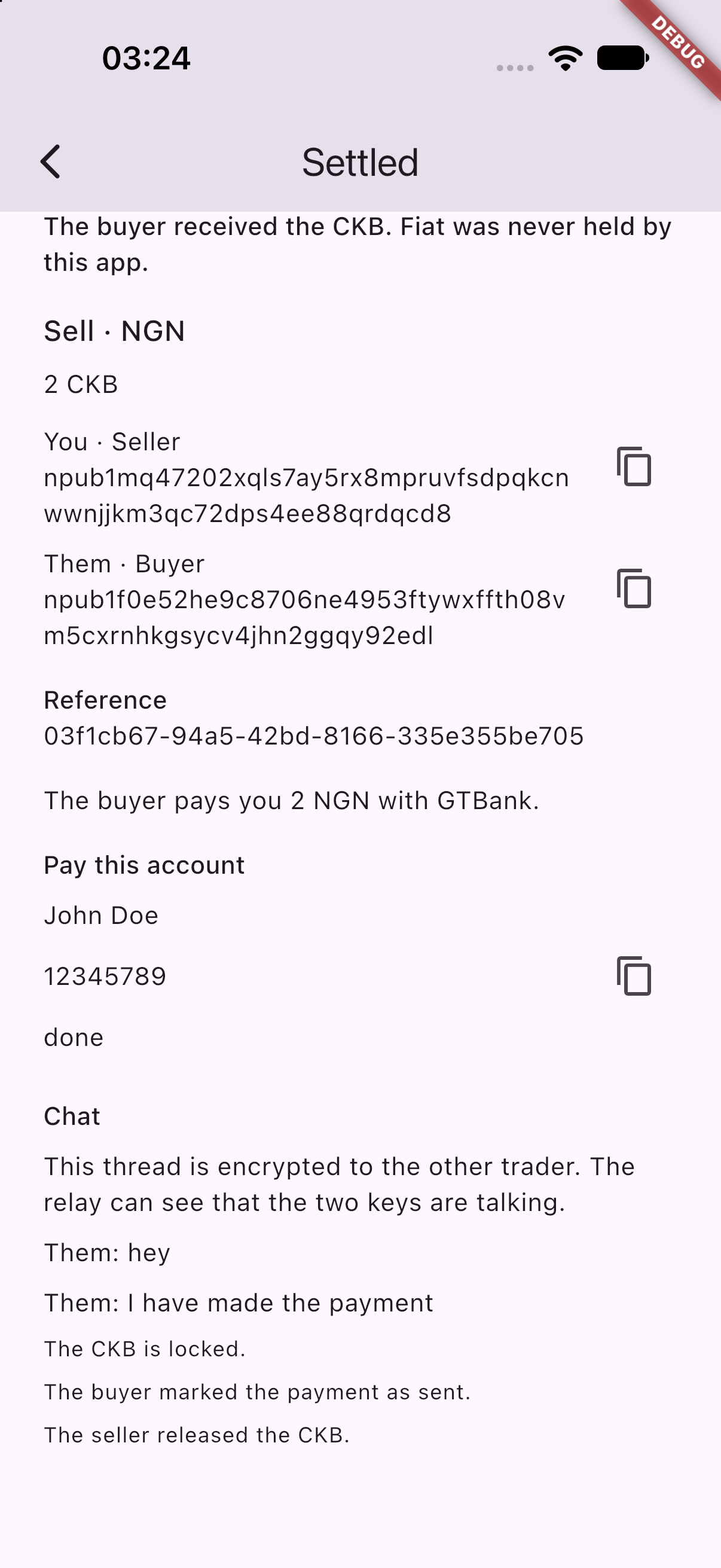
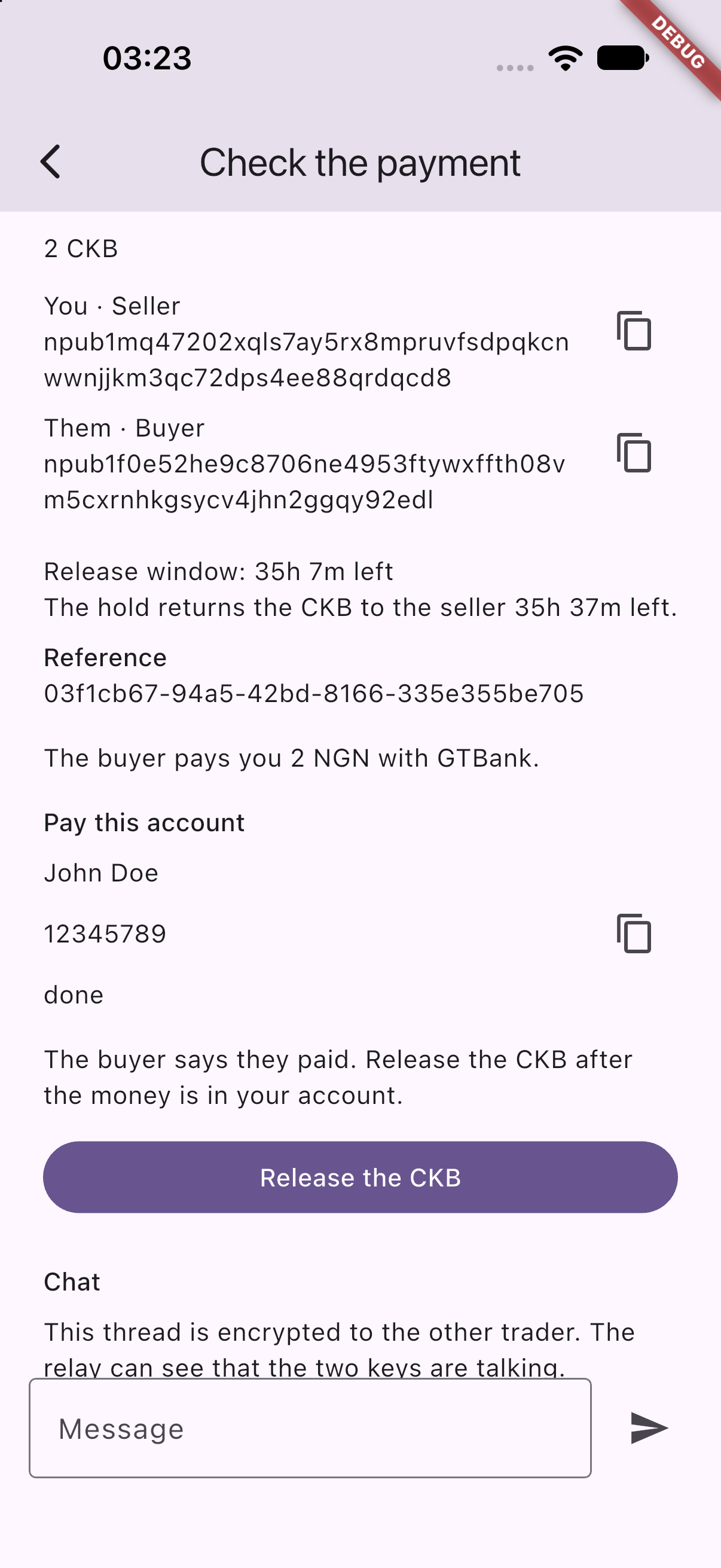
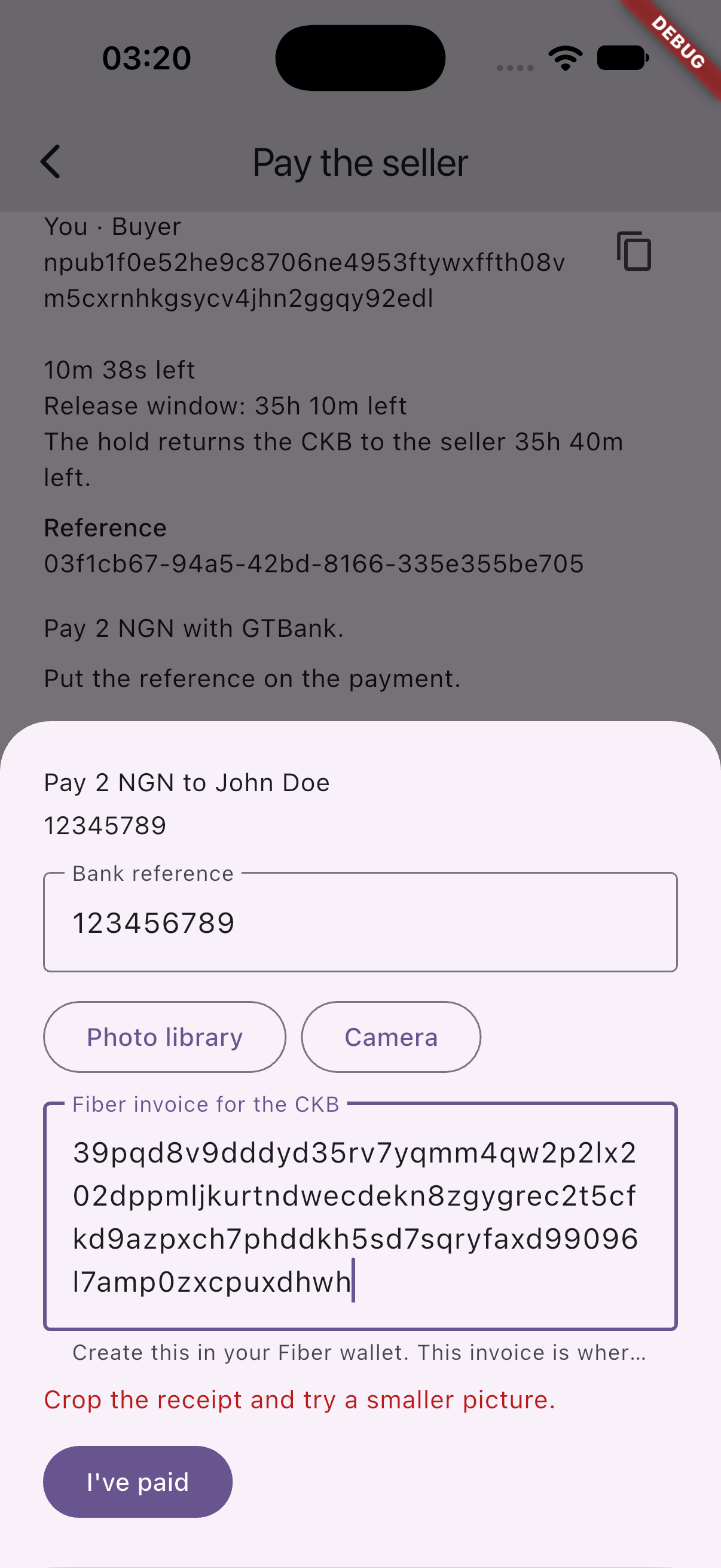
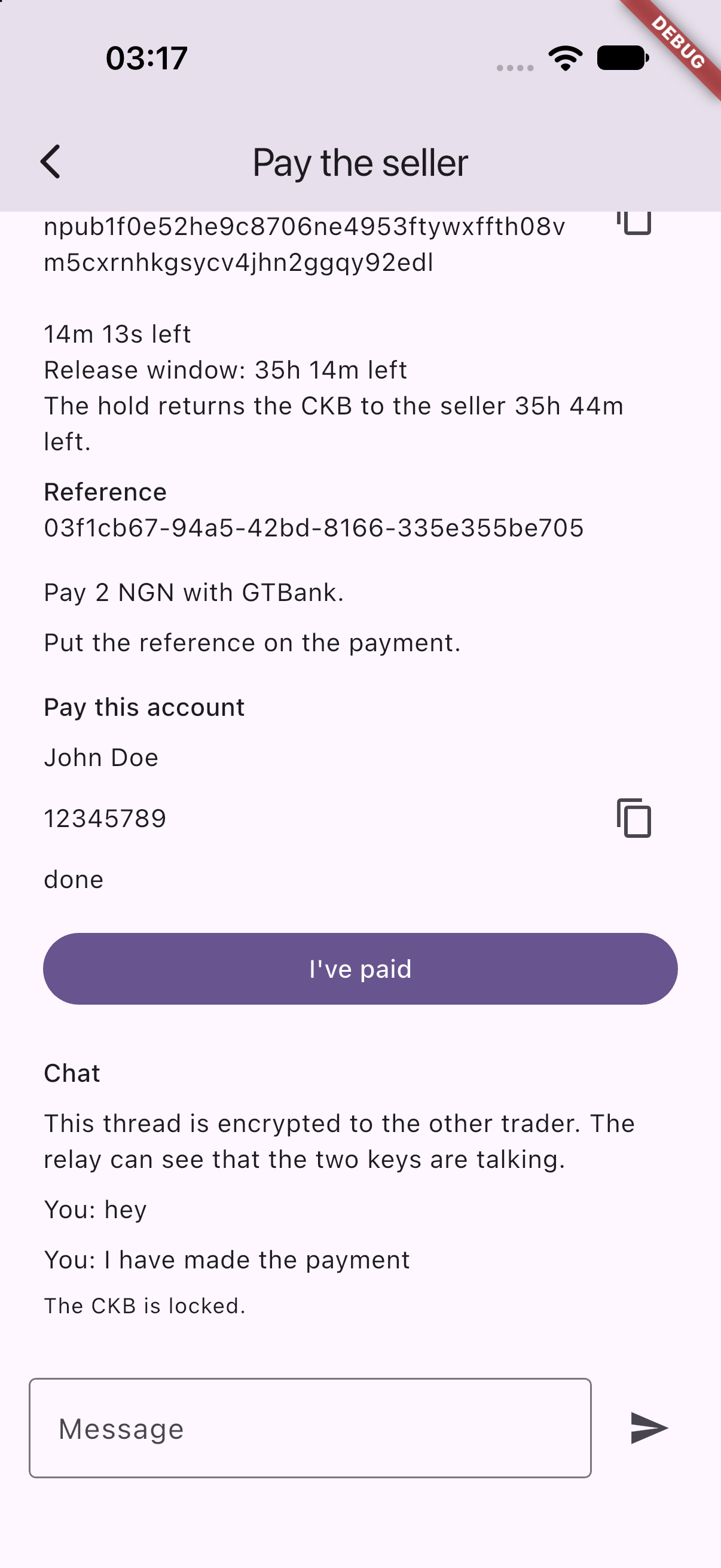
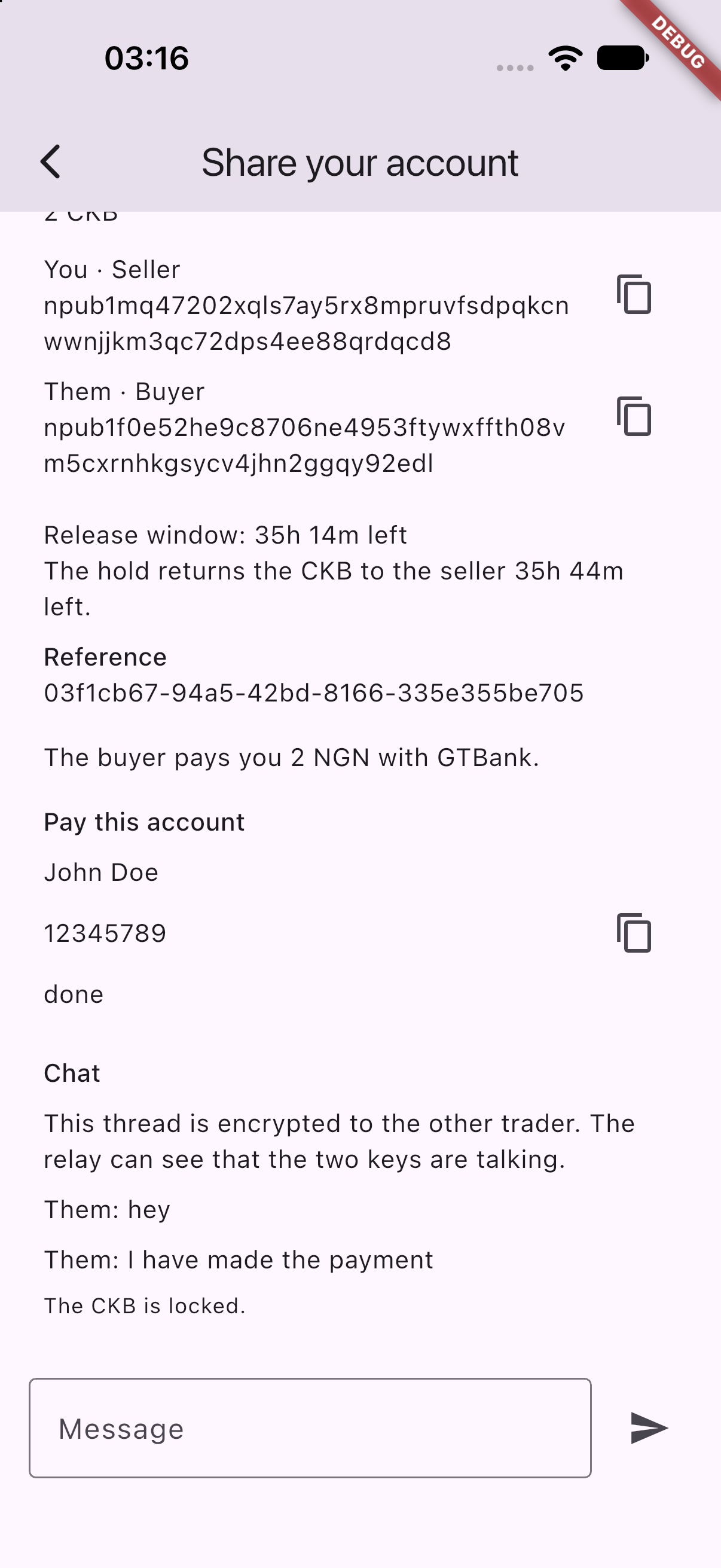
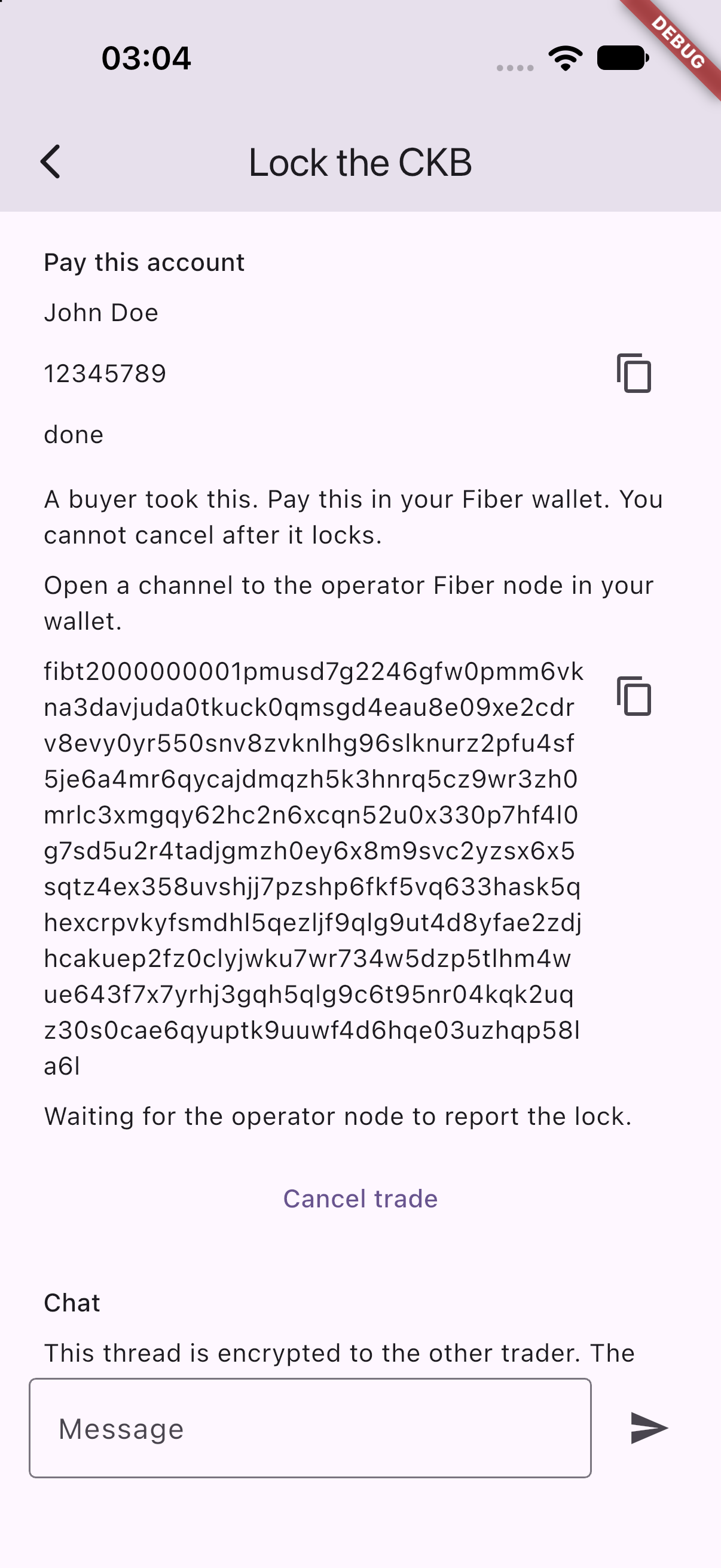
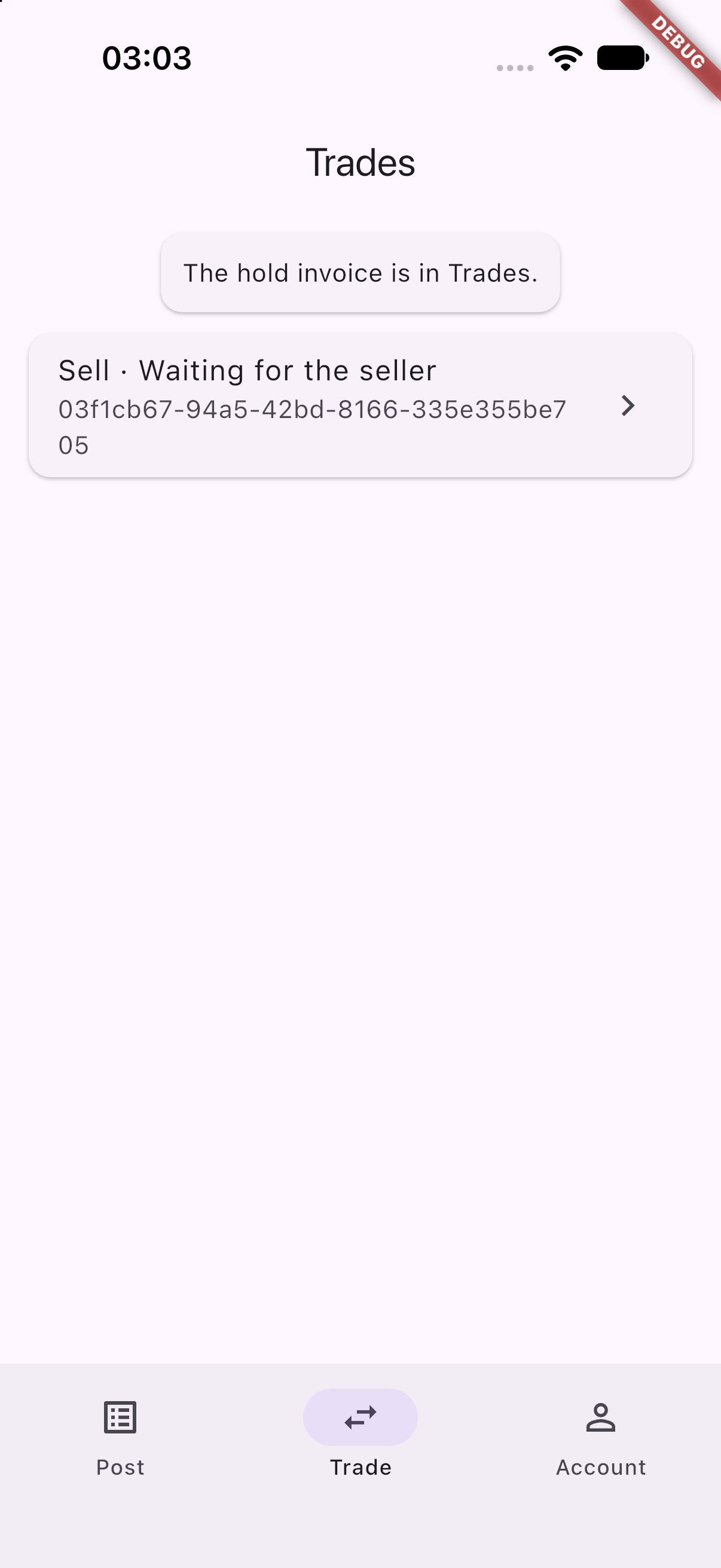
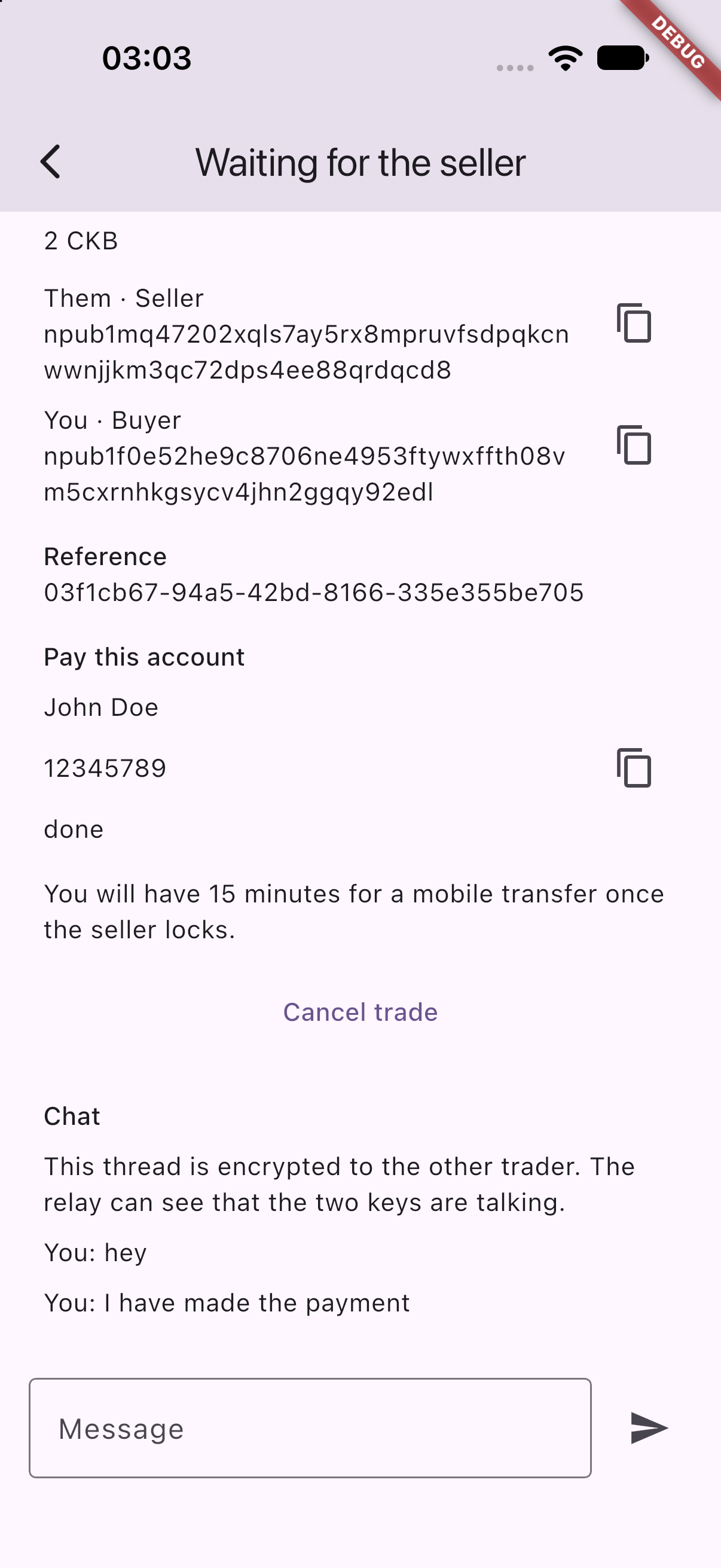
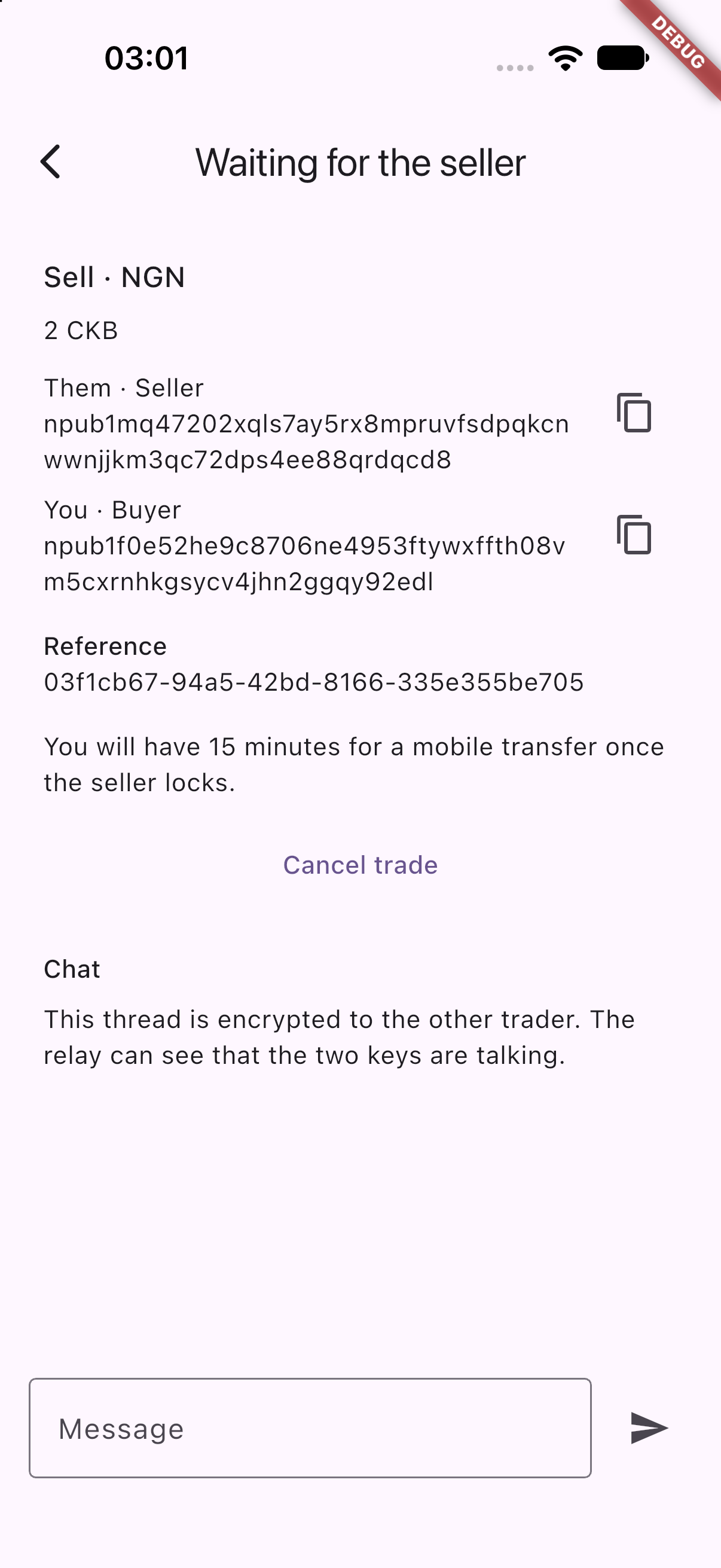
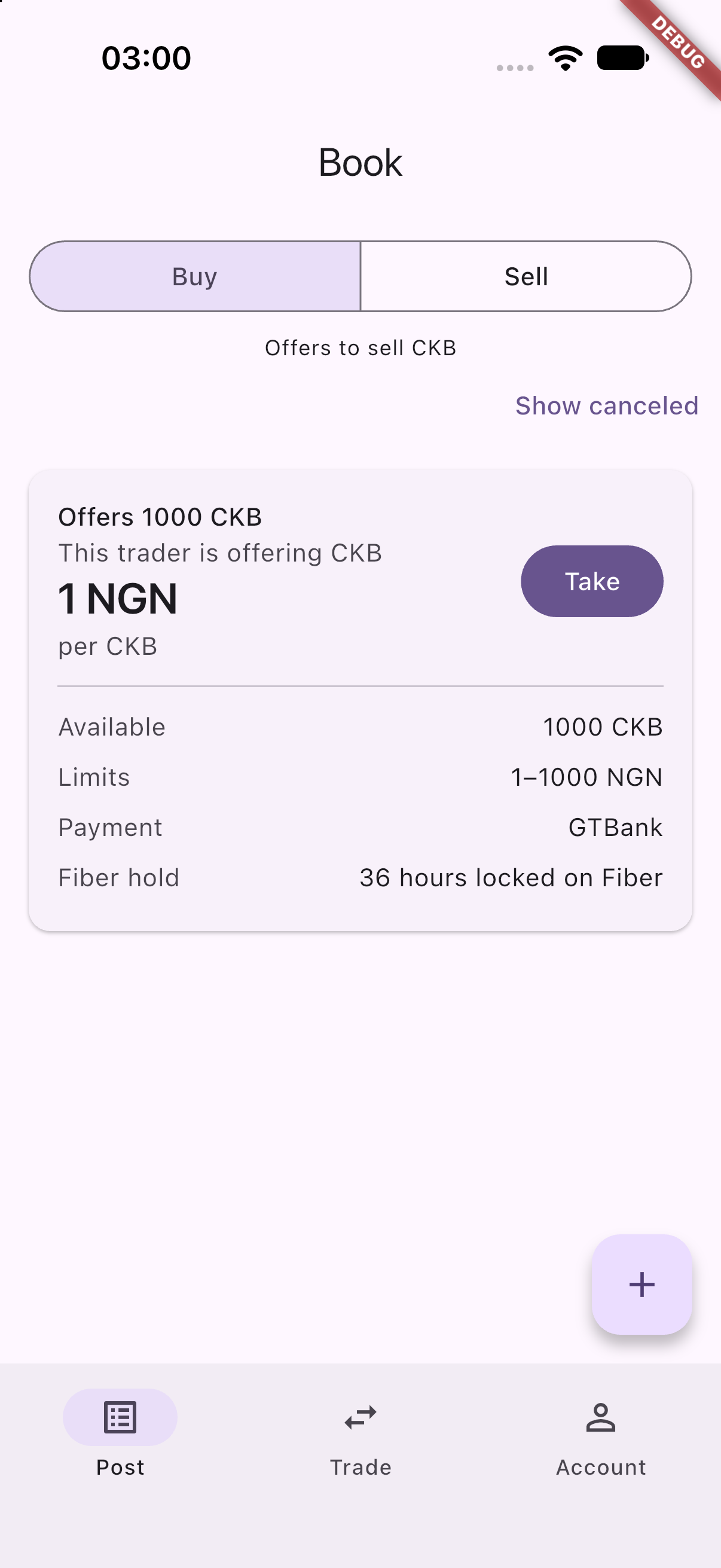
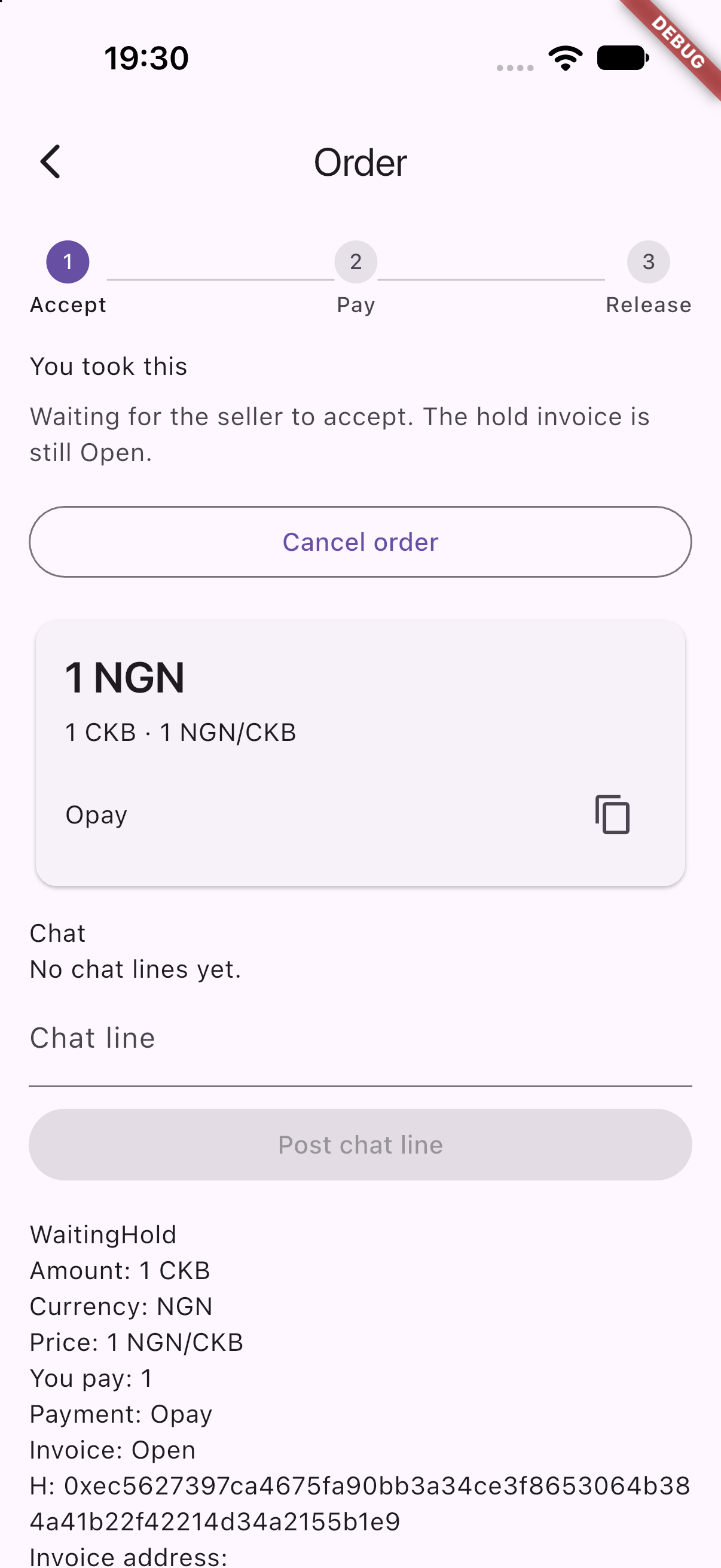
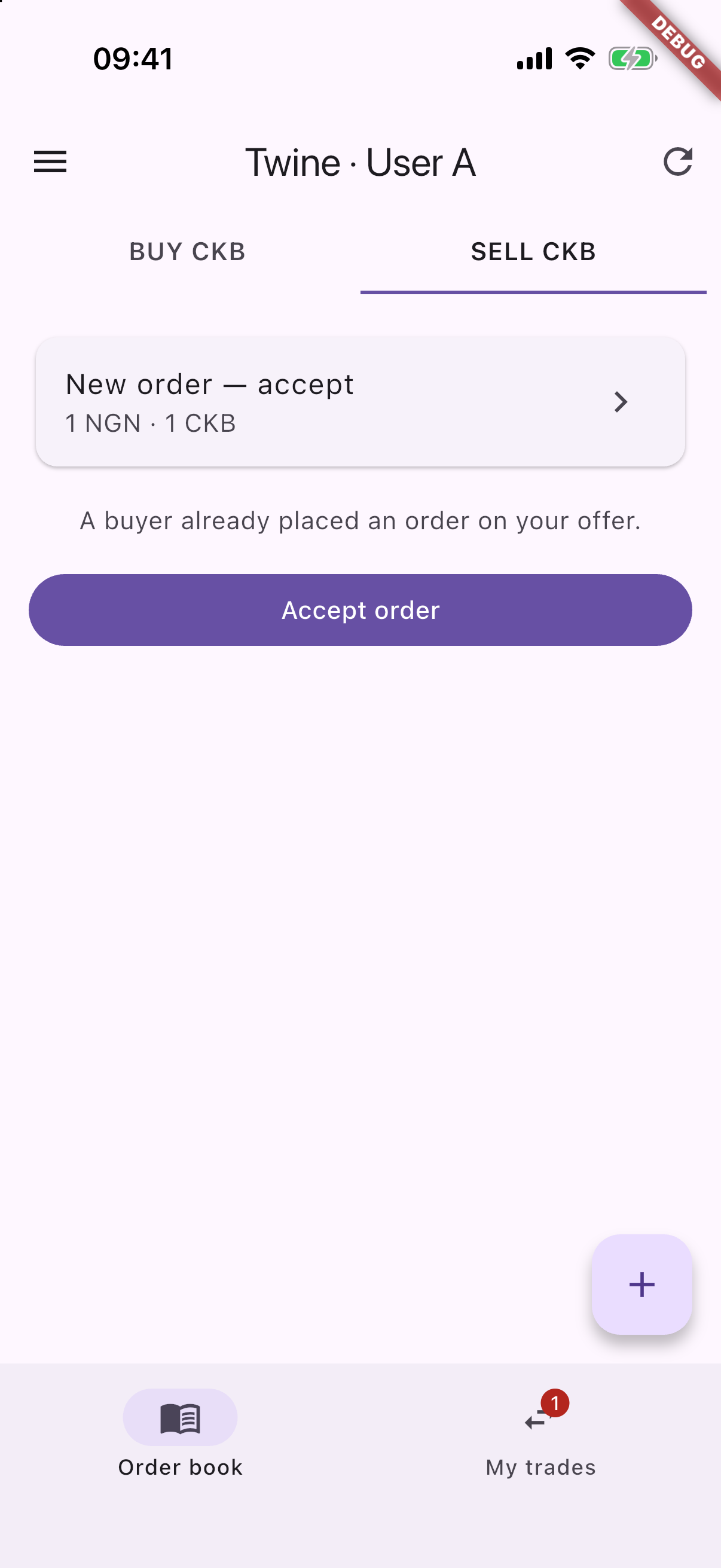
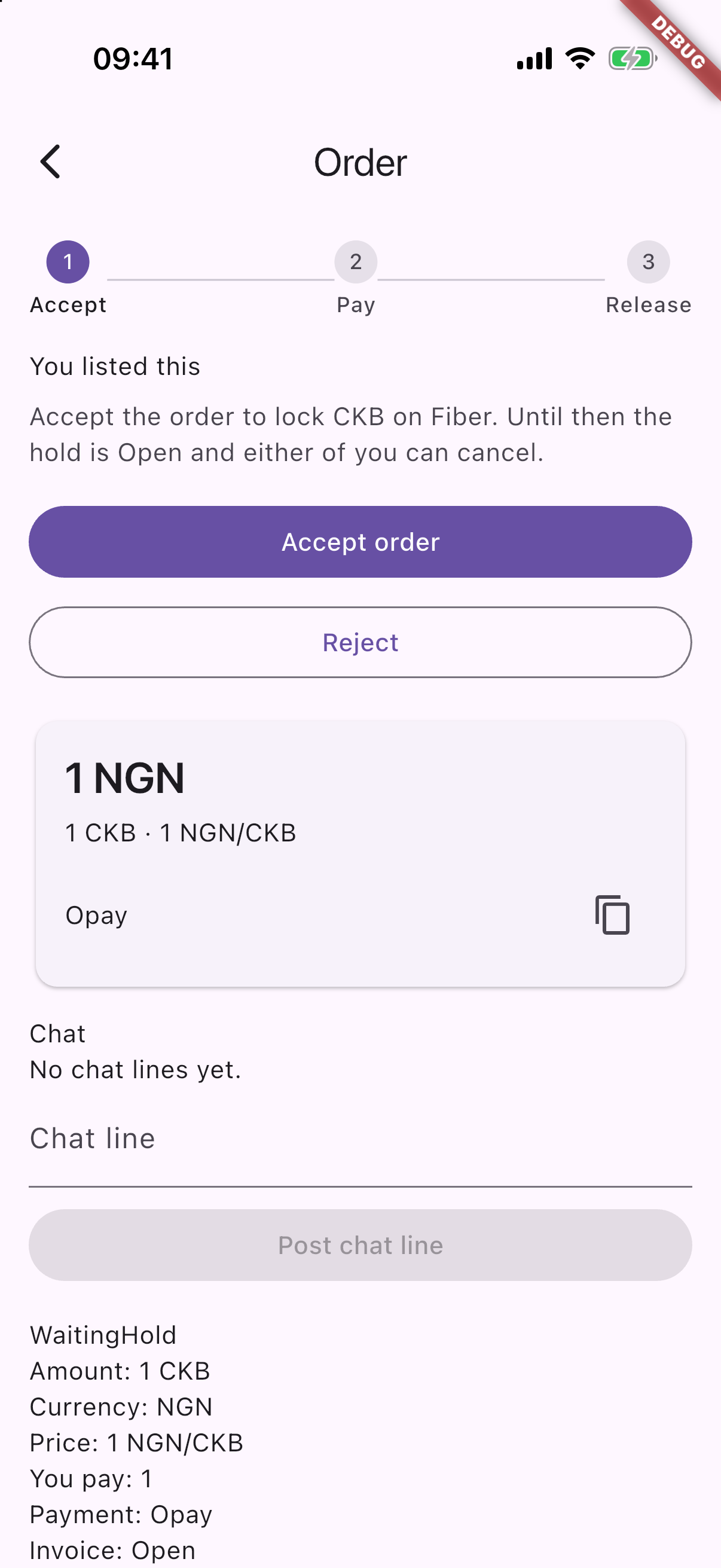
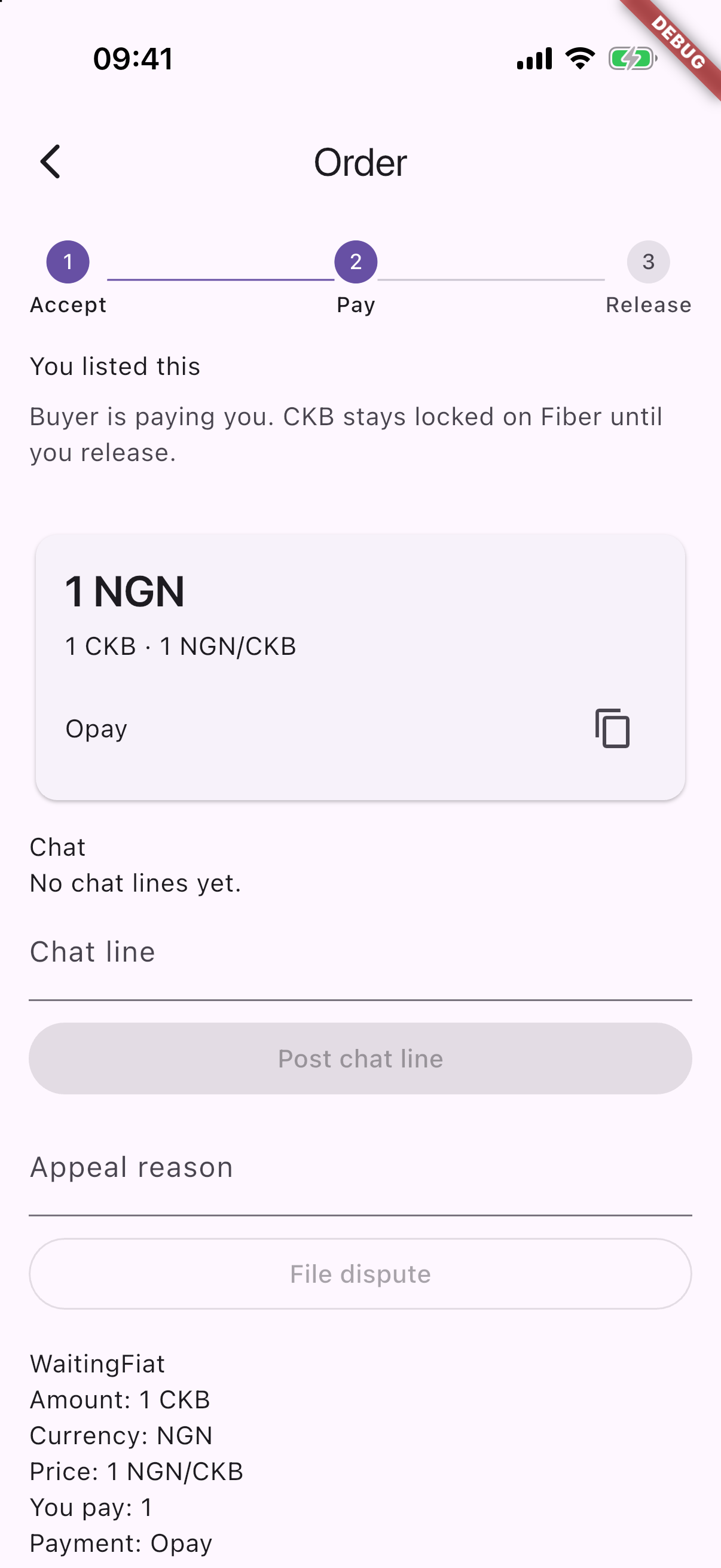
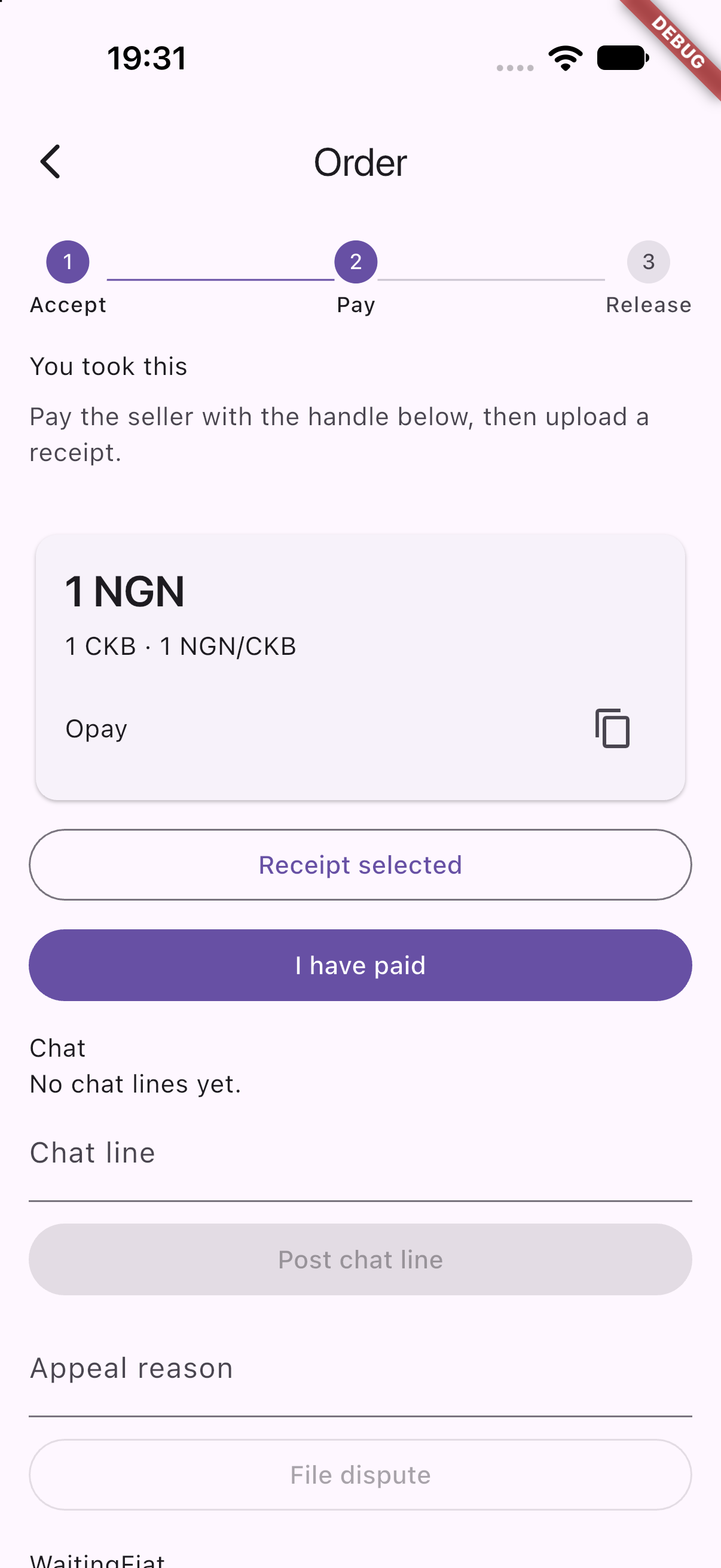
Here is that same trade running on testnet: 1 CKB for 1 USD across two phones.
- The buyer takes the offer. Nothing is locked yet, and either party can still cancel.
-
The seller sees the incoming trade on their posted offer.
-
Accepting locks the CKB on Fiber.
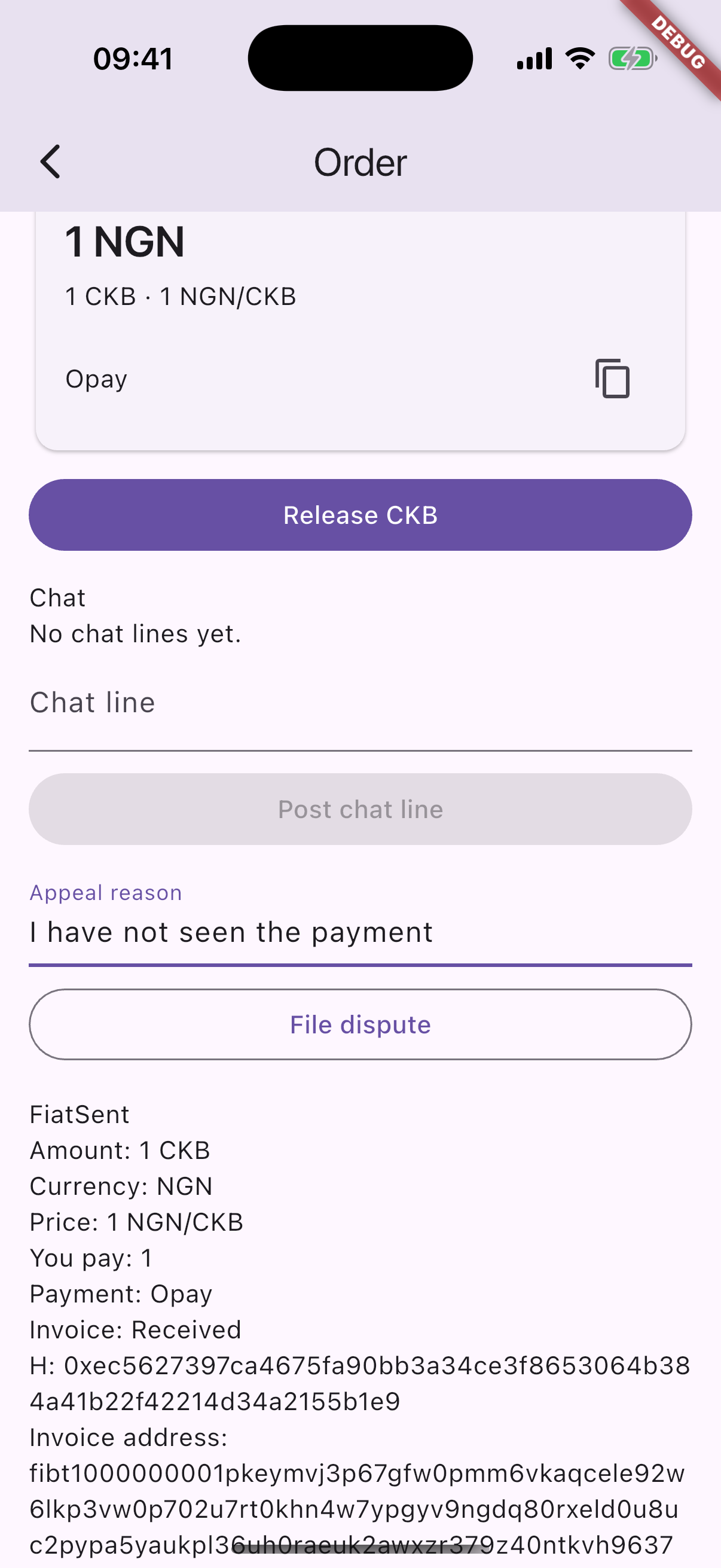
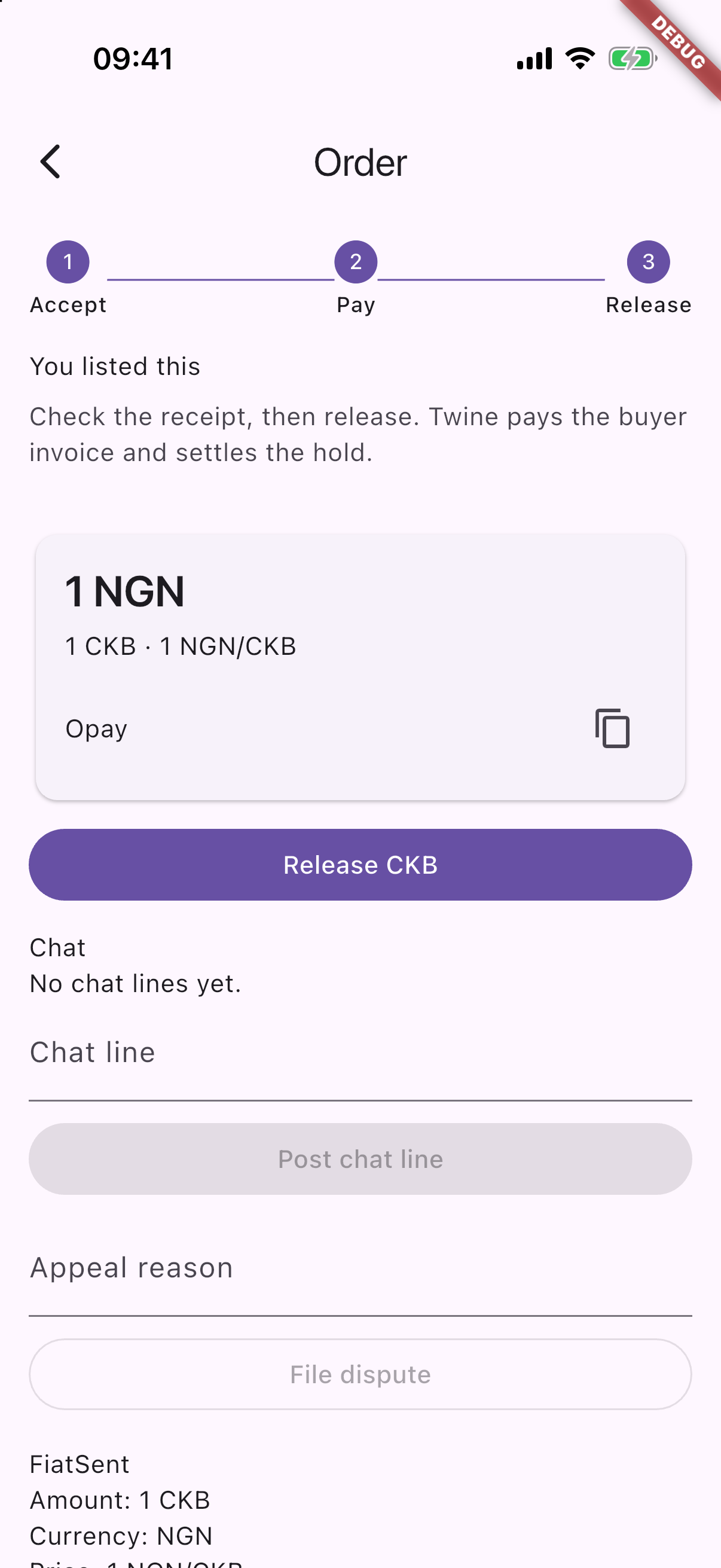
- The buyer pays off-chain, attaches a receipt, and taps I have paid. On the seller’s phone, the coins remain securely locked while this happens.
- The seller verifies the funds in their bank or payment app, checks the receipt, and taps Release. The buyer receives the CKB, and the hold closes.
What happens during a dispute?
Once CKB is locked, either party can open a dispute and state a reason. The trade pauses immediately. The coins remain locked in the HTLC while the coordinator reviews the encrypted chat logs and the payment receipt uploaded by the buyer.
- If the buyer paid: The coordinator reveals the preimage to settle the HTLC on Fiber. The buyer receives the CKB, and the hold closes.
- If the buyer did not pay: The coordinator withholds the preimage and does not close the hold. Fiber automatically returns the locked CKB to the seller when the HTLC timelock expires. On this testnet lab, the lock duration is 16 hours (the minimum hold supported by the node). The coordinator cannot pull a locked payment back early.
sequenceDiagram
  actor Seller
  actor Buyer
  participant Coordinator
  participant Fiber

  Note over Seller,Buyer: CKB is locked in Fiber HTLC
  Seller->>Coordinator: Open dispute and submit reason
  Note over Buyer,Coordinator: Buyer can also trigger dispute
  Coordinator->>Coordinator: Review chat logs and receipt
  alt Buyer paid
    Coordinator->>Fiber: Reveal preimage and settle to buyer
    Fiber-->>Buyer: CKB arrives in buyer channel
  else Buyer did not pay
    Coordinator->>Fiber: Withhold preimage and let HTLC expire
    Fiber-->>Seller: Lock expires, CKB returns to seller
  end
Edge cases and failure handling
A standard release pays the buyer. If the Fiber path payment fails to route to the buyer, the coins stay locked in the hold until the buyer retries or the HTLC timelock expires, returning the CKB to the seller.
flowchart TD
  locked[CKB locked on Fiber HTLC]
  locked --> release[Seller releases]
  locked --> stuck[Fiber payout to buyer fails]
  locked --> dispute[Dispute opened]
  locked --> expire[HTLC timelock expires]
  release --> buyer[Buyer receives CKB]
  stuck --> retry[Buyer retries route]
  retry --> buyer
  stuck --> expire
  dispute --> paid{Coordinator reviews chat and receipt}
  paid -->|Buyer paid| buyer
  paid -->|Buyer did not pay| expire
  expire --> seller[CKB returns to seller]
This is currently a testnet proof-of-concept. The mobile app is built in Flutter, supported by a lightweight Rust coordinator daemon. Each phone interacts directly with its own Fiber node.
- GitHub repository and lab setup: github.com/chukwuma619/twine-fiber-poc
I want your honest, blunt feedback on anything.
Whether it’s the UX, potential edge cases I missed, protocol architecture, or general thoughts on P2P trading, I’d love to hear it.
If you’re not sure where to start, here are a few things I’m especially curious about:
- Would you use a non-custodial desk like this over centralized P2P desks?
- Which local payment methods matter most in your region?
- What would you need to see before you fully trust the Release flow?