 Great News, Everyone!
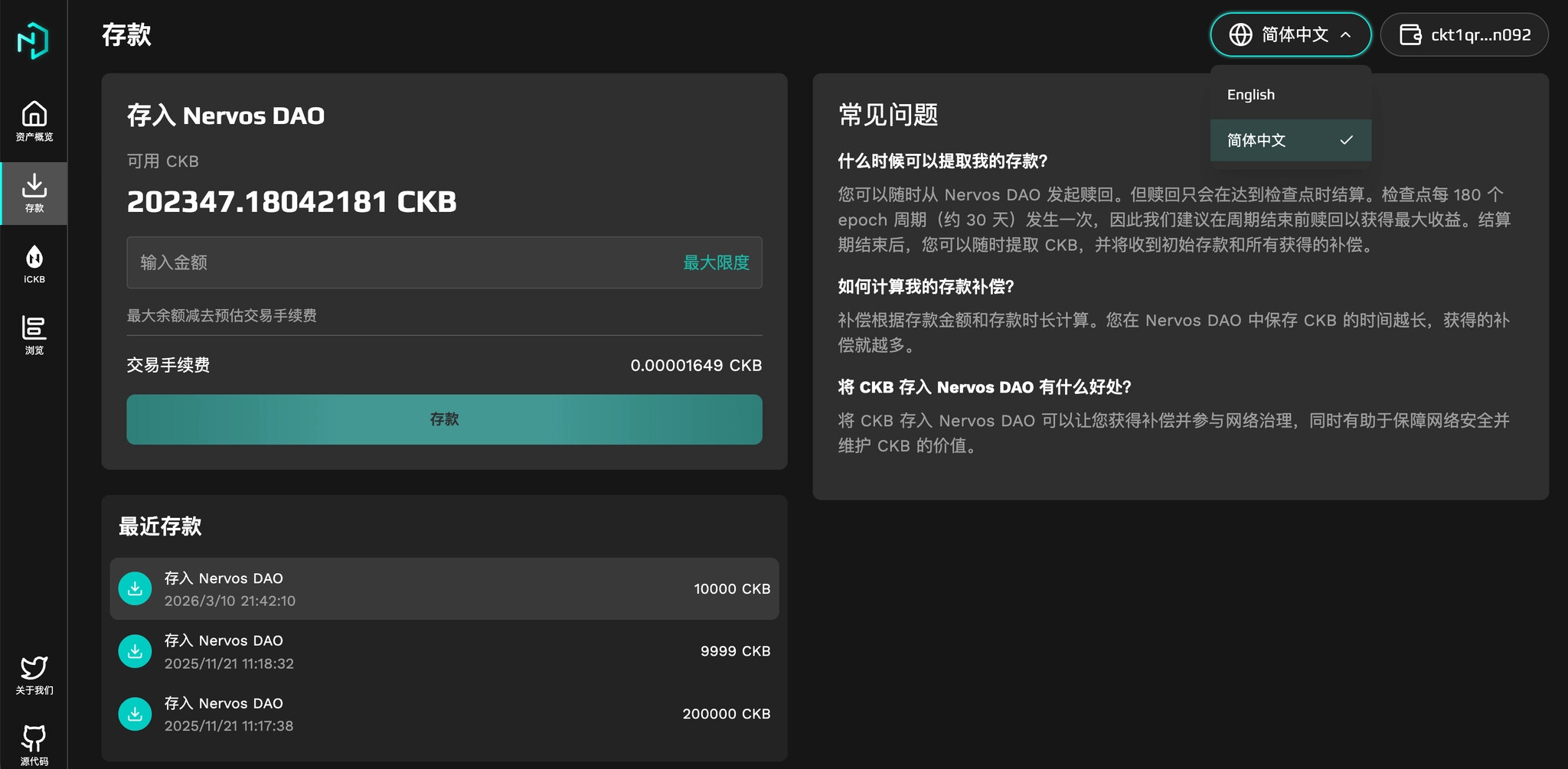
Hey folks, NervDAO now speaks Chinese ! 
Check out the PRs:
- Feat/i18n:Add Multilingual Support (Chinese/English) by yixyxiu · Pull Request #4 · ckb-devrel/nervdao · GitHub
- feat(ickb-i18n): complete i18n support for iCKB core module and UI enhancements by yixyxiu · Pull Request #5 · ckb-devrel/nervdao · GitHub
No more staring at an English-only interface, no more asking “what does this button do” in the group chat — we can finally enjoy Nervos DAO in our native language!
 The Struggle Was Real
Let’s be honest — the English-only interface was a pain for users who aren’t good at English. I received quite a few requests for help from community members:
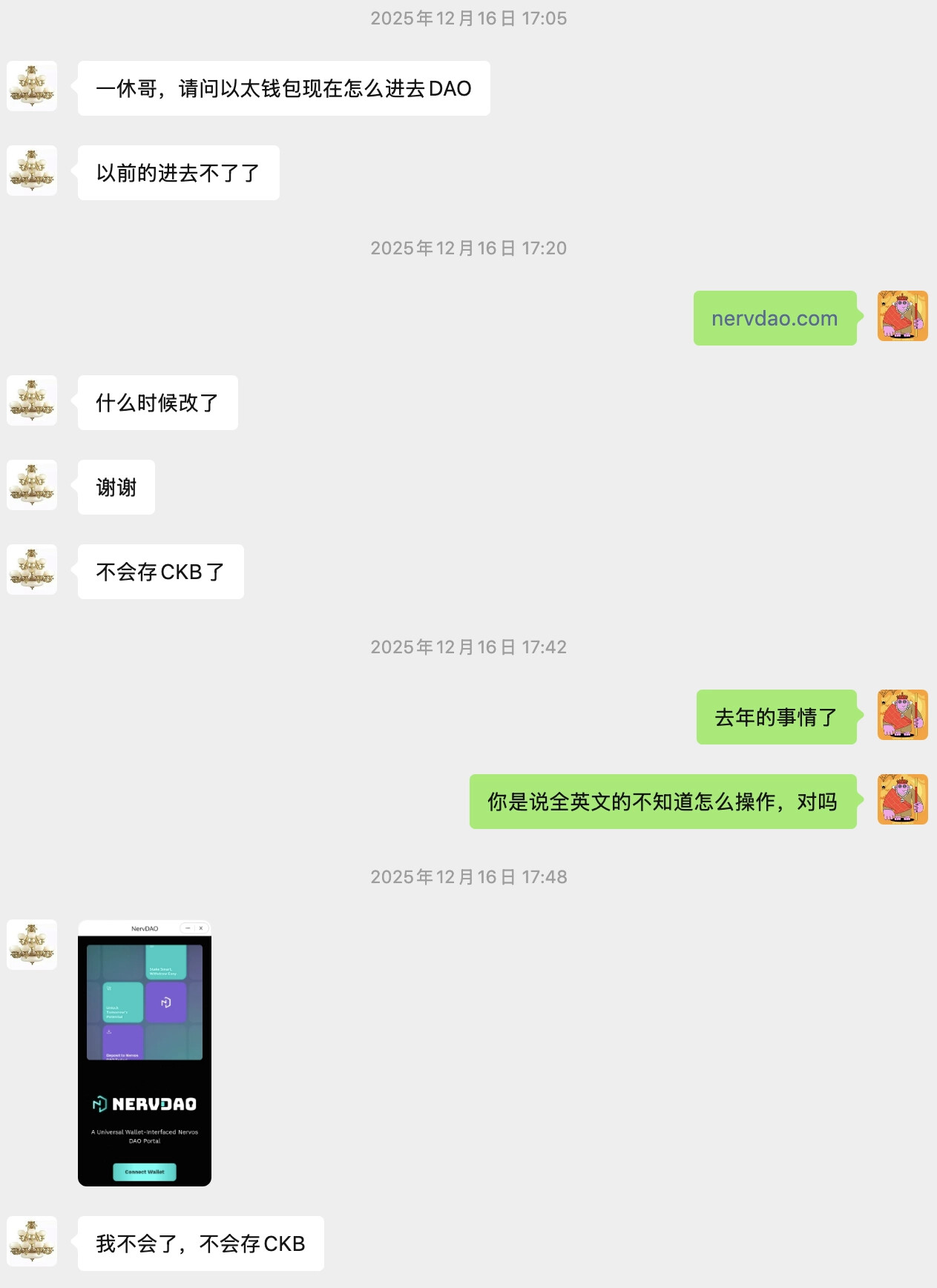
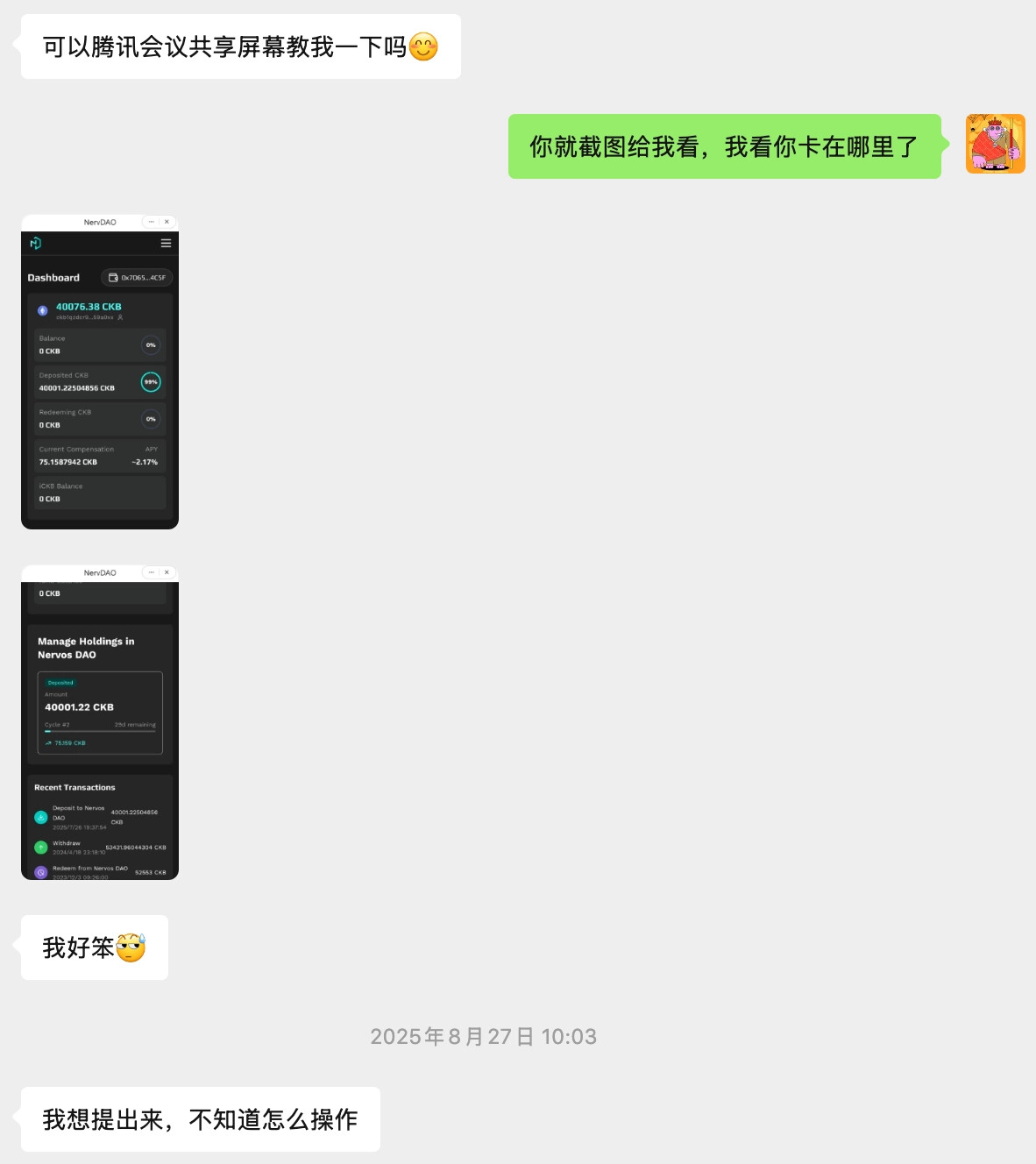
We’ve all been there:
 Translation plugins that butchered the text
 Screenshots in the group: “How do I deposit?”
 Hunting everywhere for a tutorial that doesn’t exist
We feel you! — and if Chinese users had this problem, other language communities probably did too. So it was time to make multilingual support happen.
 What’s New?
 A Solid Multilingual Framework
We’ve built a multilingual foundation and added support for Simplified Chinese and English :
| Language | Code | Status |
|---|---|---|
| English | en |
 Done Done |
| Simplified Chinese | zh |
Done |
More languages — that’s where you come in!
Under the Hood
- Built with
react-i18nextfor internationalization - One‑click language switch , no page reload — smooth as butter
- Clean structure makes adding new languages super easy
- Type‑checked translations — typos get caught early
 Translation Coverage
- All buttons, menus, and labels
- iCKB operation prompts
- Error messages and status updates
- Transaction history and details
We also threw in some quality‑of‑life improvements:
- Tuned the UI for a cleaner look
- Transaction history now supports click‑to‑view details (previously it was just a plain list)
- Error messages are now clearer and easier to understand
 How to Switch Languages
Super easy! The first time you open the app, it automatically detects your browser language. If it doesn’t match any supported language, it defaults to English.
Desktop
- Look for the globe icon in the top‑right corner
- Hover to open the dropdown menu
- Pick your preferred language
- The interface updates instantly
Mobile
- Find the language option in the top‑right menu
- Tap and you’re done!
The app remembers your choice, so next time you open NervDAO, it’ll be in the language you last selected. Simple!
 Join the Fun!
We Want to Hear from You!
The multilingual framework is in place, and adding new languages is now as easy as stacking building blocks. We’d love to know:
 What language should we add next? Traditional Chinese? Japanese? Korean? Spanish? French?
 How’s the Chinese translation? Anything feel off?
 Spotted a translation mistake or weird phrasing?
 Got any cool ideas for the multilingual feature?
 For the Devs Out There!
If you code, come help add a new language!
How to Contribute:
- Fork the NervDAO repo on GitHub
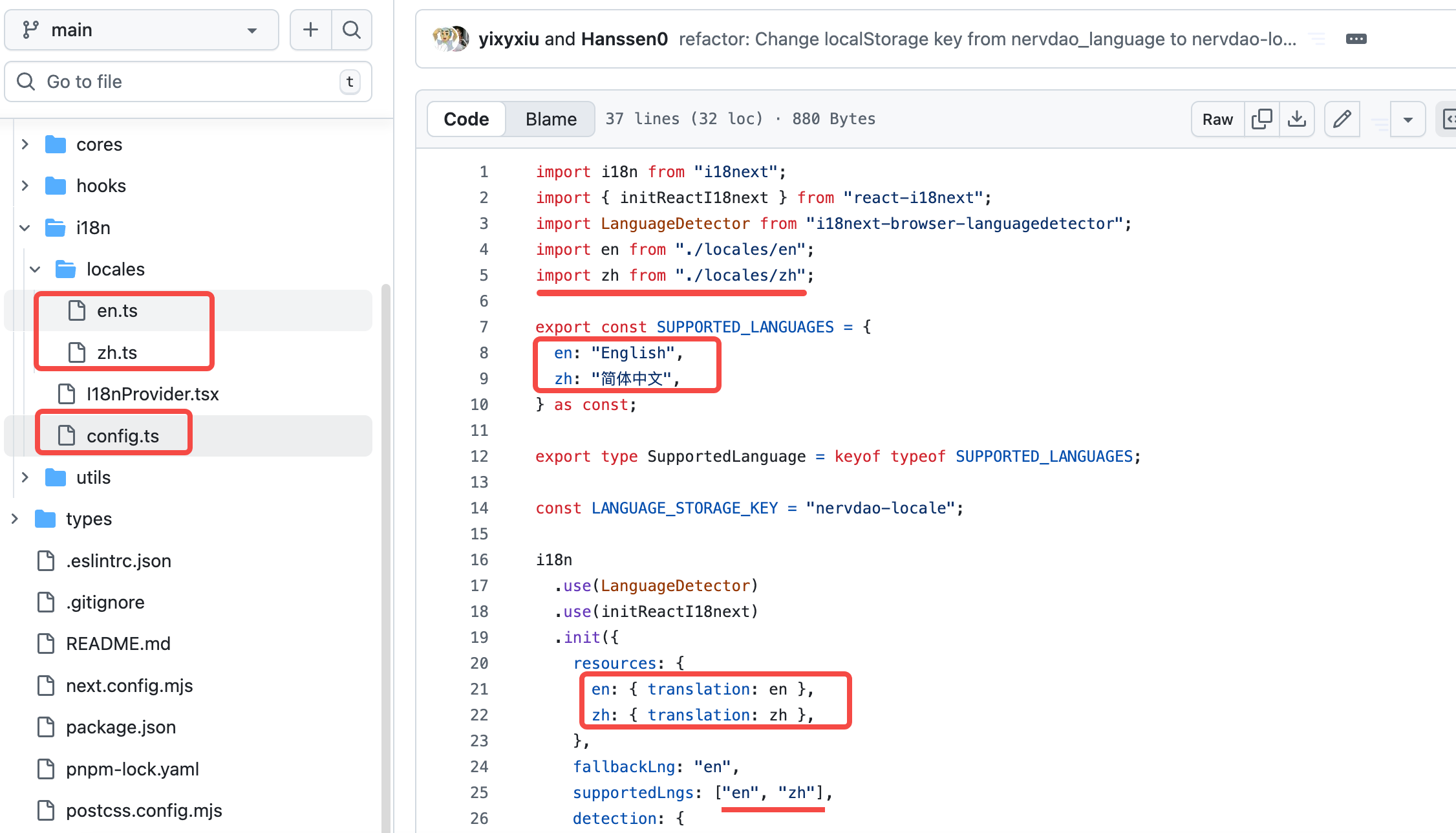
- Create a new language file under
src/i18n/locales/ - Follow the format in
en.tsandzh.ts - Use AI tools to translate the text, then manually review to ensure accuracy
- Add the language config in
src/i18n/config.ts - Submit a Pull Request !
Tech Requirements:
- TypeScript + React is all you need
- Some i18n experience helps, but the framework is already set up — it’s not complicated
- Accuracy matters — let’s avoid any “lost in translation” moments (most important!)
Why Join?
 Your name goes into the project README
 Become a contributor to the Nervos ecosystem
 Help bring Nervos to the world — and that feels awesome!
 Where to Find Us
- GitHub Issues : Submit translation feedback
- Talk Nervos : Leave a comment right below this post
Looking forward to your feedback, and even more excited to have you join in!
Links:

好消息!好消息!
兄弟姐妹们,NervDAO 现在有中文啦!
相关 PR 在这里:
- Feat/i18n:Add Multilingual Support (Chinese/English) by yixyxiu · Pull Request #4 · ckb-devrel/nervdao · GitHub
- feat(ickb-i18n): complete i18n support for iCKB core module and UI enhancements by yixyxiu · Pull Request #5 · ckb-devrel/nervdao · GitHub
从今往后,不用再对着满屏英文发愁,也不用每操作一步就去群里问“这个按钮是干啥的”,咱们终于可以用母语愉快地玩 Nervos DAO 了!
以前的日子,懂的都懂
说真的,之前只有英文界面的时候,对于不擅长英文的小伙伴来说,确实挺折腾的,我从社区里收到不少小伙伴的求助消息:
大家是不是都遇到过这些:
- 开着翻译插件,结果翻译出来驴唇不对马嘴
- 在群里发截图问:“这个怎么存?”
- 满世界找中文教程,找来找去都没找到
这些痛点我们都懂!—— 中文社区遇到这个问题,其他语言的社区肯定也跑不掉。所以这次必须把多语言安排上!
这次整了啥?
多语言框架搭好了
基于多语言框架,我们先把简体中文和英文安排上了:
| 语言 | 代码 | 状态 |
|---|---|---|
| English | en |
搞定 |
| 简体中文 | zh |
搞定 |
更多语言,就等社区的小伙伴们一起来添砖加瓦啦!
技术上也很硬核
- 用上了
react-i18next国际化框架 - 一键切换语言,不用刷新页面,丝滑得很
- 多语言结构清晰,以后加新语言超简单
- 代码里还带了类型检查,翻译错了立马能发现
翻译覆盖得明明白白
- 所有按钮、菜单、标签
- iCKB 操作的各种提示
- 错误提示、状态消息
- 交易记录、历史详情
除了多语言,我们还顺手优化了一波:
- 调整了一些样式,界面更好看了
- 交易记录支持点击查看详情(之前只能看列表,点不了)
- 错误提示也变得更友好,一眼就能看懂问题在哪
咋切换语言?
超简单!第一次打开时,系统会自动识别你的浏览器语言,匹配不上就默认用英文。
电脑端
- 页面顶部右边有个 地球图标,点它
- 鼠标放上去就有下拉菜单
- 选你想要的语种
- 界面马上就变,速度飞快
手机端
- 右上角菜单里找到语言选项
- 手指一点,搞定!
不管在电脑还是手机上,应用都会记住你的选择,下次打开的时候,直接就是你上次用的语言,省心!
一起来玩呀!
想听听你的声音!
现在多语言的框架搭好了,后面加新语言就跟搭积木一样简单。我们特别想知道:
- 还想加什么语言?繁体中文、日语、韩语、西班牙语、法语……都安排上?
- 中文翻译看着顺溜不?有啥拗口的地方?
- 发现翻译有误或者表述奇怪的?
- 对多语言功能还有啥好点子?
技术大佬看过来!
会写代码的朋友,来一起加新语言吧!
怎么操作:
- 去 GitHub Fork 一下 NervDAO 项目
- 在
src/i18n/locales/文件夹里新建语言文件 - 照着
en.ts和zh.ts的格式来写 - 用 AI 工具把文本翻译一遍,再人工过一遍,保证翻译得准
- 在
src/i18n/config.ts里把语言配置加上 - 提交 Pull Request 就行!
技术要求:
- 会 TypeScript 和 React 就行
- 懂点 i18n 的玩法更好(其实框架都搭好了,不复杂)
- 翻译得准,别整出段子来(这个最重要!)
参与有啥好处:
- 项目 README 里会记上你的名字
- 成为 Nervos 生态的贡献者
- 一起搞全球化,成就感拉满!
去哪找我们
- GitHub Issues: 来提翻译建议
- Talk Nervos: 直接在本帖下面留言
期待大家的反馈,更期待大伙一起参与进来!
相关链接: