Fiber-pay: an ai-friendly CLI for fiber-network

Recently I’ve been (asking AI) building on fiber-pay, a tool that lets AI directly interact with the CKB Fiber Network. Long story short, it lets AI open channels and make payments for you.

Why build this?

Fiber is CKB’s Lightning Network, but running a node manually is kind of a pain. With fiber-pay, you can just tell the AI, “Hey, open a channel for me” or “Send me an invoice,” and it will handle the rest.

What’s done so far?

  • CLI Tool: Command-line ready with JSON outputs, making it super machine-friendly to parse.
  • Runtime System: Comes with job management, auto-retries on failure, and easy log viewing.
  • Agent Integration: Wrote a skill file so you can load it directly into OpenClaw.

How does it actually work?

I tested it out myself on a 15 dollars small computer with openclaw using kimi code subscription model(199 RMB /month) and the basic flow goes like this:

Paste this prompt in Cursor/Claude/Copilot/other agents:

Follow this document https://raw.githubusercontent.com/RetricSu/fiber-pay/refs/heads/master/skills/fiber-pay/SKILL.md to equip yourself with a p2p payment system.

Your agent should be able to start a node by:
→ Auto-downloads the fnn binary
→ Initializes the config
→ Starts the node
→ Connects to the bootnodes

You can ask it to conenct to peer, open channel and even tweak the config file for custom needs.

The whole process is practically hands-free. The AI takes care of handling errors, retrying, and reading the logs on its own.

Looking for folks to play with it

If you’re into any of these:

  • CKB / Fiber Network
  • AI Agents
  • Automated payment workflows

Come mess around with it! Try loading the fiber-pay skill into OpenClaw (or any other agent framework) and see what kind of cool stuff you can hack together.

Code is here: GitHub - RetricSu/fiber-pay · GitHub

Feel free to open an issue, share your ideas, or just drop a reply in this thread.

11 Likes

The idea has great potential. Keep up the good work. Do you guys plan on add and wallet for support?

3 Likes

absolutely! I think there are two levels of support here: 1. for SDK level(the fiber-pay/sdk), there should have some libraries to support wallet integration on fiber node, which allows developers to use the SDK building Fiber apps that work with the CCC wallet signers. This PR is fired on fiber side to enable such ability; 2. for CLI level (the fiber-pay/cli), It will be interesting to invoke external wallets( neuron, ckb-cli etc) for setup and running the fiber nodes.

What is your idea for this? Is there any feature requests?

2 Likes

Happy to share that I’ve released v0.1.0 of fiber-pay! It targets FNN version 0.7.1 and includes basic functionality for the testnet.

I’ve been using it a lot lately while building a fun demo: fiber-audio-player (I’ll write another post to share that project soon!). It’s been tested on Mac and Linux, but unfortunately not on Windows yet. If anyone is interested in testing it out there, I’d really appreciate it.

My typical workflow using the fiber-pay CLI goes like this:

  1. Install:
npm install -g @fiber-pay/cli
  1. Start a default testnet node:
fiber-pay node start --daemon

# Node daemon starting (PID: 17122)
# Use `fiber-pay node status --json` to verify readiness.
  1. Get your node’s funding address as a QR code:
fiber-pay wallet address --qrcode

✅ Funding address retrieved

 ▄▄▄▄▄▄▄     ▄▄  ▄▄▄▄▄▄▄▄  ▄ ▄▄ ▄  ▄▄▄▄▄▄▄
 █ ▄▄▄ █ ▄ ▀▀ ▄ ▄██▄▄ █▄ ▄▀▄██ █ █ █ ▄▄▄ █
 █ ███ █ █▀█▄▀ ▀▀▄ ▄█▄▀▄█ █▀ █▀ ▄█ █ ███ █
 █▄▄▄▄▄█ █▀▄ ▄ ▄▀▄ █ █▀▄ █ █▀█ █ █ █▄▄▄▄▄█
 ▄ ▄▄▄▄▄ ▀▄▀▀ ▀▀  ▄█▀█▀▄ ▀▄▀  ▄▀▄▄ ▄▄▄▄▄
  ▀█▄█▀▄█  ▄█▀▄▄▀█ ▄▀▀▀▄▀▀ █▄▀▄▀▀▄▀▀██▄▄ ▀
  █▀ █▀▄ ▀ ▀█▄▄██ ▄ ▀█▀▄▀█▄ ▀ ▄   ▄▀ ▀▀▄▄▀
 ▀▀ ██▀▄█▄██ ▀▀▄▀▀██ ▄ ▀▄▄▄▀▄▀  ▀▀▄▀██ ▄ ▀
 ▄██ ██▄█▄▀▀█ █▀▄▀▄▀ ▄▀▄█ ▄ ▀ ▄█ ▀  █▀▄▄█
    ▄█▀▄█▄ ▄▄▀█▀▄  ▄▀▀ ▄▀▀▀█▄█▄ ▀▀ ███ ▀ ▀
 █▀  █▀▄▄▀▄█ ▄▀▄ ▄ ▄ █▄▄▀ ▄ ▄▀▄  █▀ ▄▀█▄
 █▀ ▀ ▀▄▄▀ █▀▄▄▄▀█▄▄▀█  ▀█▀▀▄█▄█▀▀▀▀ ▀▄ ▀▀
 ▀ █▄██▄▄ ▄█▀▀▄▀ ▀▄ ▄ ▀▄▀█▄ ▀▄▄ █  ▀▄ █▄▄
 ▀▄▄▄▀▄▄██▀▀██▀█▄█ ▄▀▀█▄▀▄▄▀▄   ▀▀ ▀█▀▄█▄▀
 █▄▀▄  ▄▄█▀ ▄████▄▄▄█▀▀▄▄█▄▄█▄▄█ █▀▀▄▀█▄██
 █▀▀▀ ▄▄  ▀▀█▄▄▄ ▄▄ ▄▀▀▄ ▀▄▀▄█▄▄▀█▄█▀██▄▄▀
 █   ▀█▄▄▀▄▀██▀▄ ▄▄▀██▀█▀█▄██▄▄  ▄██▄▄█▄
 ▄▄▄▄▄▄▄ ▀  ▀▄█  ▀█▀▀▄█ ▀ ▄▀▄▄▄█▄█ ▄ ██▄▀▀
 █ ▄▄▄ █ █▄▄ █▄ ▀ ▀▀ ██▀▀▀▄▄██▄ ▀█▄▄▄██▄██
 █ ███ █ ██▀ ▀▀█ ▀█▀▀▀▄█▀▄ ▄▄ ▄█ ▀▄▄▀▄█ ▀▀
 █▄▄▄▄▄█ ▄ █▄ █▀▀█▄▀▄ ▀▄▀█▄███▄█▄▀  ▄██▄▀
▀▀▀▀▀▀▀▀▀▀▀▀▀▀▀▀▀▀▀▀▀▀▀▀▀▀▀▀▀▀▀▀▀▀▀▀▀▀▀▀▀▀▀

  ckt1qzda...axcl2c

(Scan the address with your CKB wallet and deposit some funds)

  1. Check the funding address balance after depositing:
fiber-pay wallet balance

# ✅ CKB balance retrieved
#  Balance: 7999.99898862 CKB
#  Balance (shannons): 799999898862
  1. Check the network:
fiber-pay node network
Node Network Overview
=====================

Connected Peers: 6
Active Channels: 1
Total Channel Capacity: 1.0 CKB

Peers:
  PEER_ID                ALIAS                ADDRESS                    VERSION
  --------------------------------------------------------------------------------
  QmfNUEDq9Z...fZU1kGjR  (unnamed)            /ip4/16.162.99....fZU1kGjR 0.7.1
  Qmes1EBD4y...JMsoYFKy  bootnodesgp          /ip4/54.179.226...JMsoYFKy 0.7.1
  Qmd2LiBRNL...rfpm5gE2  (unnamed)            /ip4/3.212.70.7...rfpm5gE2 0.6.0-rc
  Qmc9tdvFCh...YMZ1T7uj  (unnamed)            /ip4/82.29.173....YMZ1T7uj 0.7.1
  QmdyQWjPtb...NDrTNaeV  bootnodehk           /ip4/16.163.7.1...NDrTNaeV 0.7.1
  QmXen3eUHh...X69XJ1Eo  CryptapeNode-1       /ip4/18.162.235...X69XJ1Eo 0.7.1

Channels:
  CHANNEL_ID             PEER_ALIAS           STATE          LOCAL_BAL     REMOTE_BAL   CAPACITY
  -----------------------------------------------------------------------------------------------
  0x4fdf9278...a95733cf  CryptapeNode-1     CHANNEL_READY       900.9       151.1      1.0

Listing channels and connected peers is easy too: just use fiber-pay channel list and fiber-pay peer list.

  1. Run multiple nodes with --profile:
    Another feature I use often is setting up multiple nodes for testing and managing them with different profiles:

Node 1:

fiber-pay --profile testnode1 config init --rpc-port 28227 --p2p-port 28228 --proxy-port 28229

Node 2:

fiber-pay --profile testnode2 config init --rpc-port 38227 --p2p-port 38228 --proxy-port 38229

Node 3:

fiber-pay --profile testnode3 config init --rpc-port 48227 --p2p-port 48228 --proxy-port 48229

(Note: I updated the profile names to testnode2 and testnode3 so they don’t overwrite each other!)

To manage any of these nodes, just pass the corresponding --profile <name> flag in your command—everything else remains the same. eg:

fiber-pay --profile testnode3 node start --daemon

There’s so much more to share, like the log command to monitor your nodes, AI-friendly flags on each command, and more. If you try it out, let me know what you think! I’ll be posting a future work plan for this little tool soon.

3 Likes

Your timing is impeccable. This slots perfectly into my hackathon build. Huge thanks.:folded_hands:

3 Likes

Happy to share that the Fiber-pay v0.1.1 just got released. In this version, I am experimenting some fun ideas:

I am packing a simple command into the fiber-pay so you can expose a local AI agent (via acpx) as a paid HTTP service.

Wait, what does that mean? So you propabbly have installed agents like claude code, codex, opencode and openclaw etc. Ever wondering allow those little agents earn money for you while siting in your computers? the fiber-pay agent serve commands open an access to your agents from your computer so other users can call to them and get response by paying you a little CKB per request using fiber network in a L402 styling!

Here is a real exmaple that I ran on my computers:

firstly, I start a paid HTTP service with my default fiber node for my codex agent using one simple command from fiber-pay:

retric@bear:~$ fiber-pay agent serve --agent codex --approve-all --root-key d8055d40611acbe70bedac3019a8e9f1845784c4903b9e8714ba2f9c0b71154c
Agent service started
  Listen:     http://127.0.0.1:8402
  Agent:      codex
  Price:      0.1 CKB per request
  Expiry:     3600s
  Timeout:    300s per agent call
  Currency:   Fibt
  Fiber RPC:  http://127.0.0.1:8227

Endpoint:
  POST http://127.0.0.1:8402/  {"prompt": "your question"}

Press Ctrl+C to stop.

Secondly, I called the above endpoint from another fiber node named user to get response from the codex agent behind the paywall. In this case, I am sending codex a simple prompt hello and It immediatly get 402 status code and pays the invoice and then automatically requests again for the response.

fiber-pay agent call --prompt "hello" http://localhost:8402 --profile user
Calling agent at http://localhost:8402/...
Payment required. Paying invoice via Fiber...
Payment sent (hash: 0xafc71d251d104a83ac02e9a382327d151cd6e2c85b555a7a65a40629acd457cf). Waiting for confirmation...
Payment confirmed. Retrying request with L402 token...

The server then checks the payment and the asking codex to process my request prompt and send the response to me from server side:

fiber-pay agent serve --agent codex --approve-all --root-key d8055d40611acbe70bedac3019a8e9f1845784c4903b9e8714ba2f9c0b71154c
Agent service started
  Listen:     http://127.0.0.1:8402
  Agent:      codex
  Price:      0.1 CKB per request
  Expiry:     3600s
  Timeout:    300s per agent call
  Currency:   Fibt
  Fiber RPC:  http://127.0.0.1:8227

Endpoint:
  POST http://127.0.0.1:8402/  {"prompt": "your question"}

Press Ctrl+C to stop.
[REQ 1] POST / from 127.0.0.1 (auth=none)
[REQ 1] challenge-issued status=402 duration=28ms
[REQ 2] POST / from 127.0.0.1 (auth=present)
[REQ 2] payment accepted, invoking agent=codex promptChars=5
[REQ 2] agent completed duration=21112ms
[REQ 2] completed status=200 duration=21117ms l402=payment-verified:0xafc71d251d10...

And I get the correct response from codex agent in the client side:

fiber-pay agent call --prompt "hello" http://localhost:8402 --profile user
Calling agent at http://localhost:8402/...
Payment required. Paying invoice via Fiber...
Payment sent (hash: 0xafc71d251d104a83ac02e9a382327d151cd6e2c85b555a7a65a40629acd457cf). Waiting for confirmation...
Payment confirmed. Retrying request with L402 token...
Agent call succeeded
  Agent:         codex
  Duration:      21112ms
  Payment:       required
  Payment hash:  0xafc71d251d104a83ac02e9a382327d151cd6e2c85b555a7a65a40629acd457cf

Agent response:
Hi. What can I help you with?

It works! Hopes you enjoy this kind of experiment like me!

But remember that opening your agent to the world can lead to a danger situation where other people can control your computers via injecting prompts to your agent.

Despite all rof this, I think the real execitement is that if some sort of security is implemented correctly, we can build an agent network on top of fiber network where each agent can call other agents with built-in payments. It will be a new cordination layer for machines.

7 Likes

Hello everyone, I want to share that fiber-pay v0.2.1 version has been released!

In this release, we introduced the fiber wasm + passkey components in the @fiber-pay/sdk, which means that as a developer you can now easily build a user fiber payment component with passkey experience right in the browser. To me, this functionality is important since it provides a simple integration solution for builders just like integrating Stripe into your app for payment.

You can check out the source code of browser-wallet example in the fiber-pay repo. We also implmented this feature in the fiber-audio-player demo using the same SDK.

In the next version, we will add a simple React component and hooks to provide more high-level integration for frontend developers. Ideally, you can import the SDK libraries and gives no worry about the fiber payment solution and user experience. Let me know if you think these type of things are useful!

4 Likes

Hello everyone, fiber-pay v0.2.5 is out, and this release brings the ConnectButton component to @fiber-pay/react — a one-line drop-in for connecting a Fiber browser node with explicit passkey or password strategy.

What’s new

  • ConnectButton — A unified connect/disconnect button that works in standalone mode (<ConnectButton network="testnet" strategy="passkey" />) or pairs with an existing useFiberNode hook for shared state across your app.
  • useFiberNode hardening — Fixed StrictMode remount reliability so async state updates don’t get dropped during React effect re-runs.
  • Browser-wallet demo refresh — The demo app now uses a ConnectButton-first auth flow, showing how the component fits into a real wallet console.
  • React Quick Card demo — A new capability walkthrough showcasing theming, custom dropdown panels, runtime snapshot checks, and FiberPayQuickCard payment integration.

What can be built

If you’re building a frontend that accepts Fiber payments, you can now add a connect button and payment card with a few imports — no need to wire up node lifecycle, passkey detection, or connection state yourself. The component handles the boilerplate and exposes hooks for customization when you need it.

The interesting calling-agent demo is built using such an SDK. You can also check out the browser-wallet and react-quick-card demos in the repo, or grab the package:

pnpm add @fiber-pay/react

Let me know if you try it out or have feedback on the API!

5 Likes

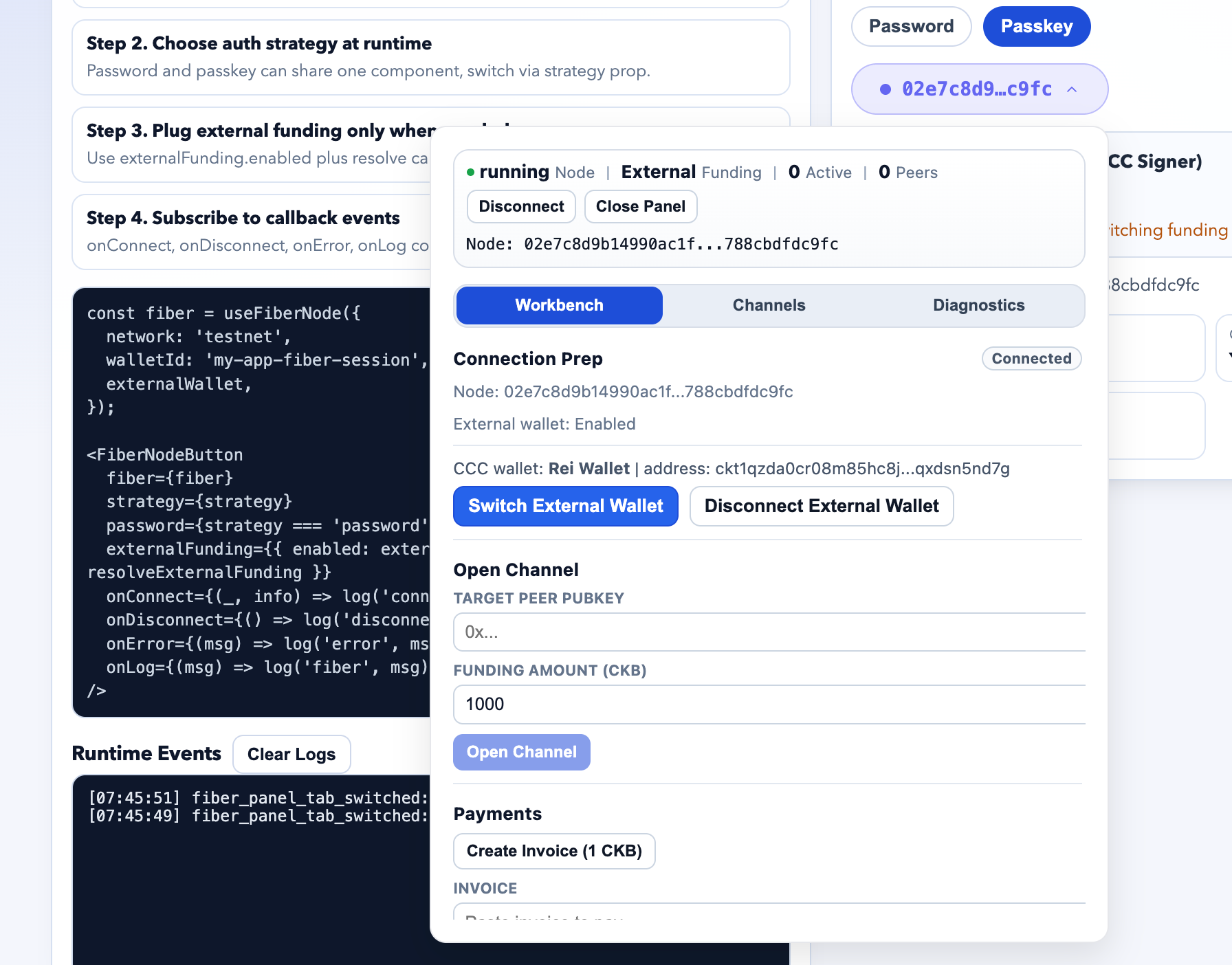
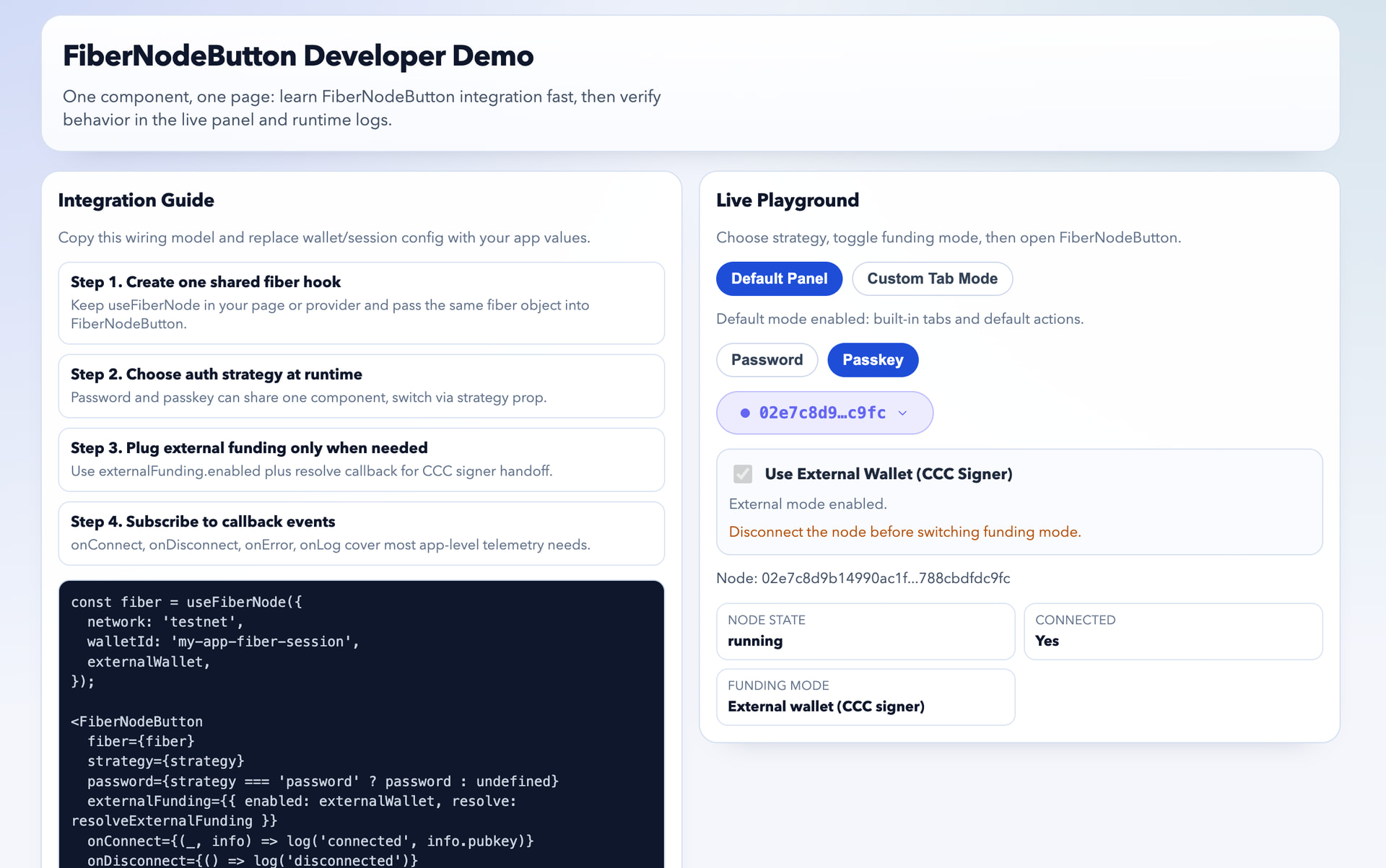
我想分享一下 fiber-pay 已经发布了 v0.2.6 版本。这个版本带来最重要的能力是在 SDK 中,我们为 @fiber-pay/react 这个 npm 包加入了 FiberNodeButton 这一个高级组件,它的使用是类似这样:

import { FiberNodeButton, useFiberNode } from '@fiber-pay/react';

export function WalletEntry() {
  const fiber = useFiberNode({ network: 'testnet', walletId: 'demo-wallet' });

  return (
    <FiberNodeButton
      fiber={fiber}
      strategy="passkey"
      onLog={(message) => console.log(message)}
    />
  );
}

有了这个组件,开发者可以很方便地在前端集成一个完整的按钮,提供 fiber 节点启动/管理等内容。FiberNodeButton 包含一个覆盖了 fiber channel 和 payment 全流程管理功能的下拉面板,开发者不需要自己实现这些功能,开箱即用。这可能对开发者在浏览器应用中集成 Fiber 会降低不少门槛,希望对大家有用。


6 Likes

hello 各位,fiber-pay v0.2.7 已经发布,这个版本主要是适配了 0.9.0-rc4 版本的 FNN,以及修复了一个 CLI 下载 pre-release 的 FNN 二进制的 bug。

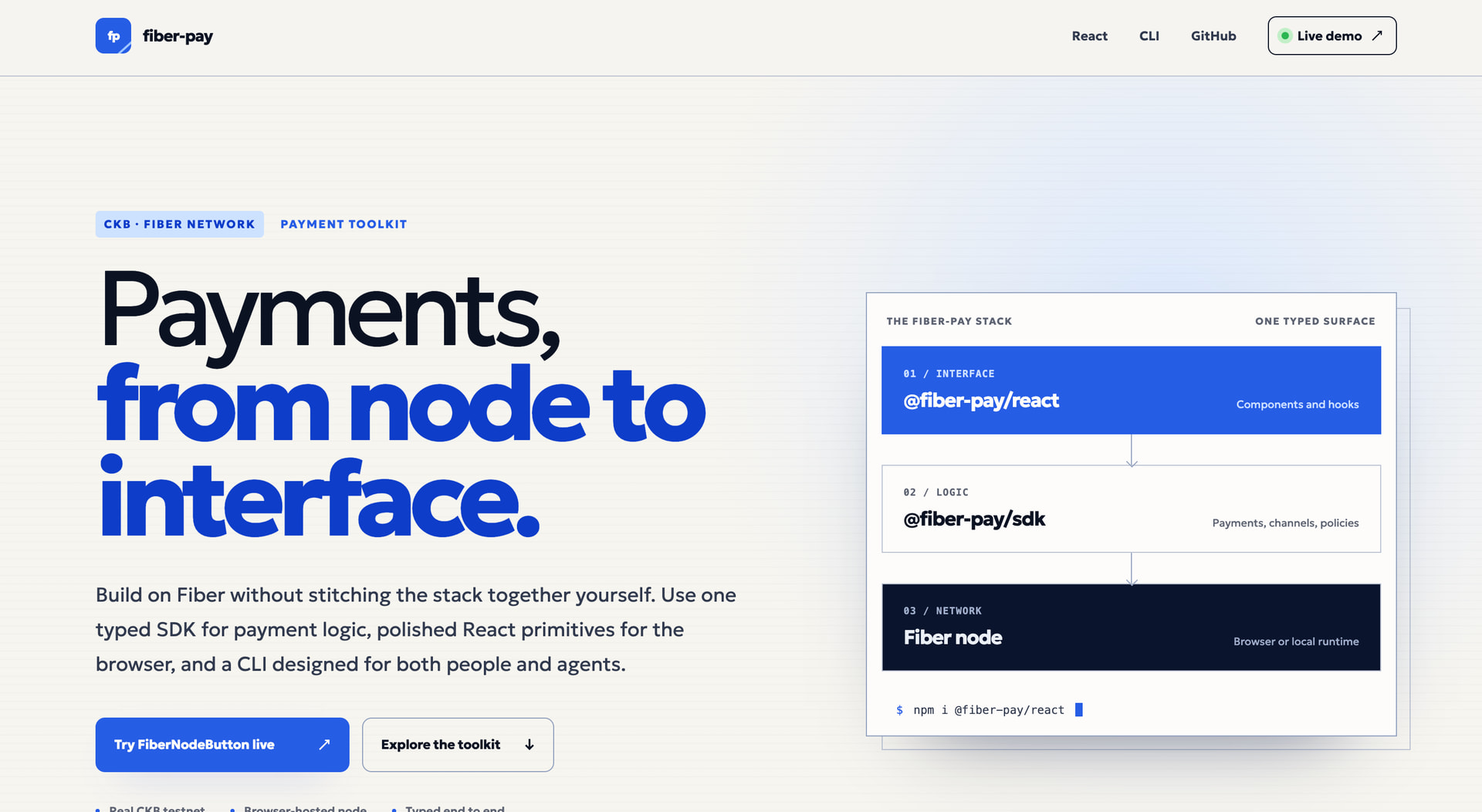
除此之外,更重要的可能是我们为 fiber-pay 上线了一个非常简单的落地页:fiber-pay | CKB Fiber CLI + SDK Toolchain 希望这可以提供一个入口,供开发者了解。fiber-pay 希望为社区开发者提供一个由社区维护的关于 Fiber 的 CLI + SDK 工具链的选项。

4 Likes

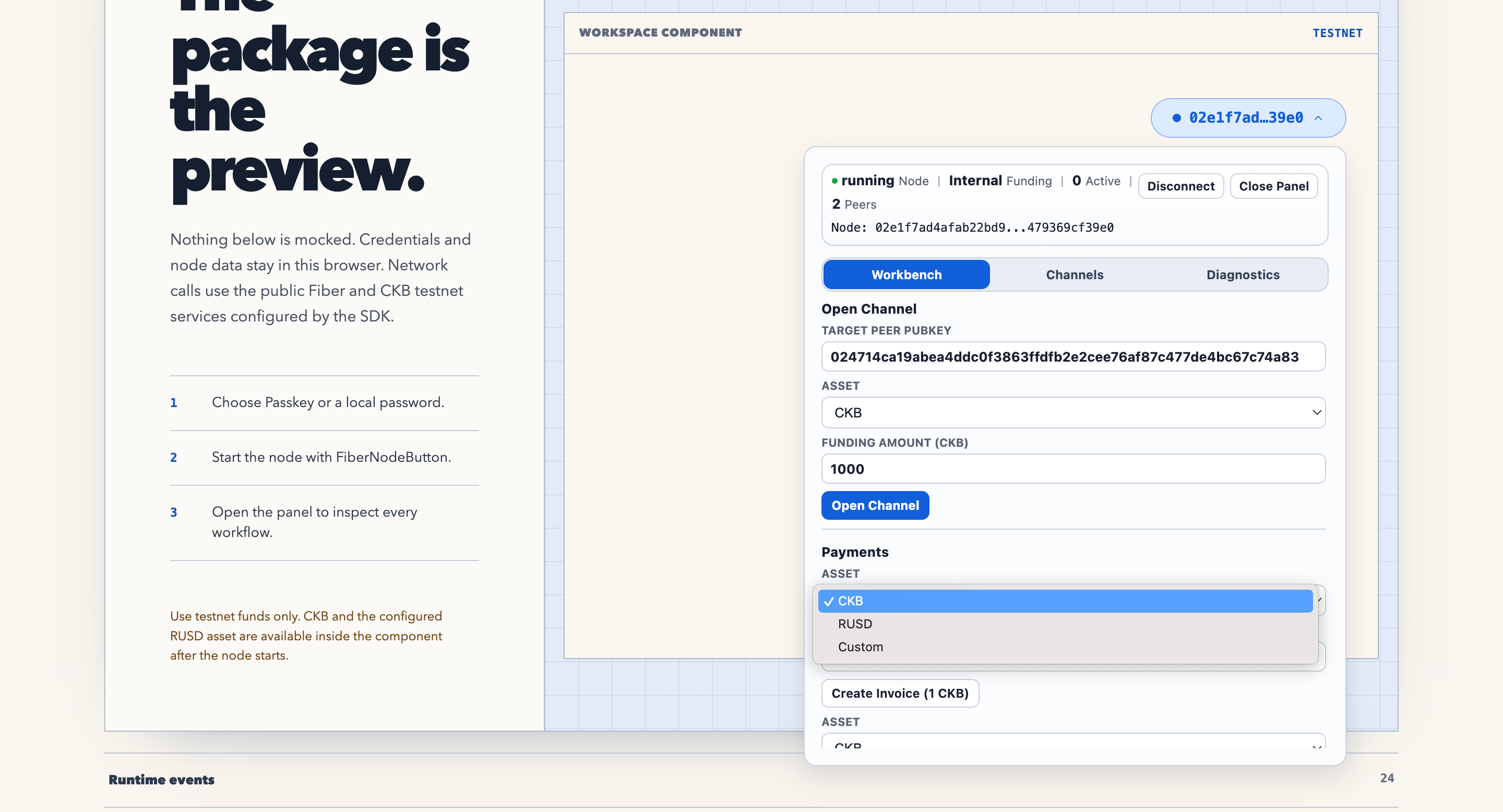
Hi community, the fiber-pay v0.3.0 has been rolled out. We support UDT operation like openning udt channels in all the levels of SDKs and CLI in fiber-pay so it is a bit more useful.

Also, the react components and our landing page and the online demo has been refactor so it looks better, check it out:


if you are building web-based applications, feel free to use it and see if it helps. any feedback is appreciated.

7 Likes