Post-hackathon update: turning the feedback into Fiber Forge v0.4.0
Hi everyone,
After Fiber Forge won first place in the Node, Routing & Diagnostics category of the Gone in 60ms hackathon, I went back through the judges’ feedback and used it as a development roadmap. The original release proved that a useful local Fiber network could be launched with one command. The next step was to prove that the tool is reliable, reusable outside its own repository, useful under failure conditions, and capable of demonstrating more Fiber-native workflows.
That work is now available in Fiber Forge v0.4.0 on npm.
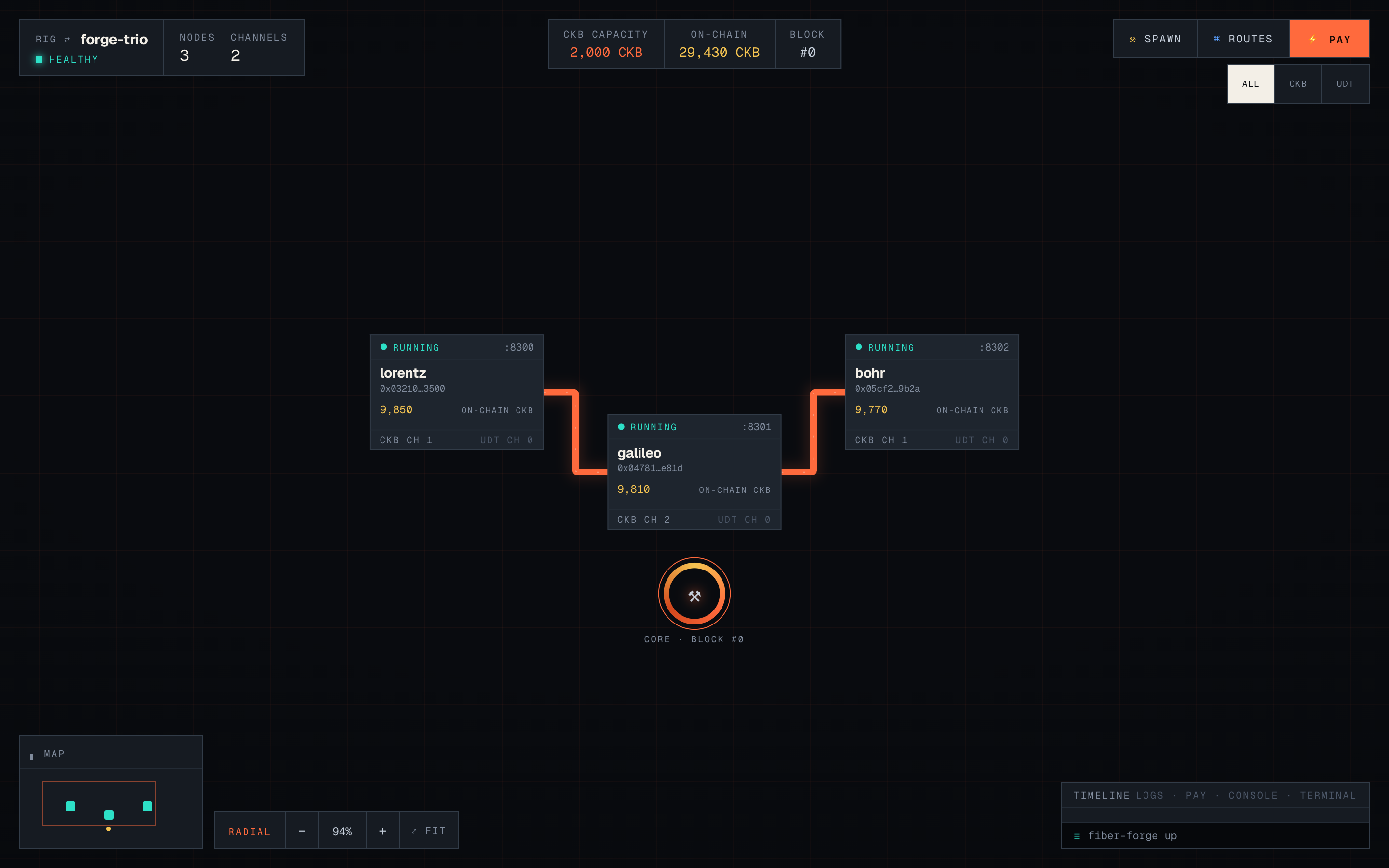
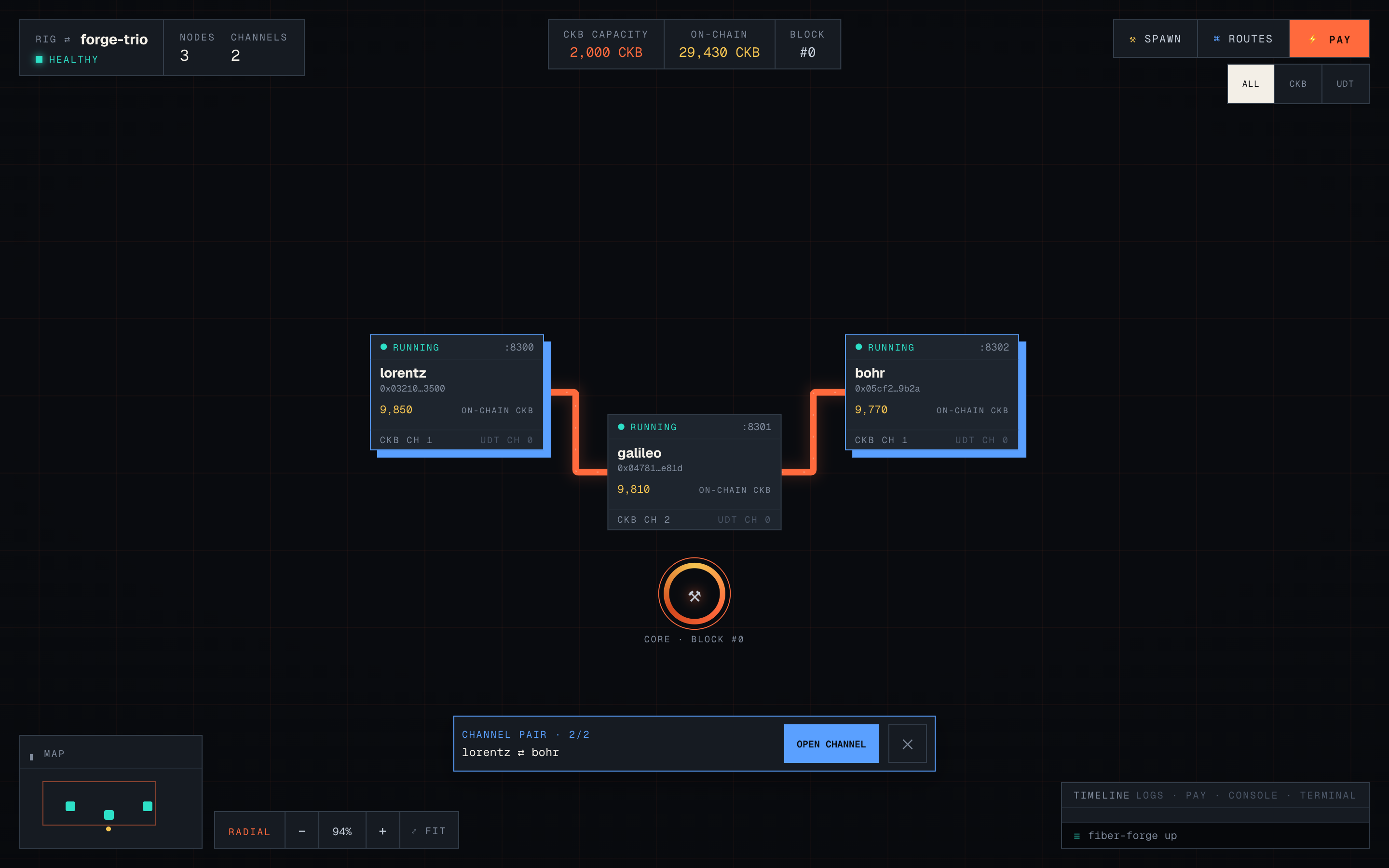
The Fiber Forge network workspace: three running nodes, channel capacity, on-chain balances, asset filters, and the original ember-orange CKB channel paths.
Reliability and real runtime evidence
Fiber Forge now tests the same packed npm artifact that users install, rather than relying only on source-level tests. The live verification suite installs the tarball into a clean environment, launches a real three-node network, completes a multi-hop CKB payment, interrupts and restarts the relay, verifies its identity and channel recovery, completes another payment over the original channels, and confirms deterministic cleanup.
The project also now has bounded RPC timeouts, clearer lifecycle errors, durable CI evidence, sanitized failure diagnostics, and a documented host compatibility matrix. Linux amd64 with Docker Engine and macOS arm64 with Docker Desktop are backed by complete live verification.
A supported SDK, GitHub Action, and browser-accessible sandbox
Fiber Forge is no longer limited to manually running its CLI. The package now exposes a documented TypeScript SDK through @truthixify/fiber-forge/sdk, with a deliberately small public surface and compatibility policy.
There is also a self-cleaning GitHub Action for starting a network during CI, publishing connection information, running an application’s tests, and tearing everything down even when the job fails. A standalone integration example proves that another project can consume the released package without importing Fiber Forge internals.
For developers who want to try the real network without preparing a local environment first, the repository now includes a private GitHub Codespaces workflow. It launches a disposable trio, proves a multi-hop payment, exposes the GUI through authenticated port forwarding, and removes its runtime state after the session.
Failure testing, settlement visibility, and reproducible reports
The hackathon feedback specifically called out failure handling and reproducibility, so those are now first-class workflows. Individual Fiber nodes can be stopped, started, and restarted with identity and recovery checks. Controlled faults can terminate a node, isolate a peer, interrupt the CKB dependency, or pause on-demand mining, with explicit status and reset commands.
Fiber Forge can now request a force-close and follow the channel through its observable on-chain settlement state. Scenario files support expected payment, balance, channel, node, and fault assertions, producing machine-readable reports and meaningful CI exit codes.
Failures can also be shared as validated .ffbundle recipes. Export and replay deliberately exclude private keys, credentials, raw databases, and Docker volumes. A replay creates a fresh network, runs the included scenario, compares the assertion results, and always removes the resources it created. This makes a failure reproducible without pretending that unsafe machine state can be copied between hosts.
CCH, Lightning, xUDT research, and routing inspection
The largest addition is a complete local CCH development topology. fiber-forge up cch provisions the CKB/Fiber side together with a disposable Bitcoin regtest and LND backend. fiber-forge cch prove cch then exercises both supported cross-network directions and verifies more than request acceptance: it checks terminal CCH order state, shared payment hashes, wrapped scripts, Fiber or Lightning payment state, and exact balance changes at the user and hub boundaries.
The scope is intentionally explicit. This is a disposable local development proof using devnet/regtest, operator-provided liquidity, and a trusted 1:1 fixture rate. It is not a reserve proof, custody audit, or mainnet-safety claim.
I also tested the bundled xUDT against the pinned Fiber release. Plain extension-free xUDT channels and payments work locally, but RCE support remains deferred because the current public channel lifecycle does not expose the proof-witness boundary needed for every funding and settlement path. That distinction is now documented instead of presenting an unsupported toggle.
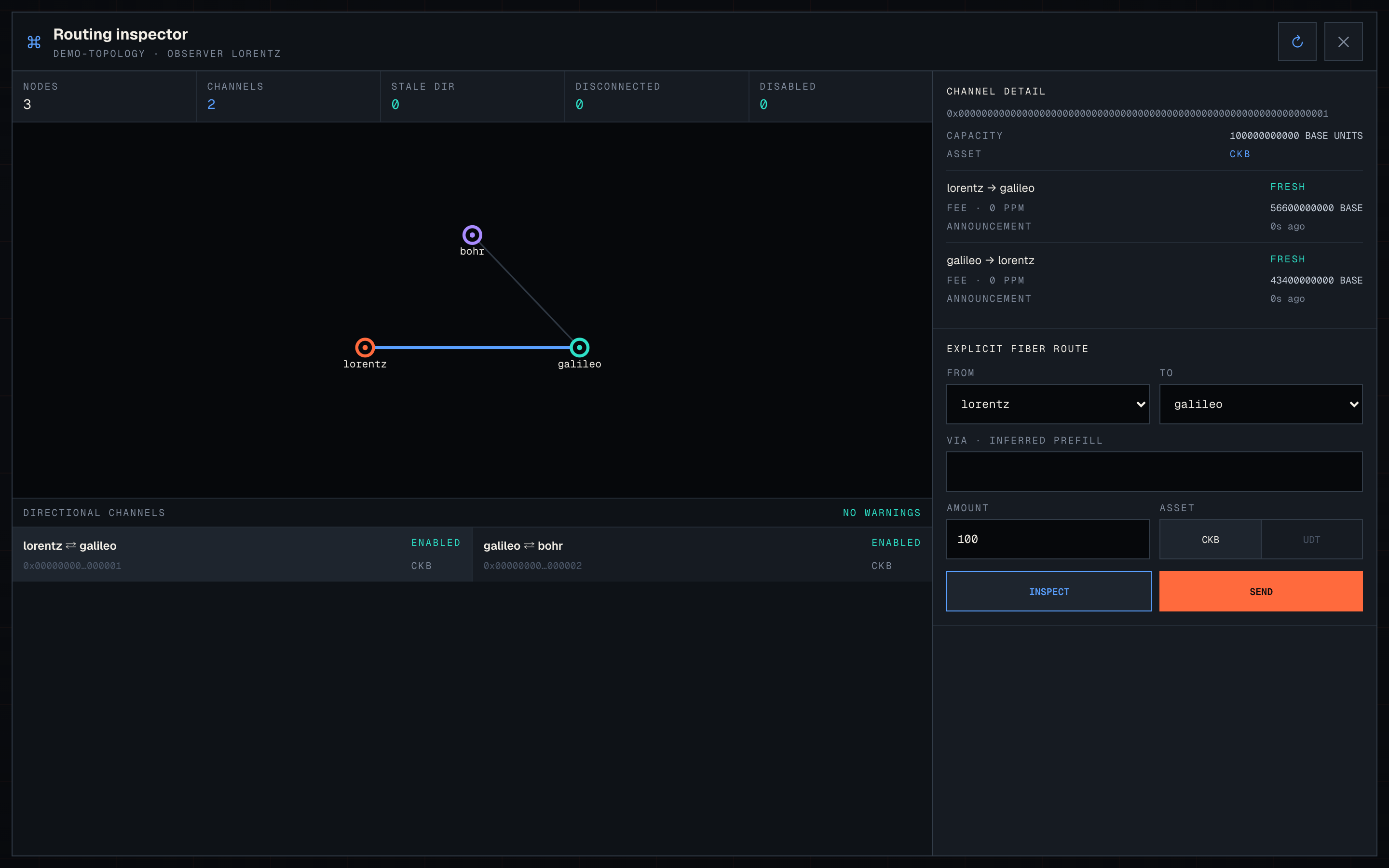
Finally, Fiber Forge now includes a routing and gossip inspector. It can display a managed node’s live Fiber gossip graph, inspect directional liquidity and fees, ask Fiber to build an explicit route, and execute that exact route. The interface clearly separates inferred connectivity, the route returned by Fiber, the attempted route, and a route confirmed by a successful terminal payment.
The routing inspector shown with Fiber Forge’s built-in demo topology. When opened on a managed network, the same view is populated from that node’s live Fiber gossip RPC data.
Latest GUI follow-up
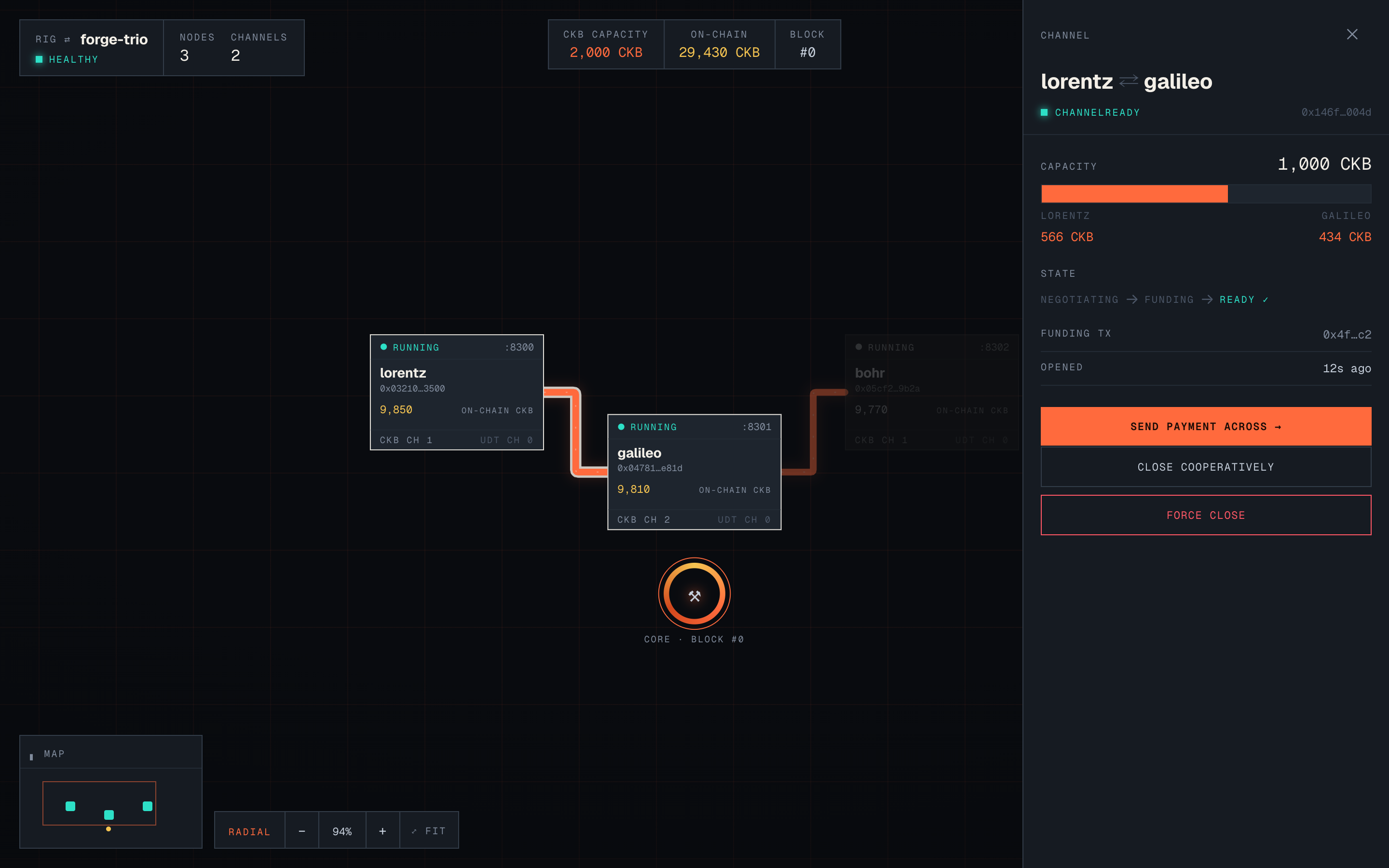
Two community issues also identified places where the topology and payment interface could be clearer. The current follow-up PR makes parallel channels independently selectable, keeps CKB channels in the original Fiber Forge orange and UDT channels in cyan, labels balances by endpoint and asset, and makes peer/channel rows navigable.
Selecting a channel now focuses its endpoints and shows the balance held by each named node.
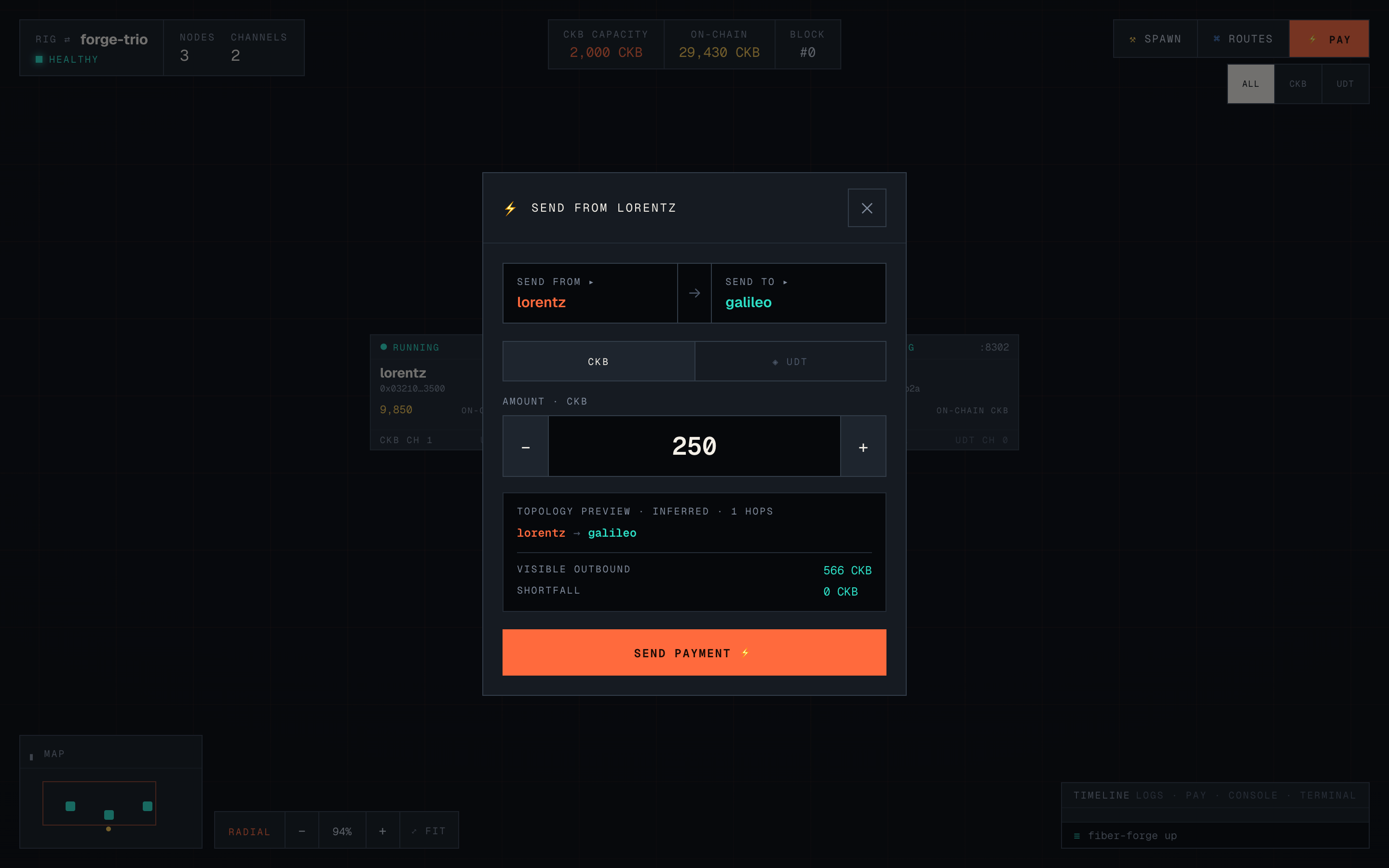
The payment dialog now checks visible directional liquidity before sending, shows the route bottleneck and shortfall, disables an impossible payment, and links directly to a prefilled channel form. You can also hold Command or Control while selecting two nodes to open a channel between that exact pair.
Before sending, the payment sheet shows the inferred path, visible outbound liquidity, and any shortfall.
Command- or Control-select two nodes to open a channel between that exact pair.
Try it
npx @truthixify/fiber-forge up trio
To run the complete local CCH proof:
npx @truthixify/fiber-forge up cch
npx @truthixify/fiber-forge cch prove cch --output cch-transfer-proof.json
Repository: GitHub - truthixify/fiber-forge · GitHub
npm package: https://www.npmjs.com/package/@truthixify/fiber-forge
Latest GUI follow-up: Improve channel liquidity workflows by truthixify · Pull Request #3 · truthixify/fiber-forge · GitHub
Thank you again to Nervos Nation for organizing the hackathon and for giving builders detailed feedback instead of treating the submission as the end of the project. That feedback directly shaped the reliability, integration, resilience, and CCH work described above.
I would especially like feedback from people building Fiber applications, wallets, or infrastructure: which failure scenario, routing view, or cross-network workflow would be most useful to add next? If you try v0.4.0 and find a rough edge, please open an issue or reply here.