Fiber Desktop — run Fiber (FNN) on your laptop without the “public node” headache

Hi everyone,

If you follow Nervos, you may have heard of Fiber — a way to move value quickly on top of CKB using channel-style payments, routing, and invoices. To use it, you normally need a small program running in the background: the official Fiber Network Node (often called fnn). That program is the “engine” that opens channels, listens for payments, and creates invoices.

The awkward part is not the idea of Fiber. It is where that engine is supposed to live. Many people end up looking at rented servers, router settings, always-on home machines, and security checklists just to feel like they can participate. That is a lot of work for something that should feel closer to “install an app and use the network.”

There is a second wall that hits even on your own laptop: setup is often CLI-heavy. Getting from zero to a working node can mean a long chain of terminal commands — right binary, paths, config, key material, then RPC-style steps for connecting to peers, opening channels, creating invoices, and so on. That is fine for power users, but it filters out anyone who wants to try the network without treating the docs like a daily homework assignment.

I built Fiber Desktop to narrow both gaps: less hosting pressure and less death-by-CLI. This post explains what it is and how it fits together for people who are not deep into ops or protocol details.
What Fiber Desktop is

Fiber Desktop is a desktop application for Mac or PC (tested properly for Mac). It does not replace the official Fiber software. It wraps it: it helps you install and run the same official node (fnn) on the machine you already use, with clearer steps, start/stop controls, and safer handling of secrets.

In plain roles:

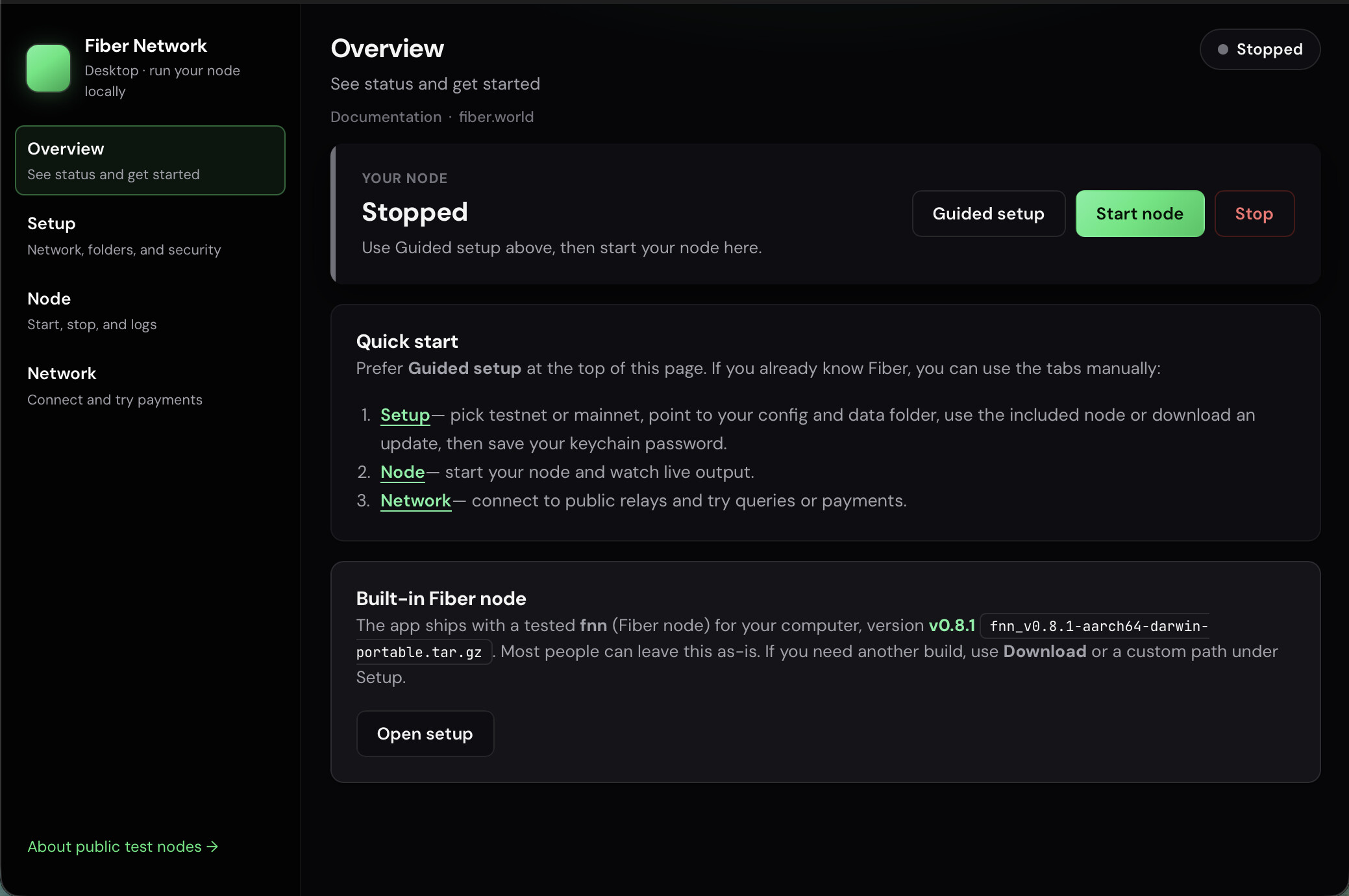
  1. Tour guide — walks you through setup in order (network, data folder, configuration, where to put your key material).
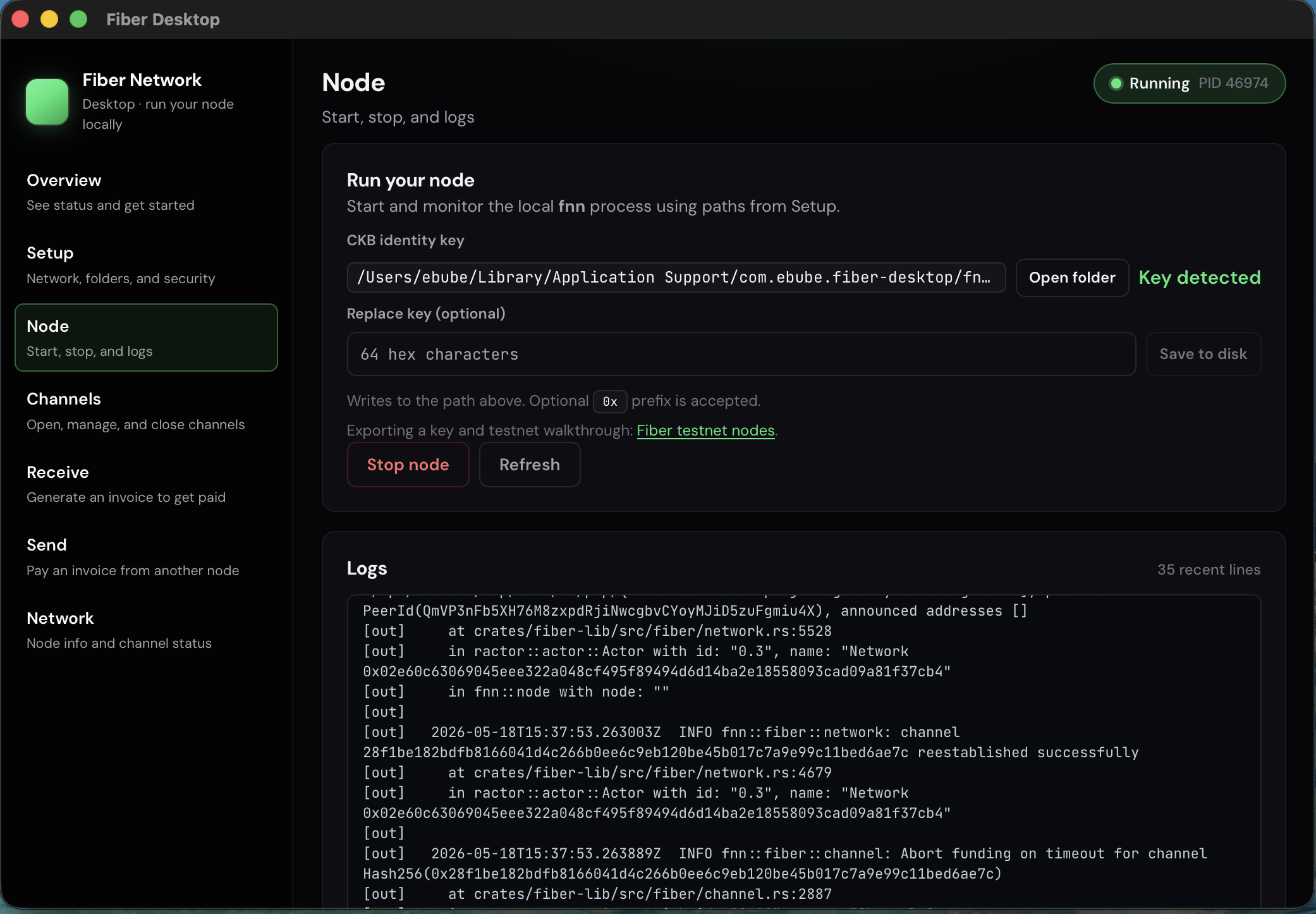
  2. Dashboard — start and stop the node, see logs, and use the network from one place.
  3. Vault assistant — stores the node’s encryption password in your operating system’s built-in secure storage (keychain / credential manager) instead of scattering it in random files.
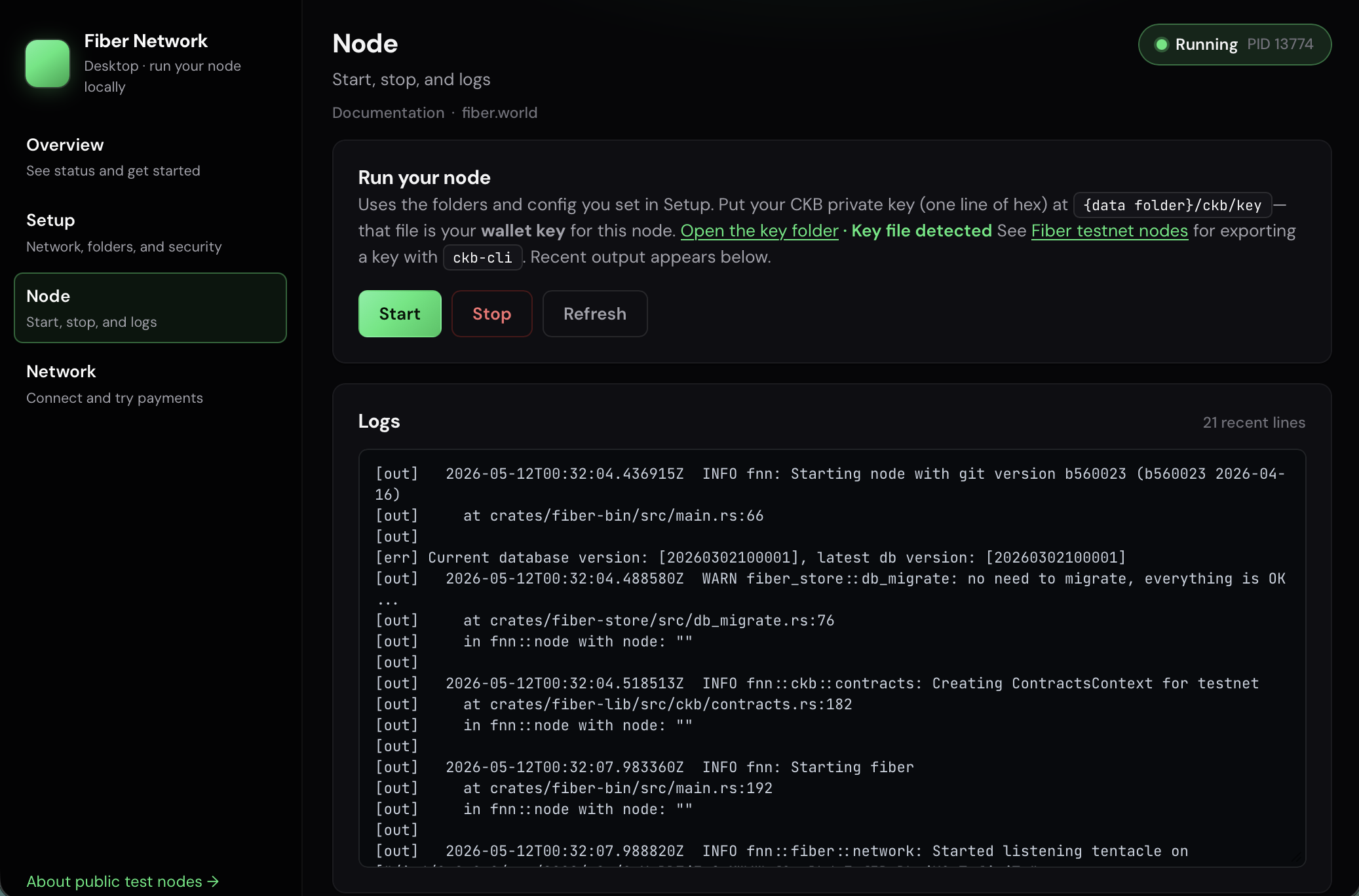
Where you would otherwise juggle many CLI commands and hand-built RPC calls, the app pushes you toward guided flows and in-app actions (for example connecting to documented relays or trying channel and invoice steps from the UI) so you are not memorizing command order on day one.

Under the hood it is a native app (Tauri + React, etc.). If you are not technical, you can ignore that: what matters is that it is a normal desktop app controlling the official Fiber node on your desk or laptop.

Source: github.com/chukwuma619/fiber-desktop


The problem it tries to solve

Using Fiber seriously usually means keeping that engine running and connected enough to be useful on the network. That often pushes people toward:

  • A VPS they must maintain and lock down
  • A small home server that must stay on
  • Networking questions (ports, public addresses, who can reach my machine)
  • Operational questions (updates, backups, monitoring)

On top of that, day-one onboarding is often a long sequence of CLI and JSON-RPC steps: easy to get stuck on one wrong path, flag, or payload even when you are not trying to self-host.

Fiber Desktop is aimed at a different default: run the official node locally, on hardware you already own, with a user experience closer to consumer software — guided setup instead of a wall of commands — while still following how the Fiber ecosystem expects nodes to connect and discover each other, including documented public relay nodes.


How you join the network (without turning your PC into a “public hosting project”)

Fiber nodes talk to each other peer-to-peer. Public relay nodes are well-known peers listed in the official docs. They act like on-ramps: you connect out to them so your node is no longer isolated.

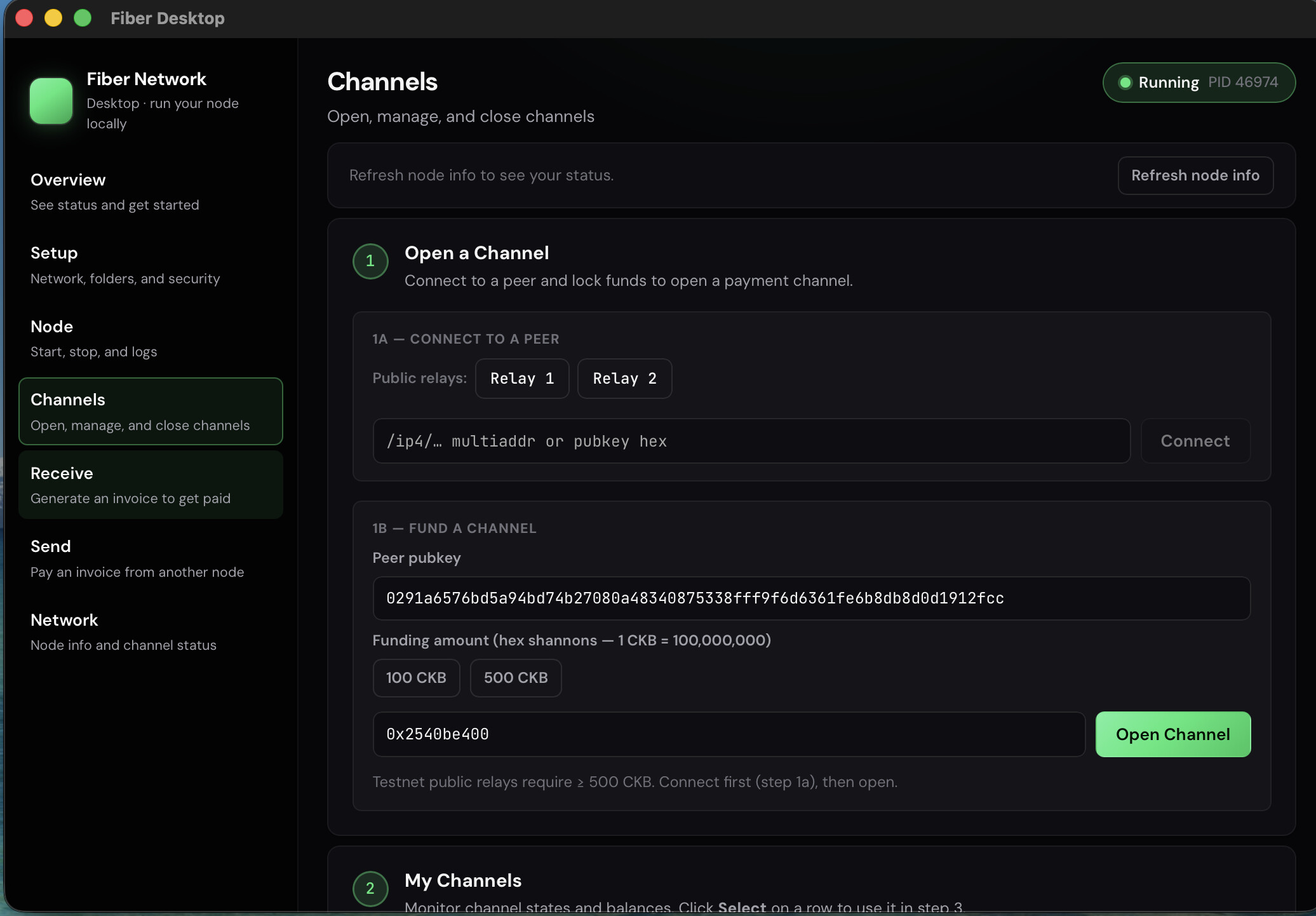
In Fiber Desktop that shows up as actions like connecting to relay 1 or relay 2 for your chosen network, using the same public keys the Fiber project documents — see public nodes.

You are not inventing a custom bridge; you are joining the same mesh the docs describe. That is different from “I must run a public website that exposes my wallet.” You are participating in a network of nodes, not necessarily running a personal datacenter as the default onboarding story.


Channels, invoices, and how a payment reaches your machine

Channels are the “pipes”

After you are connected, the next big step is usually opening a channel with another node (often one of the public relays when you are learning). A channel is a rules-based pipe between two nodes.

Important nuance: payments usually do not flow as “one big public server receives everything and then downloads it to your laptop.” They move hop by hop across many channels when needed. Public relays help you plug in and become part of that map, but a payment route can be longer than a single hop.

Invoices are created on your computer

When you create an invoice, that request is generated by your local node. You share it (text / QR) with whoever pays. You do not need a public payment website for that step.

Routing is how money crosses the mesh

When someone pays your invoice, their software searches for a path across the network — a chain of channel hops from them to you. If a valid path exists and every hop has enough capacity pointing the right way, the payment settles on your node — the one running under Fiber Desktop.

So this high-level picture is right: the payment is routed across the Fiber network until it reaches my local node. The small correction is: it is not always “only the public relay sends it down to me”; it is often several hops across different nodes, with yours as the final stop.

A honest note on receiving

Receiving reliably in channel-based networks usually needs incoming capacity (liquidity and channel layout that allow value to flow toward your node). If someone tries to receive before channels are set up sensibly, they may see “no route” even when the app is working. Fiber Desktop makes the machinery easier; the economics of the graph are still part of the real network.


Useful links


Fiber Desktop does not change what Fiber is. It changes how painful it is to run the real thing on a normal computer: official software first, local control, less accidental sysadmin, and less reliance on a long CLI checklist just to get started.

If you try it, feedback is welcome — especially first-time setup, key handling, connectivity to public relays, and whether the guided flows replace the commands you used to need.
20 Likes

Awesome! I had the same thought about desktop app for fiber and so glad that someone built it!

6 Likes

thank you,

i will be improving it from time to time, till its ready for public use and ppl can download and use without having to too much work

if you have any feature you will like for me to add, feel free to let me know

3 Likes

很棒,这对于普通用户想要体验 Fiber 功能来说是非常好的选择

2 Likes

Hi again,

When I posted about Fiber Desktop a few weeks ago the app could download and start the node, connect to relay peers, and show you some basic status. That was about it. A lot has changed since then, and I want to walk through the main things.


There is now a website

The project has a home page: fiber-desktop.vercel.app

It covers what the app is, how it works, and links to the guides. If you want to share Fiber Desktop with someone who is not already on the forum, that is the place to point them rather than dropping a GitHub link and hoping they figure out the rest.


The dashboard got a real shape

The first version had a flat list of buttons and not much else. It was functional but not very orienting — you opened the app and had to already know what you were trying to do.

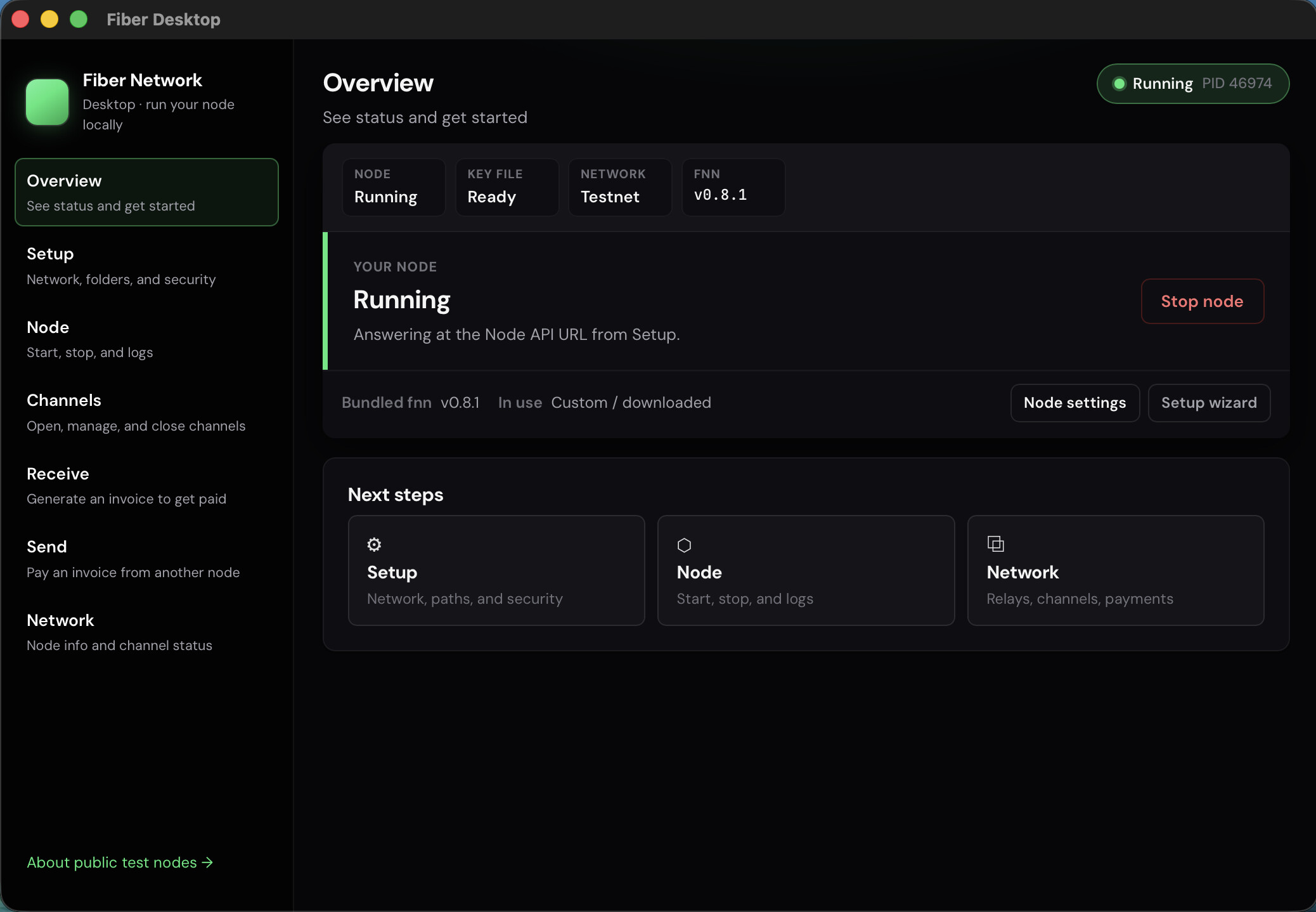
The redesigned dashboard now opens with a hero section that reads differently depending on whether the app has found a node on your machine yet. If you have not set one up, it guides you toward that. If you have, it goes straight to status and controls. Small change in words, but it removes the moment of “wait, what am I supposed to do here.”

There are also stat pills along the top — a quick glance at things like channels and balance — so the overview tab feels like a dashboard rather than just a collection of buttons.


Send and Receive are now their own tabs

In the first version, all the payment-related things were squeezed into one “Payments” tab. It worked but it was a lot to look at when you just wanted to make an invoice or send a payment.

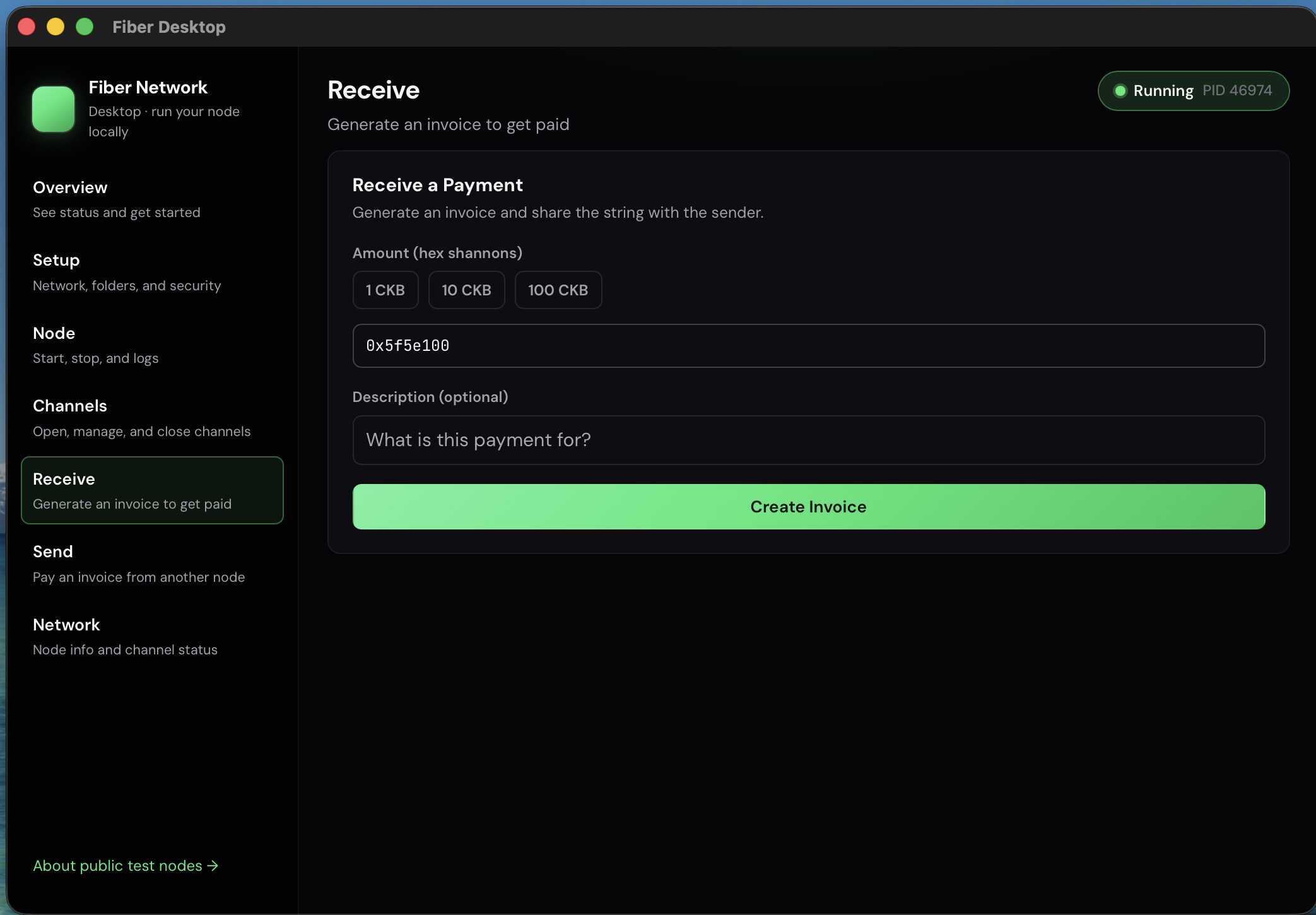
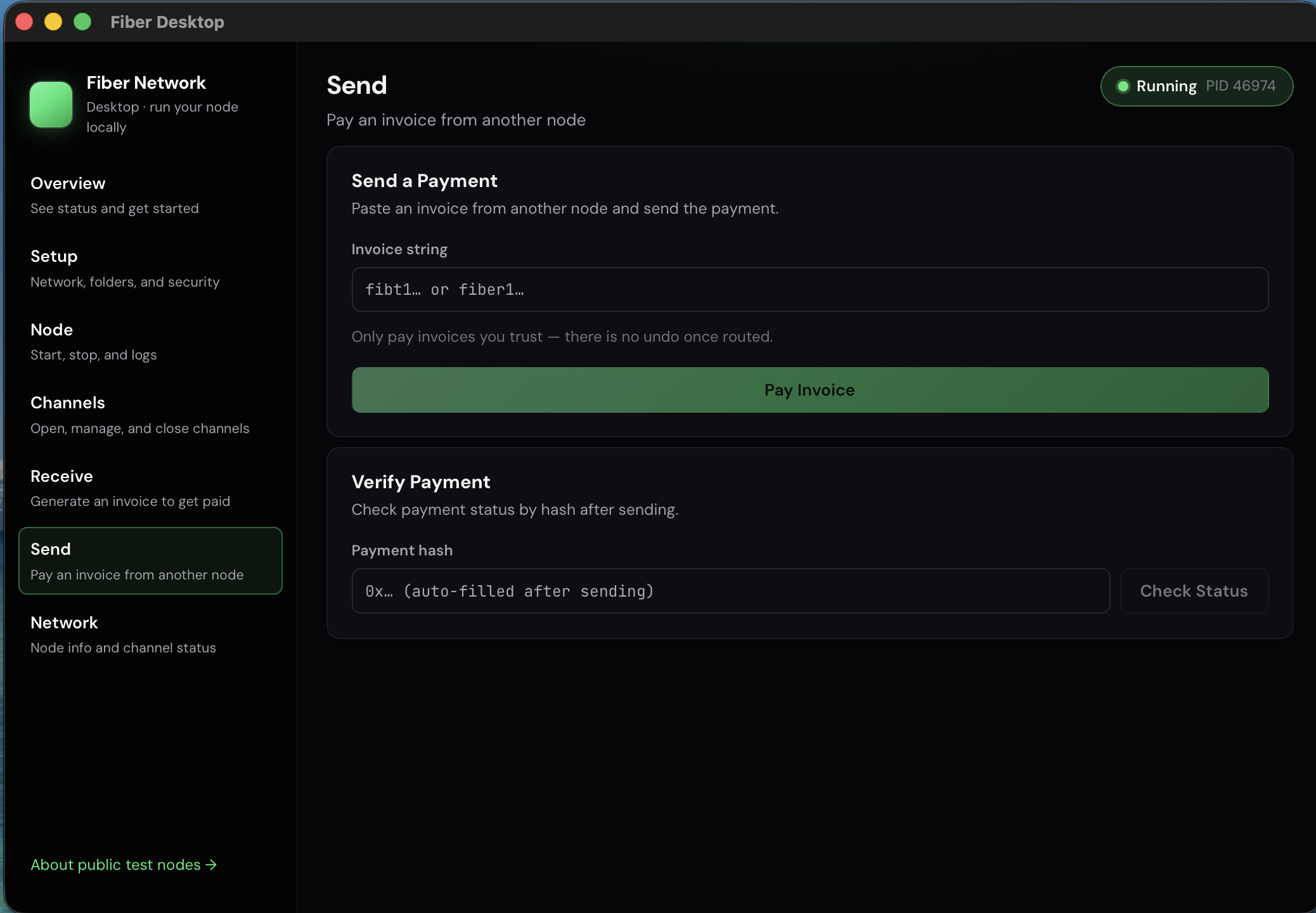
Those are now split into a Receive tab and a Send tab. Receive handles invoice generation. Send handles paying one. Each tab focuses on its one job, which makes the flow less ambiguous whether you are the one requesting or the one paying.

The Channels tab is also separate now, so managing pipes and moving value through them do not compete for the same screen.


Private key setup is now guided inside the app

Before this change, you had to bring your own CKB secp256k1 private key, know where to put it, and hope you got the path and format right. That was a meaningful friction point.

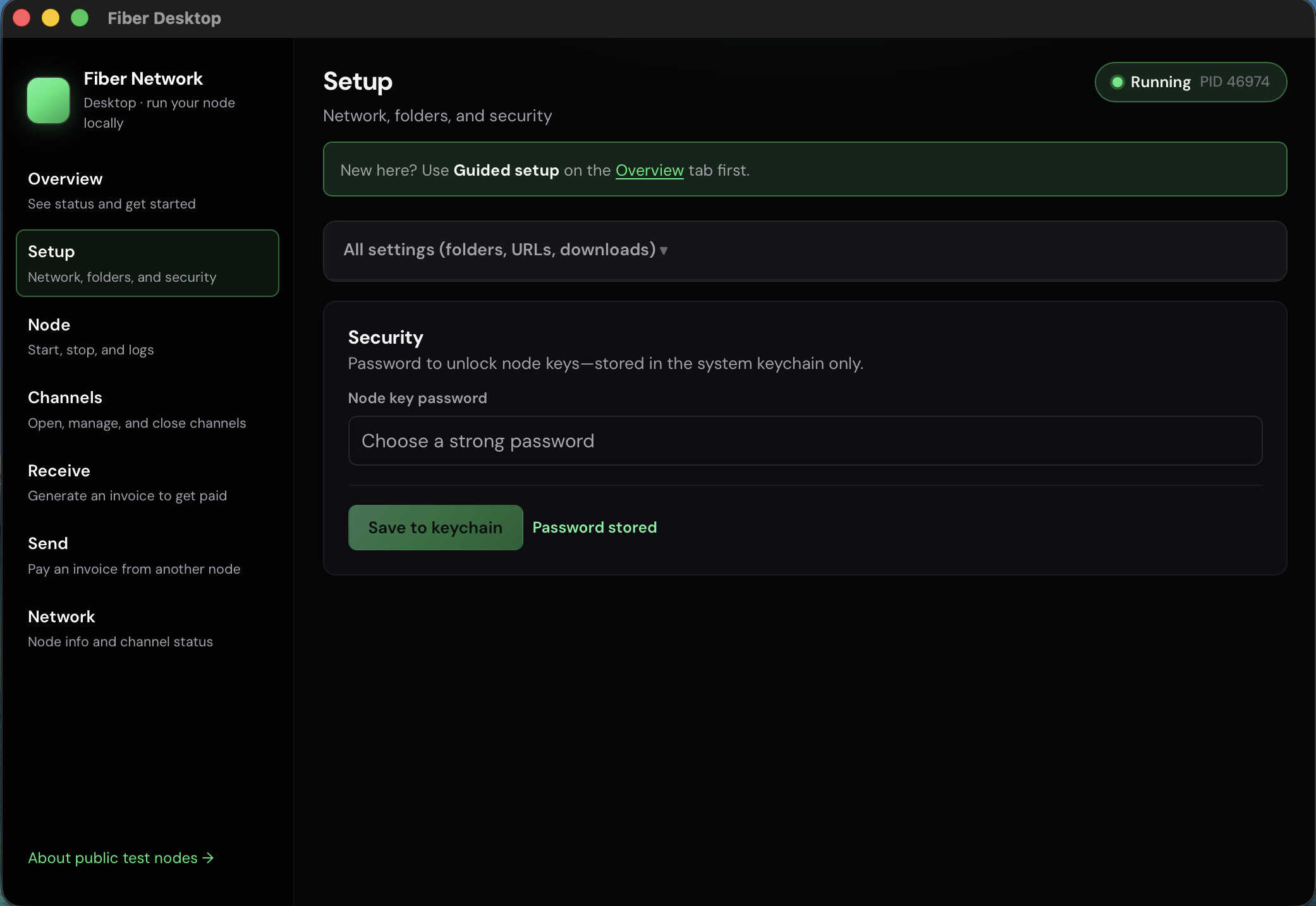
Now the guided setup flow includes a step for your private key. You paste or enter it, the app validates the format, and it writes it to the right place. If you mistype or paste something in the wrong shape, the app tells you before anything breaks downstream.

This fits the original idea of “less death-by-CLI” — the key step was one of the places where people would get stuck on a wrong path or flag and not know why the node would not start.


Download shows you what is actually happening

The fnn binary is a few hundred megabytes. Previously the app downloaded it in the background and you watched a progress indicator that did not tell you much — it was not clear whether it was downloading, extracting, or just stuck.

Now the download emits real-time progress events, and the setup modal shows a progress bar and a percentage. It distinguishes between the download phase and the extraction phase. If something goes wrong, there is a “Try again” button directly in the error state — you do not have to restart the whole setup flow.


The app now recovers from orphaned node processes

This was a subtle but annoying bug. If you closed Fiber Desktop without stopping the node first, fnn would keep running in the background. The next time you opened the app it would try to start a second instance of fnn, fail, and leave you confused about whether the node was running or not.

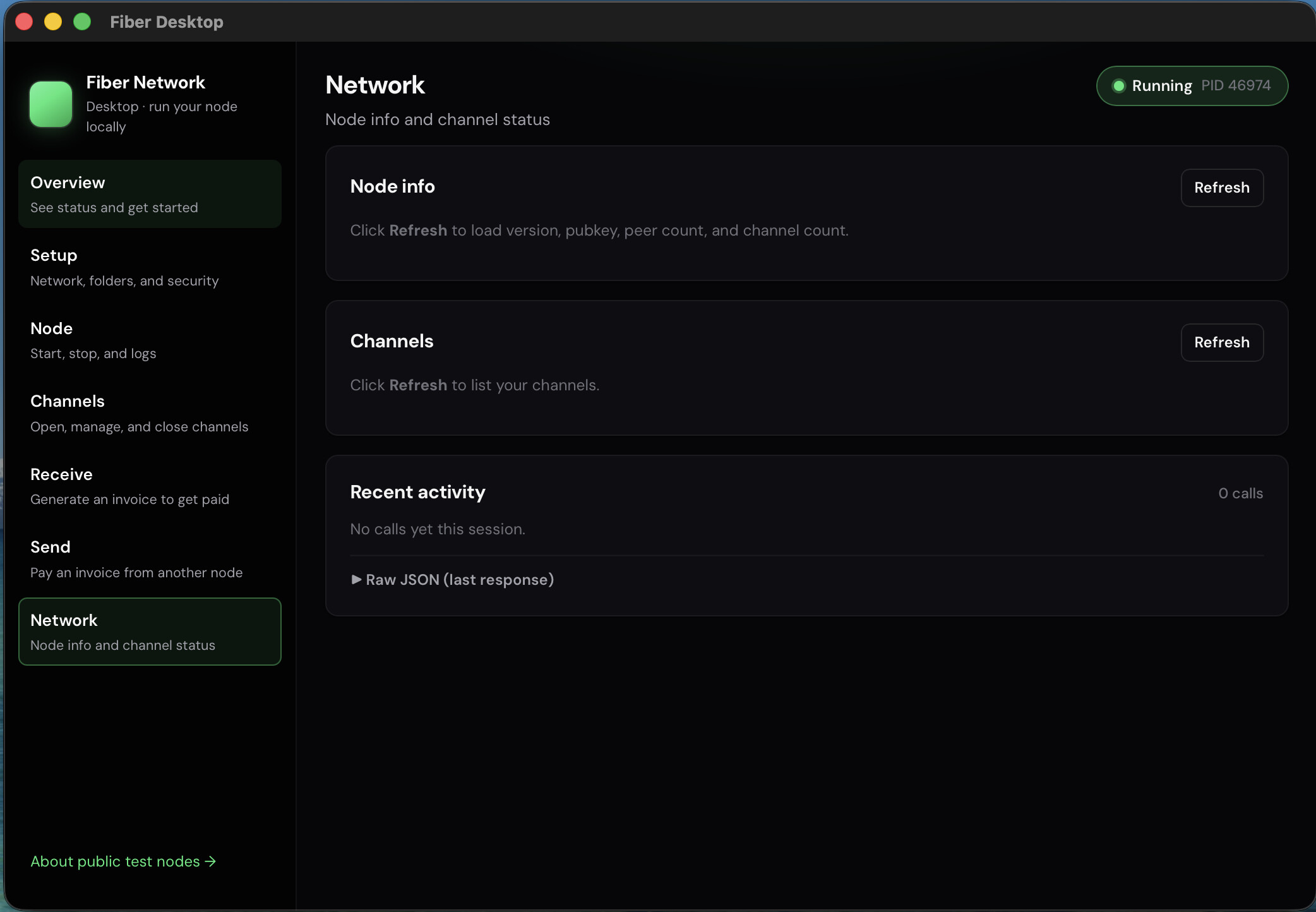
The app now checks for an existing fnn process on startup using a PID file and adopts it if one is found. So if you close and reopen the app, it reconnects to the already-running node instead of trying to start a duplicate. The UI updates to reflect the actual state.


Guides expanded from one page to multiple

The original “how it works” page was a single long page. It has been replaced with a multi-page guides structure — separate pages for how to set up, how to send, how to receive, and an overview index. Each guide covers one flow and links to the next step. They are also now on the website at fiber-desktop.vercel.app, so you can read them in a browser without opening the app.


What has not changed

The core idea is the same. The app wraps the official fnn binary — it does not replace it. Your node is still running on your machine, connecting to the same public relay nodes the Fiber docs describe, using the same channel mechanics as the rest of the network. The app just handles more of the setup steps and surfaces more of the state.

Reliability on Windows is still behind Mac. Most of the testing has been on Mac. That will improve.

here are some screenshot from the app


Links:

If you tried the earlier version and hit friction on the key setup, the download step, or the node not recovering after a close — those are the things most directly addressed in this round. Feedback still welcome, especially from first-time setups.

10 Likes

This makes fiber accessible to the average user, who is used to pressing buttons and using apps these days.

2 Likes

yeah that’s the goal, making it easy for everyone to use

Hey everyone - quick update on where this is headed.

I’ve been thinking about the end goal for this project: How can everyday users pay and get paid with Fiber without a steep setup or running their own server?

The direction I’m taking:

Fiber Desktop (seller side)

We’re adding an Agents tab so sellers can connect a shop (website URL + merchant credentials), keep the app running, and automatically create invoices when someone checks out. No server for Fiber itself — your desktop talks to your site and handles invoices locally via local fnn. Multiple agents for different shops are supported.

fiber-peer-pay (developer side, in progress)

JS packages for “Pay with Fiber” on existing websites:

  • @fiber-peer-pay/node — backend helpers (order queue, merchant auth, routes Fiber Desktop agents poll)
  • @fiber-peer-pay/react — checkout UI for buyers (poll order status, show invoice, copy to pay)

Rough flow:

  1. Buyer checks out on your site
  2. Your backend queues the order
  3. Seller’s Fiber Desktop agent picks it up and creates the invoice
  4. Buyer sees the invoice on your site and pays via Fiber Desktop
  5. Payment routes over the Fiber network (public relays)

Core packages are scaffolded; example shop + polish + npm publish are next. Repo: GitHub - chukwuma619/fiber-peer-pay · GitHub

Still early, but the direction is to make Fiber feel closer to normal web checkout while staying peer-to-peer.

DAO proposal: This work ties into the Fiber Desktop v1 rebuild. If you’re a Nervos DAO member, voting is open — whether you support or oppose, participation counts:

Vote here​:backhand_index_pointing_right: https://dao.ckb.community/thread/vot-fiber-desktop-v1-ground-up-rebuild-and-launch-fnn-desktop-app-72720
Full proposal​:backhand_index_pointing_right: [DIS] Fiber Desktop v1 ground-up rebuild and launch — fnn desktop app

Happy to hear use cases you’d want supported

4 Likes

DAO vote open — closes Wednesday

Quick update: the v1 rebuild proposal is in Metaforo voting until Wednesday.

This prototype thread showed the demand — users on relays, channels, and payments; feedback that shaped the v1 plan. The grant funds the real product: new UX, cross-platform polish, rebrand, signing, and v1.0.0 launch.

Quorum so far: 5,970,865 / 15,000,000 CKB — still need ~9M CKB in participation (Yes or No both count).

Vote: https://dao.ckb.community/thread/vot-fiber-desktop-v1-ground-up-rebuild-and-launch-fnn-desktop-app-72720
Full proposal: [DIS] Fiber Desktop v1 ground-up rebuild and launch — fnn desktop app

Need Nervos DAO on Metaforo to vote: binding guide

@RetricSu @knmo @Ckroamer and many others — you’ve been part of this from the prototype side; if you have DAO on Metaforo, participation this week would mean a lot.

3 Likes

OT: Delegated DAO voting could become an important democratic mechanism if @CKBA plays a decisive role in its implementation. CKB can remain locked for years (and soon decades) without requiring active management by its owners. If the “stake”—the weight of my DAO-staked, inflation-protected CKB holdings—can be delegated to an active community member for governance decisions.

4 Likes

Hey @knmo, glad to see you more active recently! Yeah, I personally fully agree with you, but it’s more controversial than it may seem :man_shrugging:

See for example:

Feel free to open a new thread dedicated to Community DAO Vote Delegation and we can freely discuss over there with the Community!

Phroi

PS: Congratulations @ebubedev! :tada::tada::tada:

3 Likes

Thank you @phroi

3 Likes

Hi everyone,

Thank you for all the feedback, testing, and support on this prototype thread. It directly shaped what v1 is building.

This thread is now closed for project updates. I will not be posting further progress here.

All ongoing work, grant milestones, releases, and [Status Update] posts will now be shared on the v1 proposal thread:

→ [DIS] Fiber Desktop v1 ground-up rebuild and launch (fnn desktop app)

The prototype repository and builds will remain available. This is simply a communication change so that all v1 updates are kept in one place instead of being split across two threads.

If you are following Fiber Desktop, please bookmark the DIS thread above. Any future questions, discussions, and updates will take place there.

Thanks again for helping move this project from prototype to an actual product.

3 Likes